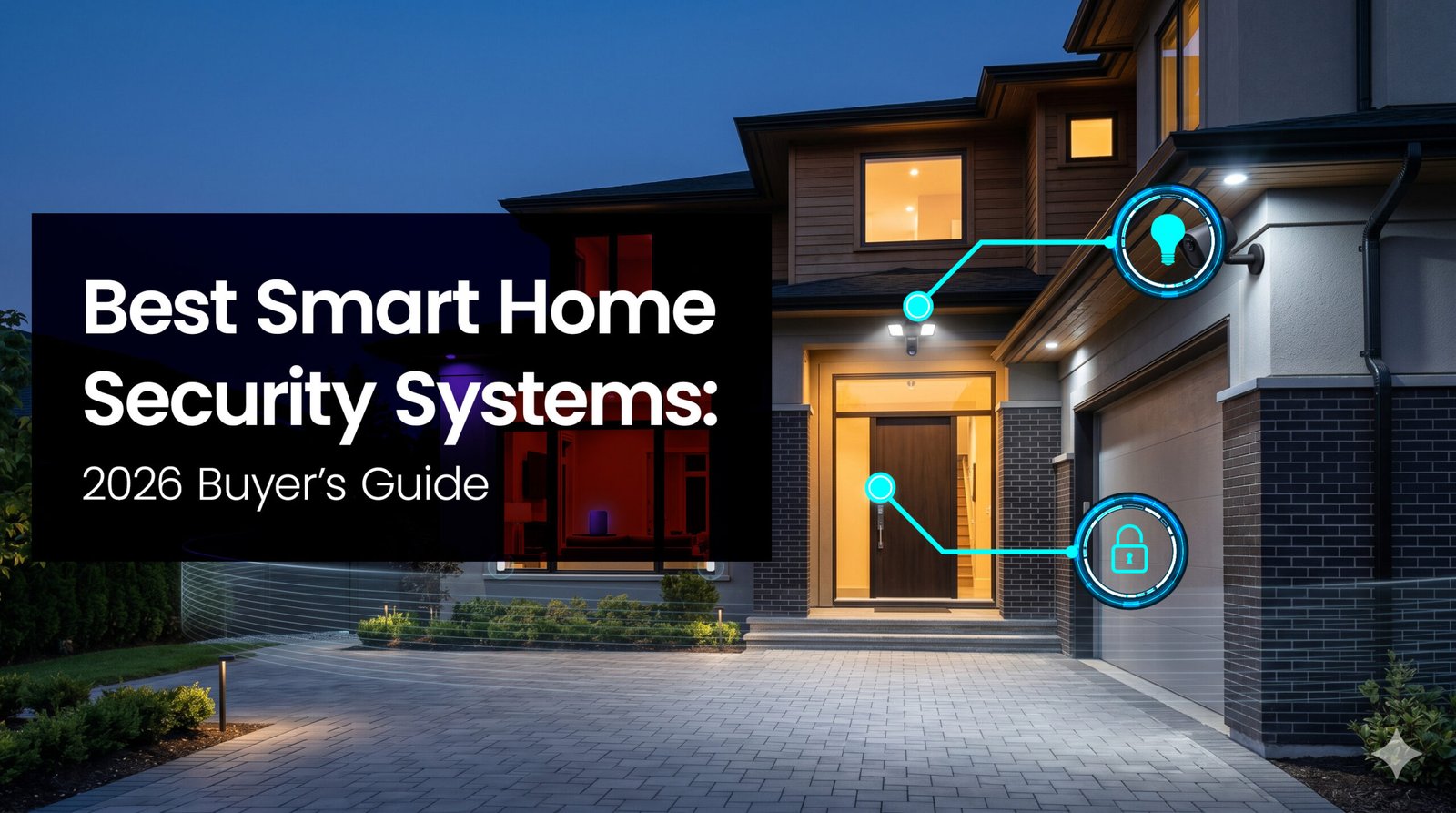
Best Smart Home Security Systems that protect smarter and avoid unnecessary complexity.
You want a security setup that actually protects your home without turning into a part-time IT job. Security technology has evolved past the clunky keypads and blurry cameras of a decade ago, bringing faster connectivity, smarter artificial intelligence alerts, and flexible power options right to your front door. But with that convenience comes a tidal wave of marketing noise and hidden subscription fees.
We approach home security practically. A good system shouldn’t just record incidents; it should deter them, give you actionable information, and stay online when your Wi-Fi drops or the power goes out. The cost of inaction isn’t just stolen packages—it’s the lingering anxiety of leaving your house unattended. We have sorted through the top options to help you pick devices that deliver reliable detection, integrate smoothly with the gear you already own, and keep you in control.
Top Picks For Home Security
| Product | Best Category | Key Buying Info | Read More |
|---|---|---|---|
 Ring Alarm 14-Piece Kit | Best Overall | 92/100 | |
 Ring Floodlight Cam Pro | Best Floodlight Camera | 88/100 | |
 Schlage Encode Smart Wi-Fi Deadbolt | Best Smart Lock | 90/100 | |
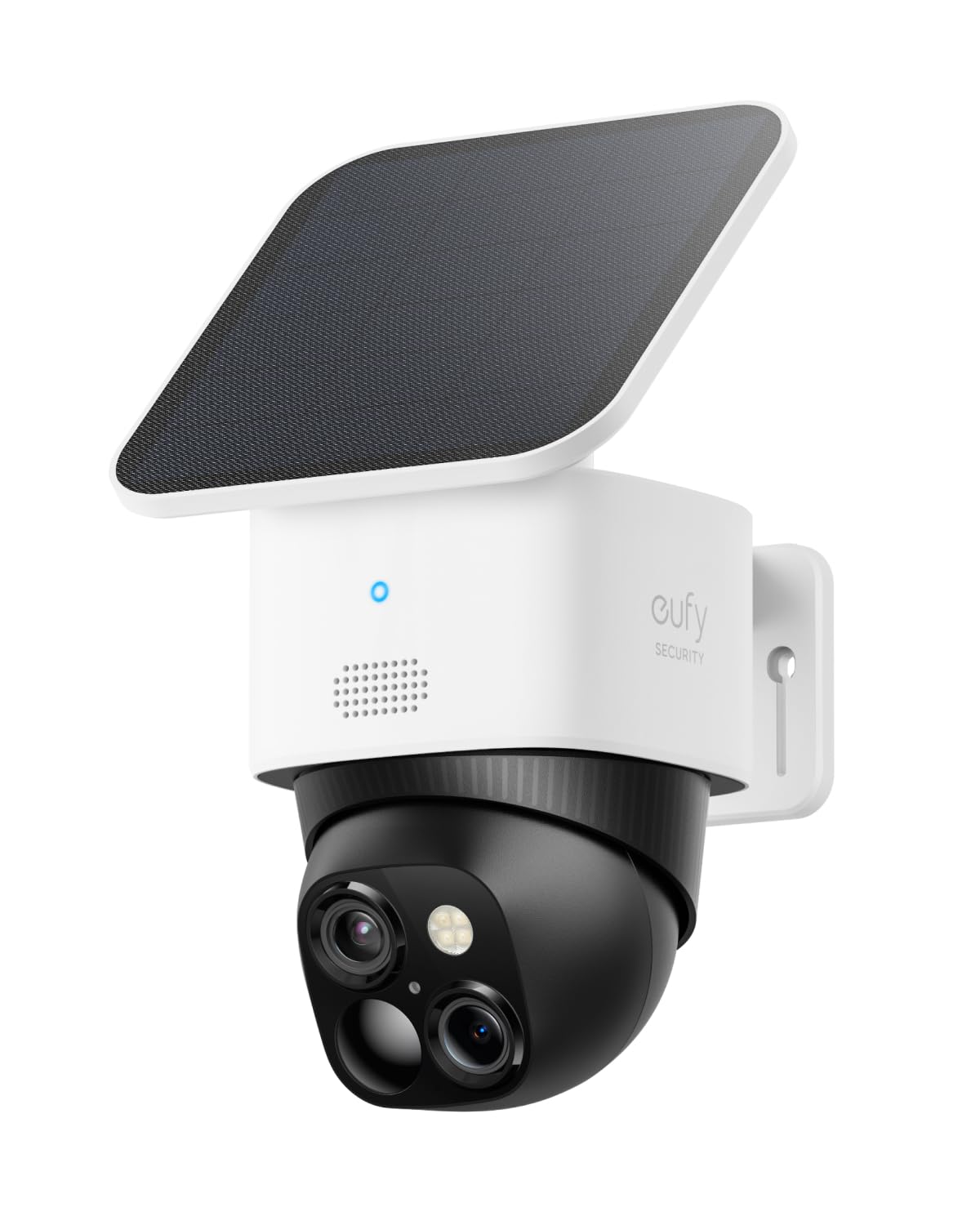 eufy Security SoloCam S340 | Best Solar Camera | 86/100 | |
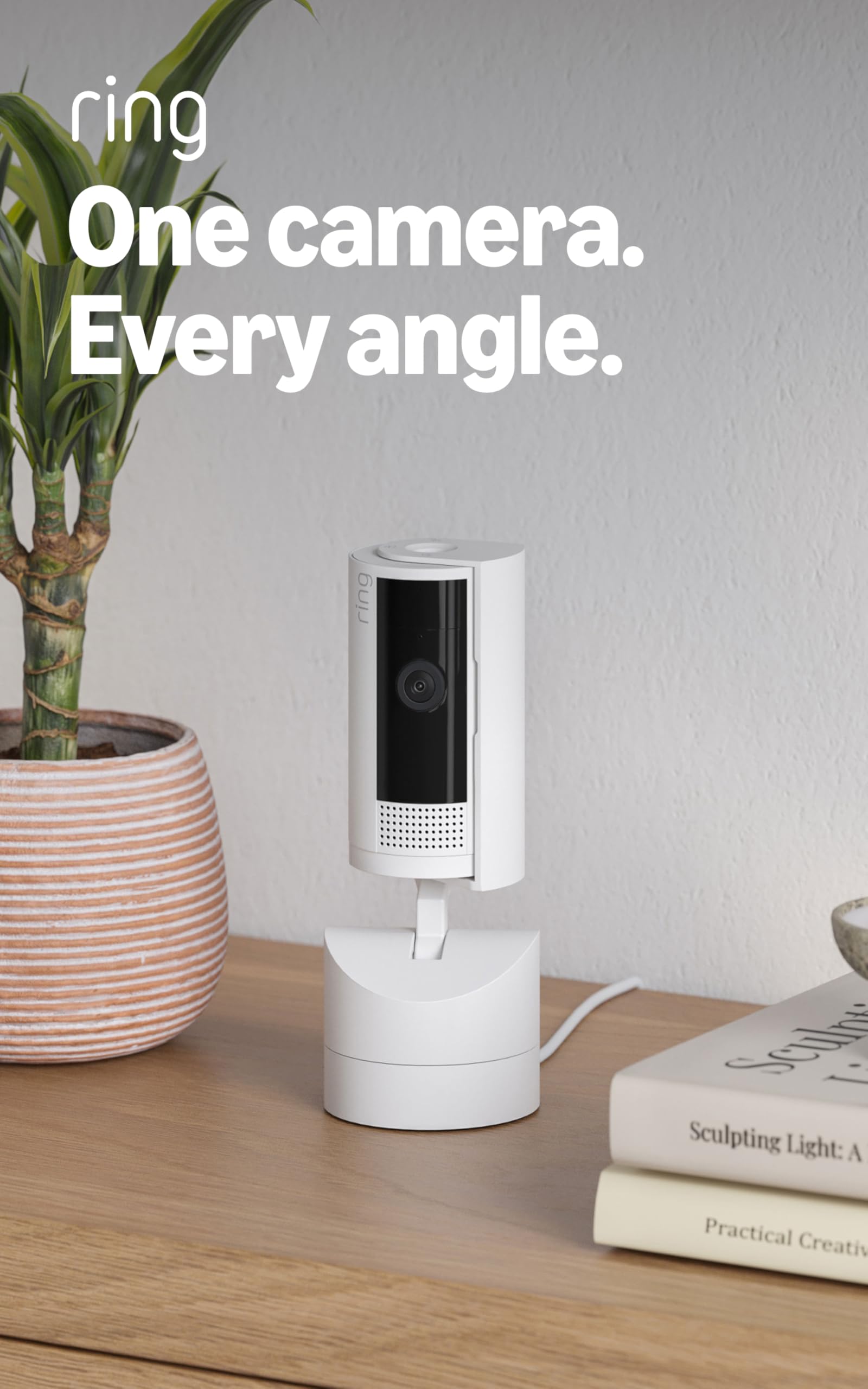 Ring Pan-Tilt Indoor Cam | Best Indoor Coverage | 87/100 | |
 SimpliSafe 8 Piece Wireless System | Best DIY Kit | 85/100 | |
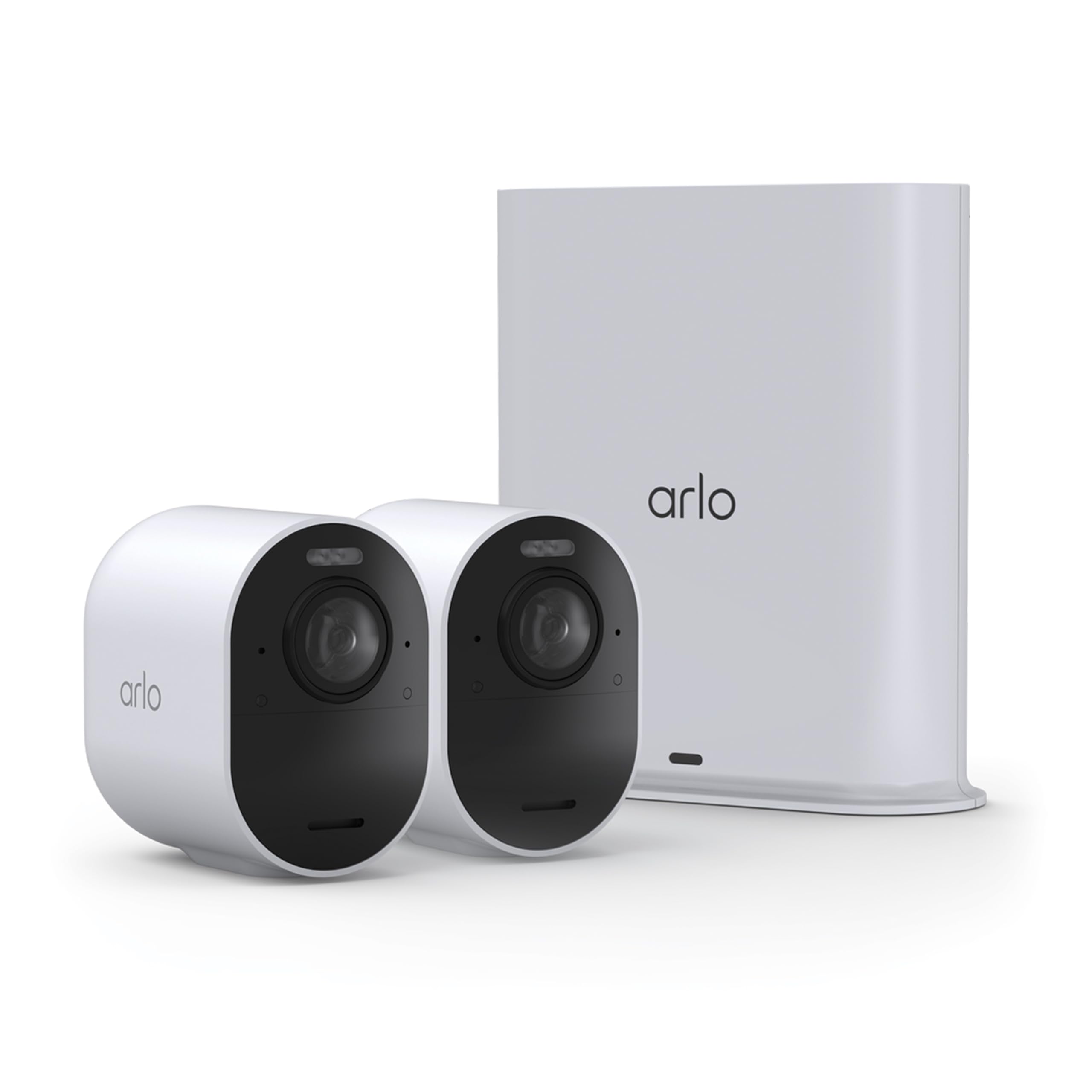 Arlo Ultra | Best 4K Performance | 89/100 | |
 Blink Video Doorbell | Best Budget Doorbell | 80/100 |
How We Chose
You need devices that just work, especially in a panic. We prioritized reliability, clear video resolution, and sensor accuracy over flashy gimmicks. A security camera is useless if it drops offline during a storm, so we heavily weighted power redundancies, like battery backups and cellular failovers, alongside connectivity options.
We also took a hard look at the hidden costs. Many brands obscure their ongoing subscription requirements, locking crucial features behind monthly paywalls. We evaluated these devices based on what they actually cost to operate long-term, their privacy safeguards, and how easily they integrate into common smart home ecosystems like Amazon Alexa and Google Assistant.
Ring Alarm 14-Piece Kit
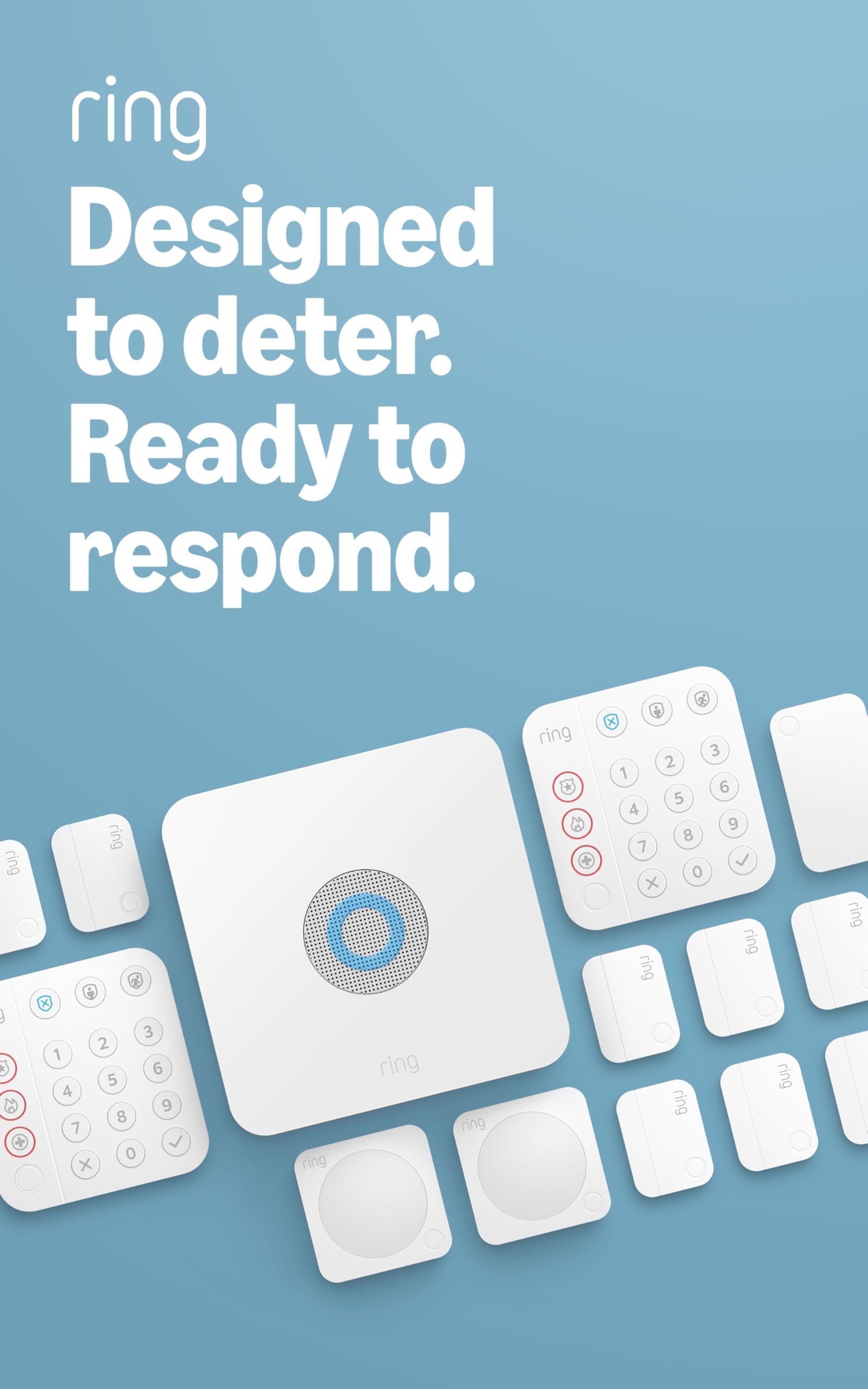
The Ring Alarm acts as the central nervous system for your home security, giving you a modular, wireless setup that scales from a small apartment to a sprawling house. It works brilliantly for everyday use, letting you arm and disarm from your phone, set schedules so doors lock automatically at night, and receive instant alerts if a window opens unexpectedly. Because it uses Z-Wave for its sensors—a wireless protocol that won’t crowd your Wi-Fi network—it maintains a highly reliable connection to the base station.
This kit beat out alternatives because it perfectly balances intuitive DIY installation with the option to upgrade to professional-grade monitoring whenever you want. It is an ideal fit for homeowners who want a scalable, app-first security ecosystem that plays incredibly well with other Amazon devices.
Pros
- Easy DIY setup
- Modular expansion
- Integrated routines
Cons
- Requires paid plan
- Amazon ecosystem tied
- Basic sensor design
Tech Specs
| Major Features |
|
| Interface | Ethernet, Wi-Fi, Z-Wave, Bluetooth, Cellular Backup |
| Power Requirement | 100-240V AC Adapter with 24-hour battery backup |
| Workflow Benefit | Entry sensors and motion detectors |
| Hardware Specificity | Required for cellular backup & professional monitoring |
Ideal For
- Homeowners wanting a scalable, app-first security ecosystem.
- Users heavily invested in Amazon Alexa for smart home routines.
- People who want the option to toggle professional monitoring on and off.
Not For
- Users seeking a system completely independent of cloud services.
- Those who refuse to pay monthly subscription fees for cellular backup.
Editor’s Take
If you want a no-nonsense foundation for home security that stays out of your way while keeping you informed, this is a highly sensible, practical choice that grows right alongside your property.
Ring Floodlight Cam Pro
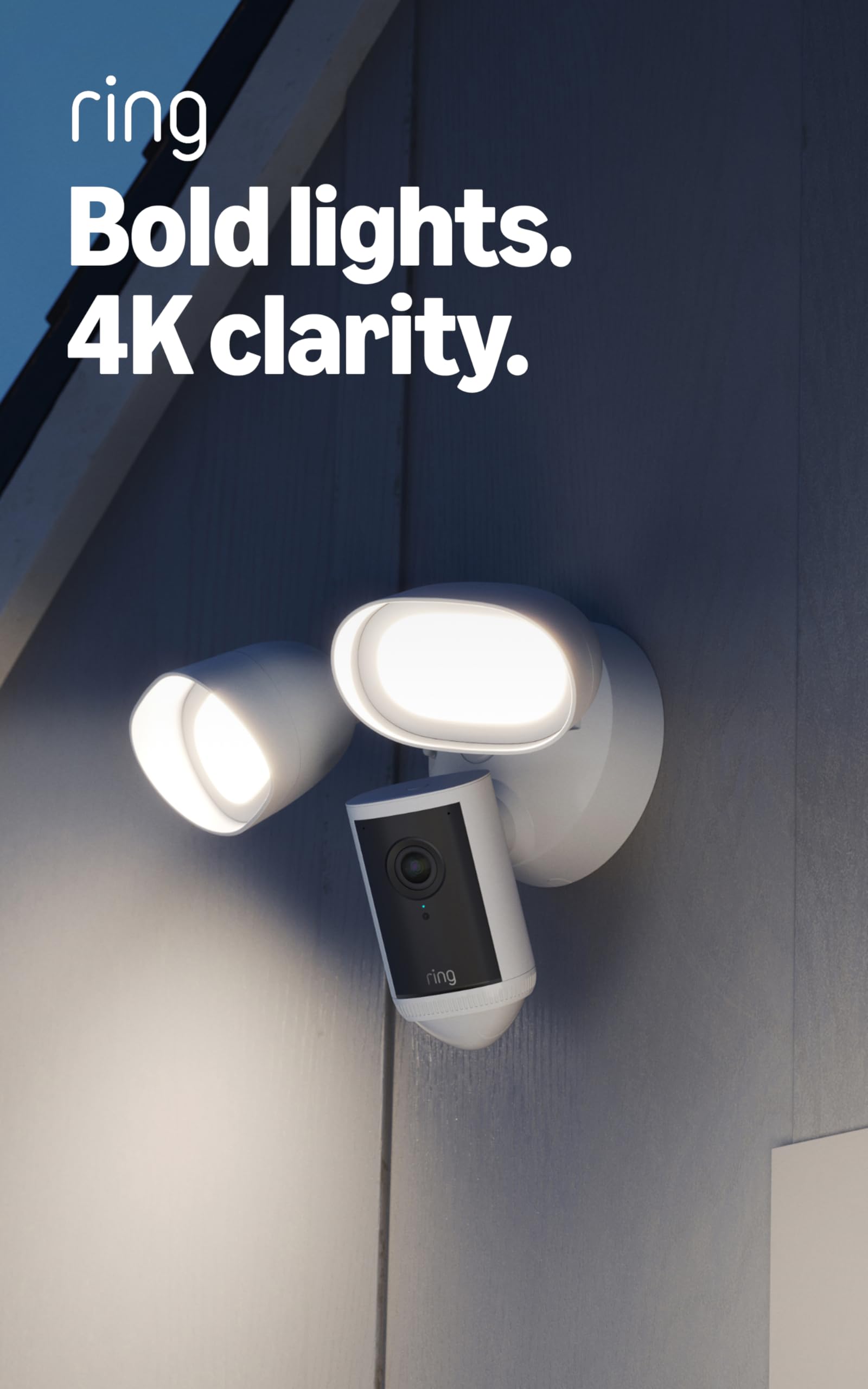
This camera acts as a highly proactive bouncer for your driveway. By combining a security camera with two high-output 2000-lumen floodlights, it eliminates the need to install separate motion lights and recording devices. The advanced 3D motion detection utilizes radar to track exactly where a subject is on your property, drastically cutting down on false alerts from passing cars. (Editor’s Safety Note: While some marketing materials claim 4K resolution for this category, buyers should be aware the Ring Cam Pro natively utilizes 1080p HDR video, which is still excellent for shadow recovery and detail).
It wins our floodlight category because it solves two major problems—visibility and recording—with a single, hardwired fixture. It suits homeowners who have existing electrical junction boxes on their exterior walls and want to blast dark corners with light the second motion is detected.
Pros
- Very bright lights
- Radar motion zones
- Loud remote siren
Cons
- Hardwired install
- Needs subscription
- No battery backup
Tech Specs
| Major Features |
|
| Interface | Wi-Fi 6 (802.11ax), Dual-band |
| Power Requirement | Hardwired (110-240V) |
| Workflow Benefit | Camera + 2000-lumen lights + Siren |
| Hardware Specificity | Required for cloud video history |
Ideal For
- Users needing wide driveway or yard coverage.
- Homes with existing exterior electrical fixture wiring.
- People who want an active, bright deterrent to scare off prowlers.
Not For
- Renters unable to alter their home’s hardwiring.
- Users lacking a strong Wi-Fi signal extending to the exterior of the house.
Editor’s Take
For securing large, dark areas like driveways and backyards, nothing beats the immediate deterrent effect of 2000 lumens blasting an intruder while the camera records their reaction.
Schlage Encode Smart Wi-Fi Deadbolt
The Schlage Encode brings professional-grade mechanical security into the smart home era without making you jump through networking hoops. Unlike many smart locks that require a separate, clunky bridge plugged into a wall to reach the internet, the Encode connects directly to your home Wi-Fi network. You can issue temporary entry codes for dog walkers or Airbnb guests, check if the door is locked from your office, and receive alerts if the built-in tamper alarm detects someone trying to force the door.
It beat out the competition because it pairs a genuinely robust, heavy-duty mechanical deadbolt with seamless, hub-free digital access. It is the perfect lock for vacation rental hosts or busy families who constantly lose physical keys.
Pros
- No hub required
- Built-in tamper alarm
- Heavy-duty build
Cons
- Wi-Fi drains battery
- No HomeKit support
- Fingerprint smudges
Tech Specs
| Major Features |
|
| Interface | Wi-Fi, Bluetooth |
| Power Requirement | AA batteries |
| Workflow Benefit | Encrypted physical & digital access control |
| Hardware Specificity | None required |
Ideal For
- Vacation rental hosts needing remote code management.
- Homeowners wanting straightforward lock control without buying smart hubs.
- Families needing keyless entry for children coming home from school.
Not For
- Users with weak Wi-Fi connection at the front door.
- HomeKit loyalists (this model leans toward Alexa and Google).
Editor’s Take
If you want a durable lock that completely eliminates the hidden costs and networking headaches of smart home hubs, the Encode balances reliability and daily convenience beautifully.
eufy Security SoloCam S340
The SoloCam S340 is built for those hard-to-reach spots on your property where running electrical wire is impossible. Powered by an integrated, adjustable solar panel, it practically maintains itself. What truly sets this unit apart is the mechanical pan-and-tilt base combined with dual lenses. Instead of staring blankly at a single patch of grass, it can rotate 360 degrees, utilizing AI human detection to actively track trespassers in incredibly crisp 3K resolution.
It won our solar category because it completely eliminates the monthly cloud subscription fees by utilizing onboard local storage. This makes it an incredibly cost-effective, off-grid solution for monitoring large yards, outbuildings, or rural properties.
Pros
- Zero monthly fees
- 360-degree panning
- Crisp 3K resolution
Cons
- Needs direct sun
- Large physical size
- No 5GHz Wi-Fi
Tech Specs
| Major Features |
|
| Interface | 2.4 GHz Wi-Fi |
| Power Requirement | Solar powered with 10000mAh battery |
| Workflow Benefit | 3K Camera + Pan/Tilt Motor + AI Detection |
| Hardware Specificity | None required (Local storage included) |
Ideal For
- Users with large yards or outbuildings to cover.
- Shoppers who refuse to pay monthly subscription fees for video storage.
- Properties with excellent direct sunlight for charging.
Not For
- Heavily shaded properties where solar charging will inevitably fail.
- Users needing continuous 24/7 video recording rather than motion events.
Editor’s Take
If you hate paying for cloud subscriptions and need to cover a massive backyard or detached garage without drilling through walls for power, this solar tracker is the ultimate set-it-and-forget-it tool.
Ring Pan-Tilt Indoor Cam
Placing multiple fixed cameras inside a single room feels invasive and clutters your decor. The Ring Pan-Tilt solves indoor blind spots by letting you manually look around the room right from your phone screen. It plugs into a standard outlet, tracks moving subjects automatically, and provides excellent 1080p color night vision. Most importantly for interior use, it includes a manual privacy cover so you can physically block the lens and microphone when you are home.
It beat out standard stationary cameras because of its interactive flexibility. It is uniquely suited for checking on restless pets, scanning a nursery, or monitoring a home office without needing to buy three separate devices to see every corner.
Pros
- Follows motion
- Physical privacy lid
- Replaces multiple cams
Cons
- Requires wall outlet
- Needs Ring subscription
- Indoor use only
Tech Specs
| Major Features |
|
| Interface | 802.11 b/g/n Wi-Fi |
| Power Requirement | 10 ft USB-A to USB-C Power Cable + Adapter |
| Workflow Benefit | 1080p Camera + Motion Tracking |
| Hardware Specificity | Required for cloud video history |
Ideal For
- Pet owners who want to follow their dogs or cats around the living room.
- Parents needing to quickly scan a playroom or nursery.
- Users who value a physical privacy shutter for interior cameras.
Not For
- Users uncomfortable with internet-connected cameras inside their private spaces.
- Areas without access to a nearby wall outlet.
Editor’s Take
Instead of turning your living room into a surveillance state with five fixed cameras, use this single interactive lens to check on the dog and close the privacy shutter when you get home.
SimpliSafe 8 Piece Wireless Home Security System
SimpliSafe practically invented the modern DIY security movement, and this 8-piece kit shows why it’s still highly relevant. It bypasses the need to hire a technician entirely; you plug the base station into the wall, stick the wireless battery-powered sensors to your doors, and you’re done. While the sensors themselves run on batteries, it’s crucial to note the main base station requires an AC outlet, though it does feature a 24-hour backup battery and cellular failover to keep the 95 dB siren armed during power outages.
This system wins the DIY category because of its absolute simplicity and contract-free business model. It is perfect for renters who cannot drill into walls, or homeowners who want to cancel their monitoring service without paying exorbitant exit fees.
Pros
- Contract-free
- Fast DIY install
- Cellular backup
Cons
- App needs paid plan
- Basic integrations
- Base needs outlet
Tech Specs
| Major Features |
|
| Interface | Wireless, Wi-Fi, Cellular |
| Power Requirement | Battery powered (Sensors) / AC with battery backup (Base) |
| Workflow Benefit | Entry sensors, 95 dB Siren |
| Hardware Specificity | Required for professional monitoring and app control |
Ideal For
- Renters looking for a non-destructive, easy-to-move security system.
- Users who want cellular backup so the alarm works if Wi-Fi goes down.
- Anyone who refuses to be locked into multi-year monitoring contracts.
Not For
- Power users seeking complex smart home integrations (like Home Assistant or advanced Z-Wave setups).
- Shoppers who want full mobile app remote control without paying a monthly fee.
Editor’s Take
For those who want rock-solid protection against break-ins without wiring a single thing or signing their life away to a contract, SimpliSafe remains the undisputed king of easy installation.
Arlo Ultra
When fuzzy 1080p footage just isn’t cutting it for reading license plates at the end of the driveway, the Arlo Ultra steps in with stunning true 4K HDR video. It boasts a massive 180-degree field of view, actively reducing the “fish-eye” distortion that plagues cheaper lenses. The camera can automatically zoom in and track a person walking across your lawn. (Editor’s Safety Note: Buyers must be aware that to fully utilize this camera—including cloud recording of that beautiful 4K footage and advanced smart tracking—you must maintain a paid Arlo Secure subscription, and the camera requires an Arlo SmartHub to function).
It wins best performance because the optical hardware is undeniably premium. If identifying faces and capturing fine detail in varied lighting is your absolute top priority, this wire-free powerhouse delivers the pixels you need.
Pros
- Stunning 4K video
- Auto zoom tracking
- Ultra-wide 180 FOV
Cons
- Costly subscription
- SmartHub required
- Expensive hardware
Tech Specs
| Major Features |
|
| Interface | Wi-Fi via Arlo SmartHub |
| Power Requirement | Removable rechargeable batteries |
| Workflow Benefit | 4K HDR Camera + Auto Tracking |
| Hardware Specificity | Required for cloud storage, high-res streaming, and advanced AI |
Ideal For
- Homeowners with large driveways needing to read license plates.
- Users prioritizing the highest possible video resolution and optical clarity.
- Those willing to invest in premium hardware and ongoing subscription plans.
Not For
- Budget-conscious buyers.
- Users who refuse to pay monthly fees for cloud storage and smart features.
Editor’s Take
Yes, it’s expensive and demands a subscription, but if you’ve ever been frustrated by grainy security footage during an incident, the Arlo Ultra’s optical clarity is entirely worth the premium.
Blink Video Doorbell
The Blink Video Doorbell focuses on doing exactly one job reliably for a remarkably low price: watching your porch. It uses standard AA lithium batteries, allowing it to achieve an impressive two-year battery life under normal use, making it incredibly low maintenance. It offers a head-to-toe HD view so packages don’t hide beneath the frame, and simple two-way audio. (Editor’s Safety Note: The specific SKU linked is an “Add-On” unit. To view live video on-demand and save battery life, you must already own, or purchase separately, a Blink Sync Module).
It dominates the budget category because it provides essential front-door visibility at a fraction of the cost of premium competitors. It is perfect for users already embedded in the Alexa/Blink ecosystem who want basic package monitoring without running doorbell wires.
Pros
- 2-year battery life
- Very affordable
- Head-to-toe video
Cons
- Needs Sync Module
- Basic feature set
- No advanced AI
Tech Specs
| Major Features |
|
| Interface | 2.4 GHz Wi-Fi |
| Power Requirement | Battery (2 AA lithium) |
| Workflow Benefit | HD Video + Two-Way Audio |
| Hardware Specificity | Required for cloud storage (unless using a Sync Module 2 with USB) |
Ideal For
- Budget-focused buyers needing basic porch visibility.
- Users already owning a Blink Sync Module and other Blink cameras.
- Renters who want a wire-free, battery-powered doorbell installation.
Not For
- Shoppers expecting continuous 24/7 video recording.
- Users looking for advanced AI package or face recognition features.
Editor’s Take
You don’t always need a computer vision super-camera on your porch. If you just want to know when your delivery arrives without charging a battery every month, this is your most cost-effective option.
Product Comparison
| Product | Features | Rating | See Price |
|---|---|---|---|
Ring Alarm 14-Piece Kit |
| 92/100 | |
Ring Floodlight Cam Pro |
| 88/100 | |
Schlage Encode Smart Lock |
| 90/100 | |
eufy Security SoloCam S340 |
| 86/100 | |
Ring Pan-Tilt Indoor Cam |
| 87/100 | |
SimpliSafe 8 Piece Kit |
| 85/100 | |
Arlo Ultra |
| 89/100 | |
Blink Video Doorbell |
| 80/100 |
Buyer’s Checklist
| Feature to Consider | Why It Matters |
|---|---|
Check your upload speeds. | High-resolution cameras like the Arlo Ultra require strong internet upload speeds to push 4K video to the cloud without lagging. |
Verify power sources. | Don’t buy a floodlight cam if you don’t have an existing junction box to hardwire it, and don’t buy a solar camera if your yard is heavily shaded. |
Calculate the real cost. | Look past the hardware sticker price. Factor in the monthly subscription fees required to make systems like Ring, Arlo, and SimpliSafe fully functional. |
Consider the ecosystem lock-in. | Choose devices that integrate smoothly with what you already own. Ring and Blink work best with Alexa, while others like Schlage offer wider compatibility. |
Final Thoughts On Securing Your Home
Upgrading your security isn’t just about buying hardware; it is about reclaiming the confidence that your home is safe when you walk away from it. By investing in the Ring Alarm 14-Piece Kit, you gain a scalable foundation that puts whole-home monitoring right in your pocket. If the darkness around your property makes you uneasy, the Ring Floodlight Cam Pro aggressively restores visibility and actively deters intruders before they get close.
For those overwhelmed by managing physical keys, the Schlage Encode completely modernizes your front door with heavy-duty, hub-free entry. If you have remote outbuildings or massive yards, the eufy SoloCam S340 grants you incredible 360-degree, off-grid coverage without sapping your wallet with cloud fees, while the Ring Pan-Tilt Indoor Cam provides a brilliant, interactive way to check on pets and family inside without cluttering your room with cameras.
Renters and DIYers looking to dodge pushy salespeople and lengthy contracts will find a breath of fresh air in the SimpliSafe 8 Piece System. If your highest priority is having undeniable, crystal-clear proof of an incident, the Arlo Ultra justifies its premium price with spectacular 4K optics. Finally, if you simply want a steadfast guardian for your incoming packages that won’t require constant charging, the Blink Video Doorbell quietly does the job.
Frequently Asked Questions
Do I really need a monthly subscription for home security?
Not always, but subscriptions usually unlock the best features. Devices like the eufy SoloCam and Schlage Encode operate entirely free of monthly fees. However, systems from Ring, Arlo, and SimpliSafe heavily restrict cloud video storage, cellular backup, and professional emergency dispatch behind their paid tiers.
What happens to my security system if the power goes out?
It depends entirely on your hardware. Systems like SimpliSafe and the Ring Alarm feature battery backups in their base stations that keep them alive for up to 24 hours. However, hardwired cameras without batteries will immediately turn off during an outage.
What is the difference between Wi-Fi and Z-Wave sensors?
Wi-Fi devices connect directly to your home’s router, which is convenient but can crowd your network if you have dozens of them. Z-Wave devices communicate on a separate, lower frequency that doesn’t interfere with your Wi-Fi, making systems like the Ring Alarm incredibly stable over long distances.
Are indoor security cameras a privacy risk?
Any internet-connected lens carries some inherent risk. To protect your privacy, use strong passwords, enable two-factor authentication, and look for indoor cameras like the Ring Pan-Tilt that include a physical, manual privacy cover you can close when you are home.
How do I stop false motion alerts from my outdoor cameras?
Take advantage of customizable motion zones in the camera’s app to block out busy streets or waving trees. Additionally, investing in cameras with advanced AI human detection or radar-based 3D tracking (like the Ring Floodlight Pro) will significantly reduce false triggers from animals or passing cars.