Wyze Cam v4 vs. Blink Mini 2: two budget cameras, two very different strengths.
If you want a cheap security cam, the Wyze Cam v4 and Blink Mini 2 are both solid picks. They both cost under $50 and work with most smart homes. But they do different jobs, so the best one depends on your home and what you need to watch.
The real question isn’t which one wins. It’s which one fits your setup without giving you grief later.
What the picture really means
Resolution and view angle get tossed around a lot. What matters is what you can see later.
The Wyze Cam v4 records in 2.5K QHD. That’s sharper than 1080p. So when you zoom in, you get more detail. Faces look clearer. Plates are easier to read. A package on the porch won’t turn into a blur. It also does better in the dark, with color night video that looks less washed out.
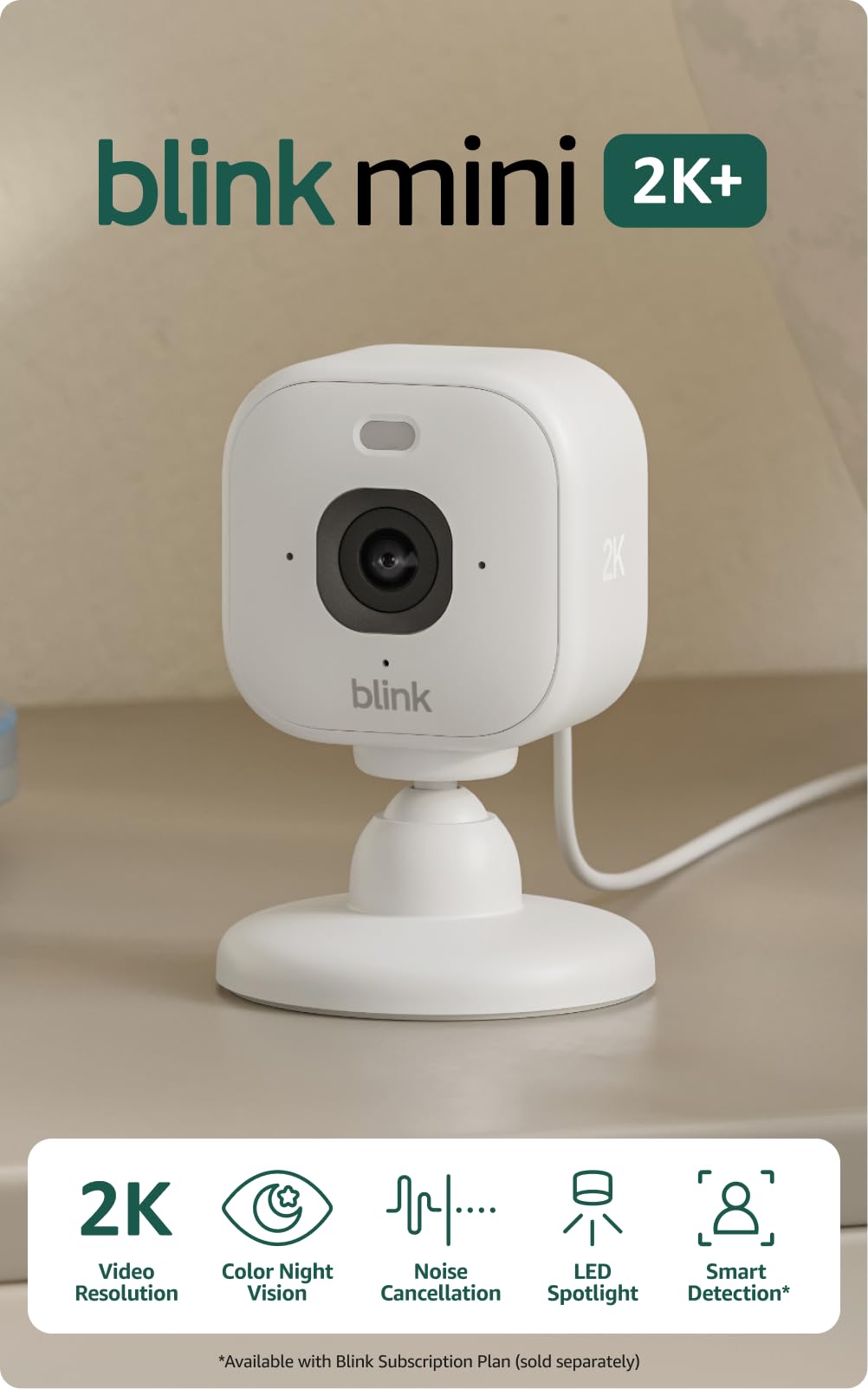
The Blink Mini 2 records in 1080p. That’s still fine for most homes. You’ll get a clear picture for everyday use. But you won’t have as much detail when you zoom in later.
The Blink Mini 2 also has a wider view at 143 degrees. That helps it cover more of a room or porch. The Wyze Cam v4 is narrower at 115.8 degrees, but it still covers most spots well. So if you want one camera to watch a bigger area, Blink has the edge. If you want sharper detail at the door, Wyze is the better bet.
That’s the trade. More coverage with Blink. More detail with Wyze.
| Feature | Wyze Cam v4 | Blink Mini 2 |
|---|---|---|
![]() | ![]() | |
| Resolution | 2.5K QHD (2560×1440) | 1080p (1920×1080) |
| Field of View | 115.8° diagonal | 143° diagonal |
| Price (approx) | ~$36 | ~$40 |
| Weatherproofing | IP65 built-in | IP65 with adapter ($13) |
| Smart Home Support | Alexa, Google Home, IFTTT | Alexa, IFTTT |
| Cloud Storage Included | 14 days (free basic) | Requires subscription |
| Local Storage Option | MicroSD card slot | Sync Module 2 hub (extra cost) |
| Mounting | Magnetic + standard hardware | Ball-joint + standard hardware |
| Low-Light Performance | Excellent (larger sensor) | Good (improved in v2) |
| Setup Complexity | Simple | Simple |
Best for Outdoor Versatility
Wyze Cam v4
The Wyze Cam v4 delivers 2.5K QHD resolution and Enhanced Color Night Vision for superior clarity in any lighting. Its weatherproof design and integrated spotlight make it a robust choice for both indoor and outdoor monitoring.
View Specs & Features
Key Benefits
- Excellent video clarity day and night
- Outdoor-ready with IP65 weather resistance
- No monthly fees for local storage
Special Highlights
- Motion-activated spotlight and siren
- Enhanced color night vision
- Supports local storage up to 512GB
| Video Resolution | 2.5K (2560 x 1440) |
| Night Vision | Enhanced Color Night Vision |
| Weather Resistance | IP65 Weatherproof |
| Connectivity | Wi-Fi 2.4GHz, Bluetooth |
Best Plug-In Pet Camera
View Specs & Features
Key Benefits
- Outstanding 2K video resolution
- Wide-angle view reduces blind spots
- Compact, plug-and-play design
Considering Your Smart Home Ecosystem
Here’s where it gets important: what systems you already own matter more than you might think.
Both cameras work with Amazon Alexa and can show live feeds on Echo Shows. But the Wyze Cam v4 also integrates with Google Home and Google Assistant. If you own Google Home speakers, Nest Hubs, or a mix of both Amazon and Google devices, Wyze gives you compatibility across both platforms. You can say “Alexa, show me the front door” or “Hey Google, show me the backyard” and see your camera on the right device.
The Blink Mini 2 is designed first and foremost for the Amazon ecosystem. It works great if you’re all-in on Alexa, but if you have Google Home devices, you won’t get the same seamless voice control.
Both support IFTTT, so you can build custom automations—ring a light when motion is detected, send a notification to a specific person, trigger routines. That flexibility helps either camera work in mixed environments.
Bottom line: If your smart home is purely Amazon/Alexa, this isn’t a deciding factor. If you mix platforms, Wyze’s broader compatibility matters.
Setup, Installation, and Real-World Use
Both cameras come with clear, straightforward setup. You download the app, connect to Wi-Fi, and you’re done. Neither requires complicated configuration.
The Wyze Cam v4 comes with built-in weatherproofing (IP65 rated) and a power connector designed for outdoor use right out of the box. It includes a foldable metal base and magnetic mounting rings, so positioning is genuinely flexible—stick it to metal plant hangers, corner bead, or shelves using the included 3M adhesive. You can also mount it traditionally with the included hardware.
The Blink Mini 2 has a similar cube design but a lighter build and a ball-joint base. For outdoor use, you’ll need the Weather Resistant Power Adapter (an additional purchase). The setup is still simple, but it’s one more thing to buy and install.
The Wyze Cam v4’s magnetic mounting wins on practicality if you’re placing cameras in multiple spots or moving them around. Blink’s lighter design means it takes up marginally less space if that matters in your setup.
Cloud Storage and Recording: When 14 Days Isn’t Enough
This is where the cameras diverge significantly, and it’s worth understanding what the difference means.
| Feature | Wyze Cam v4 | Blink Mini 2 | What It Means |
|---|---|---|---|
| Cloud storage | 14 days with a subscription | 60 days | Blink gives you a much longer clip window. |
| Free storage | Basic cloud storage included, with limited access to saved clips | Included, with longer retention | If you don’t check footage right away, Blink gives you more time. |
But here’s the nuance: The Wyze Cam v4 includes a MicroSD card slot for local storage. You can plug in a card and record continuously 24/7 without paying anything extra. No subscription. No cloud. Just footage saved locally on the device. Blink’s local storage requires a separate Sync Module 2 hub and additional cost.
So the real question is whether you prefer long cloud history (Blink) or the option to store everything locally without extra hardware (Wyze).
Subscription costs: Both offer single-camera plans for $2.99-$3.99/month and unlimited multi-camera plans around $10/month. Roughly equivalent pricing.
Video Quality and Low-Light Performance
We’ll be honest: in head-to-head testing, the Wyze Cam v4 produces noticeably sharper video. The 2.5K sensor combined with its larger aperture and better low-light processing creates images with less grain, more vibrant color in daylight, and more detail in low light. Wyze’s color night vision stays colorful and clear rather than fading to dim grayscale.
The Blink Mini 2 captures usable footage day and night. Its color night vision is decent and improved from older models. But it doesn’t have the same level of clarity or detail, especially in challenging lighting. If identifying faces, packages, or vehicles is critical, Wyze’s advantage is meaningful.
That said, Blink is no slouch. It’s perfectly adequate for general security monitoring. The question is whether the quality jump justifies the choice for your needs.

Who Each Camera Is Actually For
Choose the Wyze Cam v4 if you:
- Want the sharpest possible image quality and don't want to compromise on detail
- Use Google Home or a mix of Amazon and Google smart home devices
- Prefer the option for local storage without buying a separate hub
- Appreciate magnetic mounting flexibility for multiple placement locations
- Need strong low-light performance
Choose the Blink Mini 2 if you:
- Are fully committed to the Amazon/Alexa ecosystem
- Prefer 60 days of cloud history and don't want to manage local storage
- Prioritize a simpler, lighter hardware footprint
- Are okay with 1080p resolution for your use case
- Want a no-frills setup that just works with Alexa
The Setup and Support Reality
Neither camera requires technical expertise to set up. Download the app, scan a QR code (or use Bluetooth for Wyze), connect to Wi-Fi, and mount. Both have good mobile apps and responsive support.
Wyze tends to ship updates more frequently, which means faster feature additions and security patches—but also occasional instability during rollouts. Blink is more conservative with updates, which means stability but sometimes slower feature parity.
Both have experienced security issues in the past. Both are actively addressing them. If privacy is a top concern, check recent security audits or reviews before deciding.
Cost Reality (Including What You Won’t See Upfront)
The sticker price on either camera is under $40. But actual total cost depends on what you add:
| Feature | Wyze Cam v4 | Blink Mini 2 |
|---|---|---|
| Base price | ~$36 | $40 |
| Cloud storage | 14 days with a subscription | 60 days |
| Free storage | Basic cloud access included | Not included |
| Local storage option | microSD card ($10–20) | Sync Module 2 (~$35) |
| Outdoor use | Yes | Yes, with Weather Resistant Power Adapter ($13) |
If you’re placing one camera indoors in an Alexa home without local storage needs, the difference is minimal. If you’re adding outdoor cameras or multiple units with local backup, Wyze’s built-in flexibility means lower total cost.
Making Your Choice
Both cameras are solid. Both are affordable. Neither will let you down on the basics—you’ll see what’s happening at your home, get alerts on motion, and manage everything from your phone.
The Wyze Cam v4 wins on image quality, ecosystem flexibility, and feature richness. The Blink Mini 2 wins on cloud storage retention and seamless Alexa integration if that’s your whole setup.
Start with one camera and see how it fits your routine. Most people find they want to add more than one anyway, so the “wrong” choice on the first unit is less costly than it feels right now. Pay attention to where you’re placing it—indoors, outdoor, monitored by Alexa or Google—and let that guide you.
The best security camera is the one you’ll actually use. Either of these will get the job done without breaking the bank.
Last updated on 2026-08-01