
Top Picks at a Glance
| Product | Best For | Coverage | Band Config |
|---|---|---|---|
| Deco 7 Pro | Highest performance and coverage | 8,100 sq ft | Tri-band |
| eero Pro 7 | Heavy-duty multi-level homes | 6,000 sq ft | Tri-band |
| Deco BE25 | Wide coverage on a dual-band mesh | 6,600 sq ft | Dual-band |
| eero 7 | Simplicity and smart home consolidation | 4,000 sq ft | Dual-band |
| TP-Link Archer BE400 | Powerful single router (no mesh needed) | 2,400 sq ft | Dual-band |
| Orbi 360 | Security-focused mesh | 6,000 sq ft | Dual-band |
How We Chose
These products stand out because they deliver real-world performance that matters for everyday use. We looked at coverage footprint, sustained throughput, the quality and speed of wired ports for devices like gaming PCs and NAS systems, how well each mesh handles dozens of simultaneous devices, and what unique strengths each brings to the table.
We also weighed practical factors: how intuitive the app is for setup and ongoing management, whether built-in security features help you avoid recurring subscription costs, Wi-Fi 7's actual benefits (like wider channels and better device roaming), and how each system scales if you need to expand later.
Band configuration matters more than you might think. Tri-band systems create a dedicated backhaul—a separate, high-speed link between mesh nodes—which helps in multi-level homes and dense device environments. Dual-band systems are simpler and often plenty for smaller homes or setups where you can use wired backhaul to reduce wireless contention. We're comparing both fairly, not just pushing the most expensive option.
Deco 7 Pro

If your home is large, your device count is high, or you want to future-proof your network for multi-gig internet plans, the Deco 7 Pro is the heavy hitter. It delivers 14 Gbps of aggregate bandwidth—the highest in this roundup—and covers up to 8,100 square feet, making it suitable for multi-level homes, sprawling floor plans, and properties with detached structures.
The standout is a 10 Gbps WAN/LAN port, which is genuinely useful if you're building a wired backbone or connecting ultra-fast NAS systems. The system handles up to 200 devices, making it the only mesh here to state an explicit device capacity ceiling. You get a tri-band design that separates backhaul traffic from client devices, reducing congestion when many people are streaming, gaming, and working simultaneously. It beat other high-performance options by combining the largest coverage footprint with the highest throughput and most transparent device handling.
Pros
- Largest coverage footprint (8,100 sq ft)
- Highest aggregate bandwidth (14 Gbps)
- 10 Gbps port for ultra-fast wired backbone
- Handles 200 devices explicitly stated
- Tri-band reduces backhaul congestion in dense homes
Cons
- Three-pack size is larger than smaller alternatives
- Overkill for homes under 3,000 square feet
- Requires good placement of all three units for optimal coverage
- No smart home hub features (Thread/Zigbee)
- Higher cost than entry-level options (pricing varies)
Tech Specs
| Coverage | Up to 8,100 sq ft (largest in this roundup) |
| Band configuration | Tri-band with dedicated backhaul |
| Max throughput | 14 Gbps aggregate |
| Wired ports | One 10 Gbps WAN/LAN plus 2.5G ports (highest-speed option here) |
| Device capacity | Up to 200 devices |
| Kit | 3-pack (router plus two satellites) |
Ideal For
- Families in homes larger than 6,000 square feet
- Multi-level properties with basement, main floors, and upper levels
- Households with 100+ smart devices
- Users running servers, NAS systems, or wired gaming setups
- Anyone planning to upgrade to a multi-gig internet plan soon
Not For
- Renters (too much hardware to justify short-term use)
- Small apartments or homes under 2,500 square feet
- Buyers on a tight budget
- Households with fewer than 30 active devices
Editor's Take
The Deco 7 Pro is the right choice if you've hit the limits of smaller systems or you're planning a long-term network investment. It's genuinely fast, scales to large homes without dead zones, and won't bottleneck high-speed internet or wired devices. This is a top-tier mesh system that justifies its cost through sheer capability, not marketing language. If your home, device count, or internet plan fits the use case, it's a confident buy.
eero Pro 7

The eero Pro 7 is a tri-band system built for homes that demand steady, wide-area coverage without constant fiddling. It supports up to 5 Gbps WAN connections, covers 6,000 square feet, and features two 5GbE ports—the highest port speed of any mesh system in this group. The tri-band design separates backhaul from client traffic, which matters if you're streaming 4K, gaming, and running cloud backups simultaneously across multiple floors.
Setup is app-driven and straightforward, and the system doubles as a Thread and Zigbee smart home hub, so you can consolidate bridge devices. It stood out because it's the only Amazon eero product here, and Amazon backs it with a mature software ecosystem and frequent firmware updates. If you want tri-band performance without the absolute highest aggregate bandwidth (14 Gbps), this is a solid alternative that costs less than the Deco 7 Pro.
Pros
- Tri-band separates backhaul from devices
- Two 5GbE ports for fast wired devices
- Thread and Zigbee hub reduces extra bridges
- App setup is very straightforward
- Strong performance for multi-level homes
Cons
- Smaller coverage (6,000 sq ft) than Deco 7 Pro
- Lower aggregate bandwidth (5 Gbps vs 14 Gbps)
- Device capacity limit not stated
- Three-pack is bulkier than some alternatives
- No USB ports mentioned
Tech Specs
| Coverage | Up to 6,000 sq ft |
| Band configuration | Tri-band with dedicated backhaul |
| Max throughput | Supports up to 5 Gbps WAN |
| Wired ports | Two auto-sensing 5GbE ports |
| Smart home | Thread and Zigbee controller |
| Kit | 3-pack |
Ideal For
- Multi-level homes needing strong backhaul separation
- Families with simultaneous 4K streams and gaming sessions
- Users with Thread-compatible smart home devices
- People who want to skip adding separate Zigbee hubs
- Homes with 5 Gbps or higher internet plans
Not For
- Single-story apartments or small homes
- Users preferring TP-Link's app and interface
- Buyers who need the absolute highest bandwidth (14 Gbps)
- Homes requiring coverage beyond 6,000 sq ft
Editor's Take
The eero Pro 7 is the best tri-band choice if you want strong performance, smart home consolidation, and reliable app management. It doesn't have the absolute highest bandwidth of the Deco 7 Pro, but it covers most multi-level homes well and its 5GbE ports support genuinely fast wired backhaul. If you're committed to the Amazon ecosystem or you prefer the eero app's simplicity, this is a confident choice for performance-first buyers.

FCC Router Ban: Can You Still Use or Buy a Router in 2026?
Deco BE25

The Deco BE25 is a dual-band mesh that punches above its weight in coverage, reaching 6,600 square feet. That's surprisingly large for a dual-band system, and it makes this kit practical for homes where you might otherwise need to step up to tri-band. It supports up to 5 Gbps aggregate throughput and includes two 2.5GbE ports per unit, so you can run wired backhaul between nodes or connect fast NAS systems.
Setup is straightforward through the Deco app, and AI-roaming keeps devices from dropping as you move between rooms. You get HomeShield security built-in, WPA3 encryption, and the flexibility to expand later by adding more Deco products if your home grows. It competes well against other dual-band options by offering wide coverage without forcing you to pay for tri-band architecture you might not need.
Pros
- Wide coverage (6,600 sq ft) for dual-band option
- Two 2.5GbE ports support wired backhaul
- AI-roaming reduces dropouts
- HomeShield protection included
- Easy app-based setup
Cons
- Dual-band limits backhaul in very dense environments
- Lower throughput than Deco 7 Pro (5 Gbps vs 14 Gbps)
- Device capacity not specified
- No smart home hub features (Thread/Zigbee)
- Requires optimal node placement for full coverage
Tech Specs
| Coverage | Up to 6,600 sq ft |
| Band configuration | Dual-band |
| Max throughput | Up to 5 Gbps |
| Wired ports | Two 2.5GbE per unit (supports wired backhaul) |
| Roaming | AI-driven for seamless handoffs |
| Kit | 3-pack |
Ideal For
- Homes between 5,000 and 7,000 square feet
- Families with many devices but not ultra-dense networks
- Users wanting wide coverage without the cost of tri-band
- Renters with outdoor coverage needs
- People planning to add wired backhaul between nodes
Not For
- Multi-level homes with heavy congestion (tri-band would help more)
- Users needing more than 6,600 sq ft coverage
- Households planning simultaneous ultra-high bandwidth use
Editor's Take
The Deco BE25 makes sense if you need coverage beyond what a single router offers but don't need tri-band complexity. It delivers solid performance for its positioning, handles a large home well with proper node placement, and the 2.5GbE ports let you build a wired backbone if your home has Ethernet runs. This is a practical choice for buyers who want capable mesh without overspending for features they don't need.
eero 7
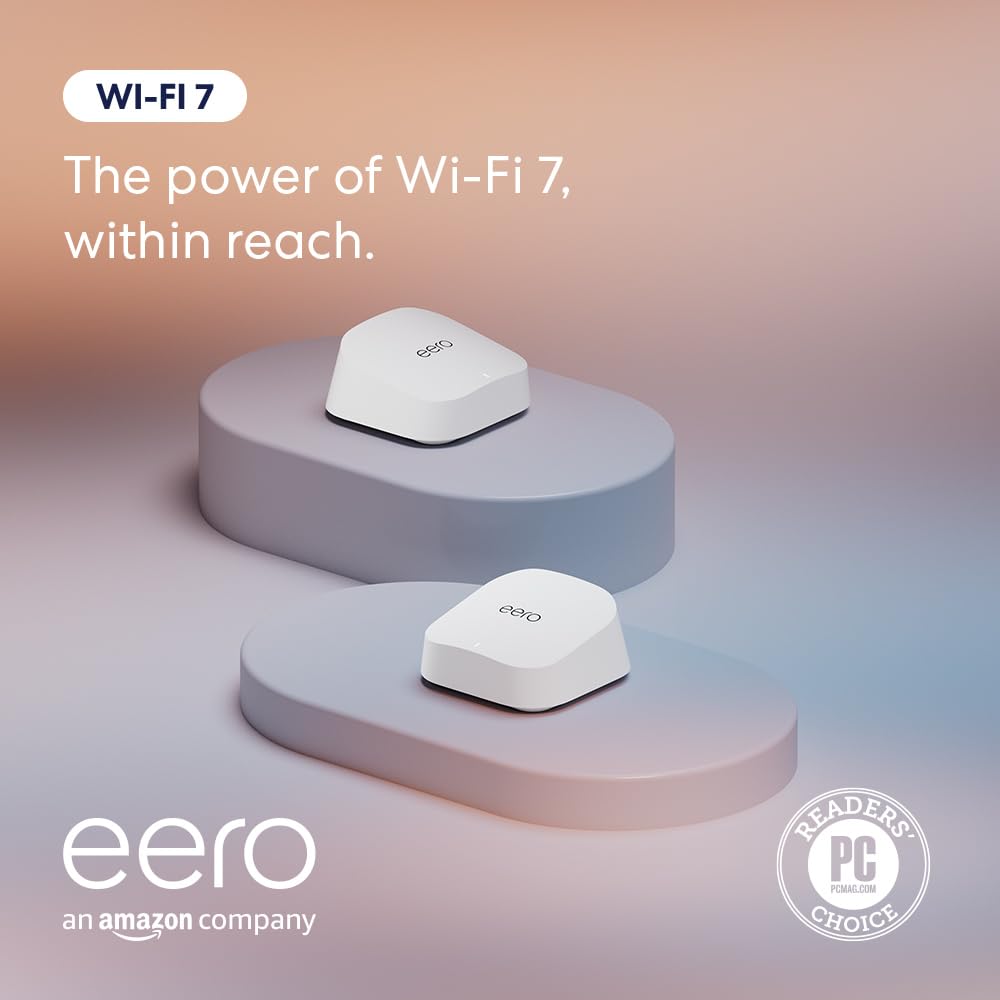
The eero 7 is the most straightforward system in this roundup. It's compact, app-first, and designed for people who want Wi-Fi 7 benefits without wrestling with advanced settings. It covers up to 4,000 square feet and supports internet plans up to 2.5 Gbps, making it suitable for most residential internet connections today.
The standout feature is built-in Thread and Zigbee support, meaning you can connect smart lights, sensors, and other devices directly without adding separate hubs. Setup is genuinely simple—the app walks you through everything in minutes. It includes two 2.5GbE ports for wired devices like gaming PCs or small NAS systems, and it gets automatic firmware updates. It beat competing dual-band systems by combining ease of use, smart home consolidation, and compact form factor in one package.
Pros
- Very easy app-based setup
- Thread and Zigbee hub reduces extra devices
- Compact design blends into living spaces
- Two 2.5GbE ports for wired devices
- Automatic firmware updates keep it current
Cons
- Dual-band only (no dedicated backhaul)
- Smaller coverage (4,000 sq ft)
- Limited to 2.5 Gbps WAN support
- 2-pack is smaller but may not cover all homes
- Device capacity not specified
Tech Specs
| Coverage | Up to 4,000 sq ft |
| Band configuration | Dual-band |
| Max throughput | Supports up to 2.5 Gbps WAN |
| Wired ports | Two 2.5GbE ports |
| Smart home | Thread and Zigbee hub |
| Kit | 2-pack |
Ideal For
- Small to medium homes (up to 4,000 sq ft)
- Users with Thread or Zigbee smart home devices
- Renters and people who move frequently
- First-time mesh buyers
- Homes with 2.5 Gbps or lower internet plans
Not For
- Multi-story homes needing dedicated backhaul
- Large properties over 5,000 square feet
- Households with 100+ simultaneous devices
- Users with multi-gig internet (over 2.5 Gbps)
Editor's Take
Choose the eero 7 if you value simplicity and smart home integration over maximum performance. It's the easiest system here to set up and manage, and the Thread/Zigbee hub eliminates a separate purchase if you're building a modern smart home. For small to medium homes with reasonable device counts, it gets the job done without unnecessary complexity. It's a solid choice for first-time mesh buyers or anyone who wants Wi-Fi 7 benefits with minimal fuss.
TP-Link Archer BE400

If your home doesn't need mesh expansion, the TP-Link Archer BE400 (marketed as BE6500 in some contexts) is a no-nonsense router that brings modern Wi-Fi 7 to a single box. It covers up to 2,400 square feet, supports 2.5 Gbps WAN, and packs dual 2.5Gbps Ethernet ports plus USB 3.0—the highest USB spec in this entire roundup. The HomeShield security suite is built-in, offering network scanning and device management without recurring subscriptions.
This is the only pure standalone router here, not a mesh system. That means it can't expand to multiple nodes, but it also means you don't pay for mesh hardware you might not use. The quad-core CPU handles QoS and parental controls well if you want advanced traffic tuning. It stood out because it's genuinely powerful for a single unit and brings real Wi-Fi 7 features like Multi-Link Operation to buyers who prefer simplicity over mesh scalability.
Pros
- Powerful single-unit design (no mesh needed)
- Dual 2.5Gbps ports for fast wired devices
- USB 3.0 for storage or printer connection
- HomeShield security included (no subscription)
- Quad-core CPU handles heavy traffic well
Cons
- Smallest coverage footprint (2,400 sq ft)
- Cannot expand to mesh if needs change
- Single point of failure (no redundancy)
- No smart home hub features (Thread/Zigbee)
- Dual-band only (no tri-band option)
Tech Specs
| Coverage | Up to 2,400 sq ft |
| Band configuration | Dual-band |
| Max throughput | Supports up to 2.5 Gbps WAN |
| Wired ports | Dual 2.5Gbps Ethernet plus USB 3.0 |
| Security | HomeShield suite with network scanner |
| Form factor | Standalone router (not mesh) |
Ideal For
- Compact homes and single-story apartments
- Home offices needing stable, wired connections
- Users who want a single router without mesh
- People planning to add external storage (USB 3.0)
- Tech users comfortable with QoS settings
Not For
- Multi-level homes requiring coverage over 2,400 sq ft
- Renters who might relocate and need flexibility
- Buyers looking for mesh expansion capability
- Homes with 100+ simultaneous devices
Editor's Take
This router makes sense if you're looking for a single powerful unit rather than a mesh system. It's well-built, the dual 2.5Gbps ports and USB 3.0 give it more connectivity options than most standalone routers, and HomeShield provides solid built-in security. If your home fits its coverage range and you don't plan to expand, this is a cost-effective way to get Wi-Fi 7 without paying for mesh redundancy you don't need. It's worth considering if you're choosing between a single powerful router and a smaller mesh system.
Orbi 360

The Orbi 360 is NETGEAR's answer to mesh networking for buyers who want security at the center of their system. It's a dual-band setup covering 6,000 square feet with a focus on built-in network protection and whole-home device management. The router plus two satellites design gives you flexibility in placement, and the system supports up to 5 Gbps throughput.
What sets it apart is the emphasis on security features and network segmentation for households mixing trusted devices with less-familiar IoT gadgets. App-based setup is straightforward, firmware updates are automatic, and NETGEAR's ecosystem is well-established. It competes by making security and family-focused controls central rather than treating them as an afterthought.
Pros
- Security-focused design with built-in protection
- Good coverage (6,000 sq ft) for dual-band option
- App setup is straightforward
- Automatic firmware updates keep system secure
- Router plus satellites offer flexible placement
Cons
- Dual-band without dedicated backhaul layer
- Port specifications not clearly detailed
- Device capacity limit not specified
- No smart home hub features (Thread/Zigbee)
- No USB ports mentioned
Tech Specs
| Coverage | Up to 6,000 sq ft |
| Band configuration | Dual-band |
| Max throughput | Up to 5 Gbps |
| Security | Built-in network protection suite |
| Encryption | WPA3 and WPA2 |
| Kit | Router plus two satellites |
Ideal For
- Families with children and guest networks
- Homes with many smart devices needing segmentation
- Users prioritizing network protection
- NETGEAR ecosystem users
- Homes up to 6,000 square feet
Not For
- Homes needing coverage beyond 6,000 sq ft
- Multi-level properties needing tri-band backhaul
- Users who need explicit device capacity specifications
- Tech-heavy environments with 100+ simultaneous devices
Editor's Take
Choose the Orbi 360 if security and family-focused controls are your priority. It covers a decent footprint for dual-band, the built-in protection suite can save you from recurring security subscriptions, and NETGEAR's app gives you straightforward controls for parental oversight and guest networks. It's not the most powerful option here, but it's well-designed for households that care about keeping less-trusted IoT devices segmented from their main network. If your primary goal is peace of mind over maximum bandwidth, this is worth serious consideration.
Full Comparison Matrix
| Product | Image | See Price | Coverage | Band Config | Throughput | Best Wired Port |
|---|---|---|---|---|---|---|
| Deco 7 Pro | | See Price | 8,100 sq ft | Tri-band | 14 Gbps | 10 Gbps WAN/LAN |
| eero Pro 7 | | See Price | 6,000 sq ft | Tri-band | 5 Gbps | 5GbE ports |
| Deco BE25 | | See Price | 6,600 sq ft | Dual-band | 5 Gbps | 2.5GbE ports |
| eero 7 | | See Price | 4,000 sq ft | Dual-band | 2.5 Gbps | 2.5GbE ports |
| TP-Link Archer BE400 | | See Price | 2,400 sq ft | Dual-band | 2.5 Gbps | 2.5Gbps + USB 3.0 |
| Orbi 360 | | See Price | 6,000 sq ft | Dual-band | 5 Gbps | Multi-gig |
Buyer's Checklist
| Feature to Consider | Why It Matters |
|---|---|
| Home size | Measure your square footage. Single routers max out around 2,400 sq ft; dual-band mesh reaches 6,600 sq ft; tri-band systems handle 6,000–8,100 sq ft. |
| Floor plan | Multi-level homes benefit from tri-band systems that dedicate one band to backhaul. Single-story layouts work fine with dual-band. |
| Internet plan | If you have 2.5 Gbps or less, any system here works. For 5 Gbps or higher, choose a tri-band option or a router with multi-gig capable ports. |
| Device count | More than 50 active devices? Aim for tri-band or a system with explicit device capacity stated. Deco 7 Pro supports 200 devices. |
| Wired backbone | If you can run Ethernet between nodes, dual-band systems perform better because wired links free wireless capacity. |
| Smart home ecosystem | Need Thread or Zigbee? Only Amazon eero products have built-in hubs. Others may support these protocols but don't consolidate the hub function. |
| Security priority | Want built-in protection without subscriptions? HomeShield (TP-Link) and NETGEAR's suite are both solid. Don't pay for third-party security subscriptions if the router provides it. |
| Expandability | Planning to add nodes later? All mesh systems except the TP-Link Archer BE400 (standalone router) support expansion. |
Frequently Asked Questions
Do I need Wi-Fi 7 right now?
It depends on your current network challenges. If you have a multi-gig internet plan (2.5 Gbps or higher), simultaneous 4K streams, heavy cloud backups, or a home full of smart devices, Wi-Fi 7 delivers measurable improvements in throughput and device handling. If your usage is lighter—occasional streaming, web browsing, and a few smart gadgets—a quality Wi-Fi 6 mesh will work fine today, and you can upgrade later as needs grow.
What's the difference between dual-band and tri-band?
Dual-band systems use two frequency bands for your devices (typically 2.4 GHz and 5 GHz). Tri-band systems add a third band, often a second 5 GHz or a 6 GHz band. The extra band in tri-band systems serves as a dedicated backhaul—a high-speed link between mesh nodes—while client devices use the other bands. This separation prevents your neighbor's slow device from slowing down your gaming. Dual-band systems are simpler and cheaper but work best when you can use wired backhaul between nodes. Tri-band is more powerful in congested, multi-level homes.
Can I add more nodes to these systems later?
Yes, with the exception of the TP-Link Archer BE400 (which is a standalone router, not a mesh system). All other systems here support adding extra nodes if your needs change. TP-Link Deco products work together, eero products work together, and NETGEAR Orbi products work together. You can't mix brands—eero nodes won't join a TP-Link mesh—but expansion within a brand is straightforward.
Which system needs the most setup and maintenance?
All of these are app-first systems designed for minimal ongoing maintenance. The eero 7 is arguably the simplest—it walks you through setup in minutes with no jargon. The TP-Link systems require slightly more attention if you want to tune advanced settings like QoS or guest networks, but this is optional. Once set up, expect automatic firmware updates and very little hands-on work from any of these systems.
What about security? Do I need a separate subscription?
No. TP-Link Deco systems include HomeShield, NETGEAR Orbi includes a network protection suite, and both are included at no extra cost. These aren't as comprehensive as dedicated security services like Firewalla, but they cover the basics: automatic firmware updates, guest network segmentation, and basic threat detection. Amazon eero systems rely on automatic updates and WPA3 encryption. If you want premium security features beyond what's built-in, that's a separate purchase, but it's not necessary for most homes.
What's Multi-Link Operation and why should I care?
Multi-Link Operation (MLO) is a Wi-Fi 7 feature that lets your devices connect to multiple bands at once, potentially improving speeds and stability. The honest truth is that most everyday users won't notice a huge difference, but in congested environments with many devices, it helps. All the systems here support it. If you're gaming or streaming 4K while others are on video calls, MLO smooths things out. Don't make it your primary buying criteria, but it's a nice bonus that Wi-Fi 7 brings over Wi-Fi 6.
Do I need a 10 Gbps port like the Deco 7 Pro has?
Only if you're connecting a 10 Gbps wired device—and most homes don't have those yet. The 10 Gbps port on the Deco 7 Pro is future-proofing. Today, it's overkill for almost everyone. The 5GbE ports on the eero Pro 7 and 2.5GbE ports on other systems are more than fast enough for NAS systems, gaming rigs, and everything else most people connect. Unless you're running a small server or have a specific high-speed need, you don't need the 10 Gbps option.
How often do these systems need updates?
Firmware updates arrive automatically on all of these systems, usually every few months. You don't need to manually check or install anything. New Wi-Fi 7 routers get updates fairly frequently in their first year, then settle to less frequent patches. Plan on your router receiving 3–5 years of updates minimum, and these systems are likely to see that timeline. After 5–7 years, consider upgrading rather than waiting for updates on older hardware.

