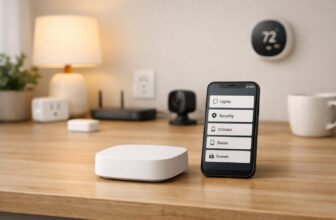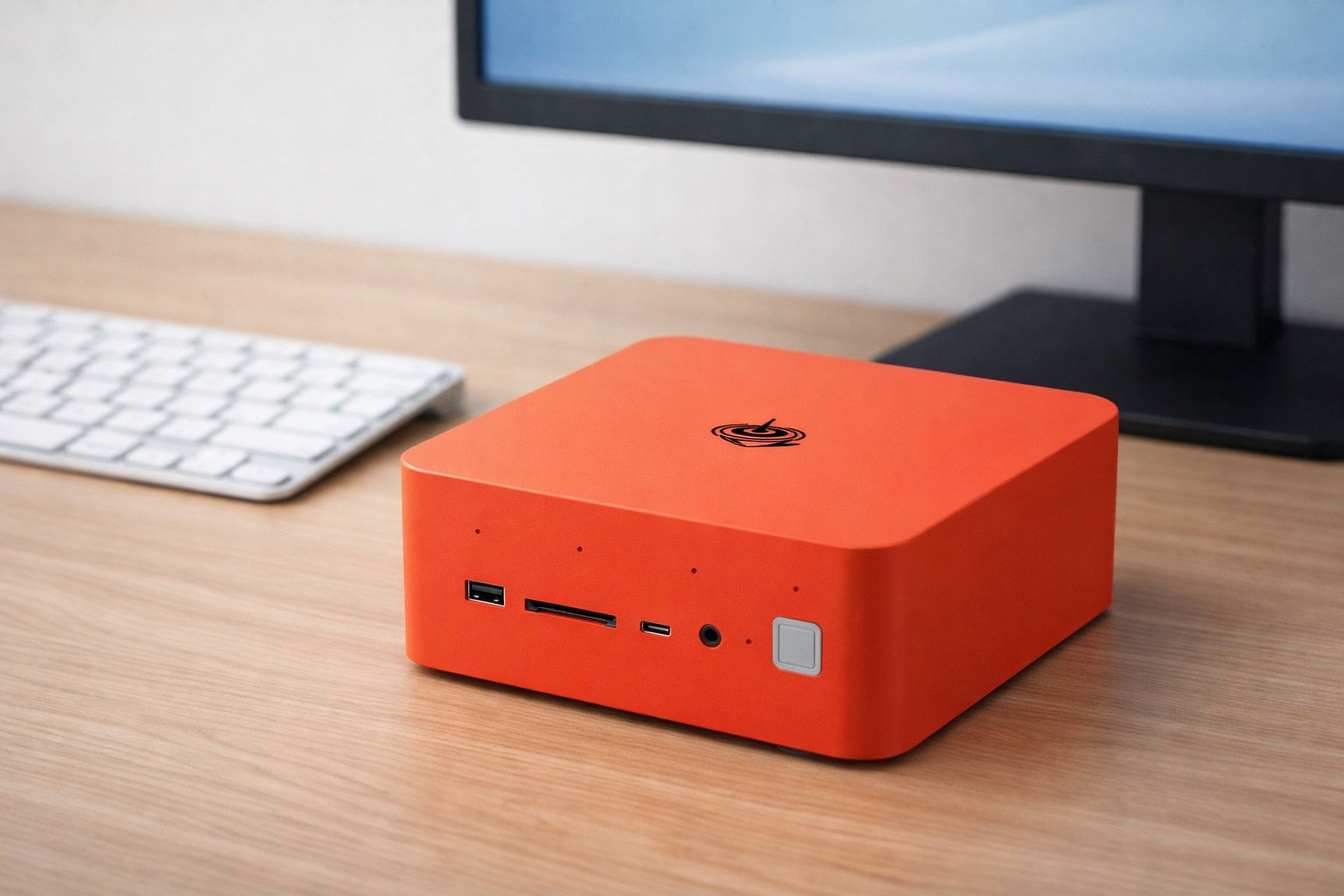
Run Your Home with The Best Mini PCs for Automation and Entertainment
Want to save space and cut your power bill? A small, quiet machine can run your smart home, stream video, and more—without heating up your living room.
Big desktop towers waste tons of power. Tiny PCs? They’re the sweet spot for always-on setups. You can stream high-res video and run smart home software at the same time without the noise or heat.
Picking the right mini PC means balancing three things: how much power it uses when idle, how well it cools itself, and how fast it actually runs. We tested real setups to show you when a basic chip does the job and when you need extra power for local work.
Skip the hype. This guide cuts straight to what matters so you can pick the right system.
Top Picks for Mini PCs
| Product | Best Category | Key Buying Info | Read More |
|---|---|---|---|
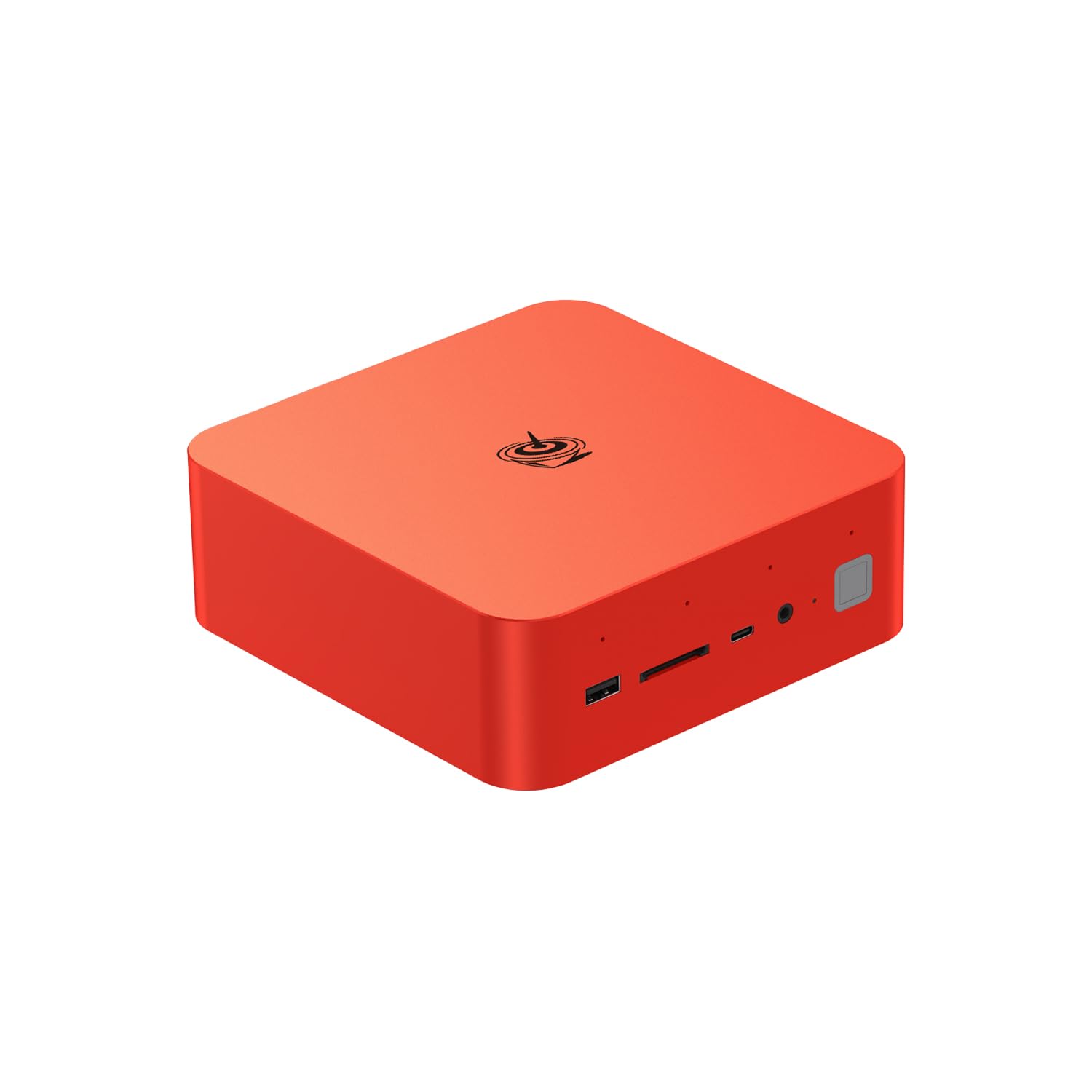 Beelink GTi15 | Most Powerful | 95/100 | |
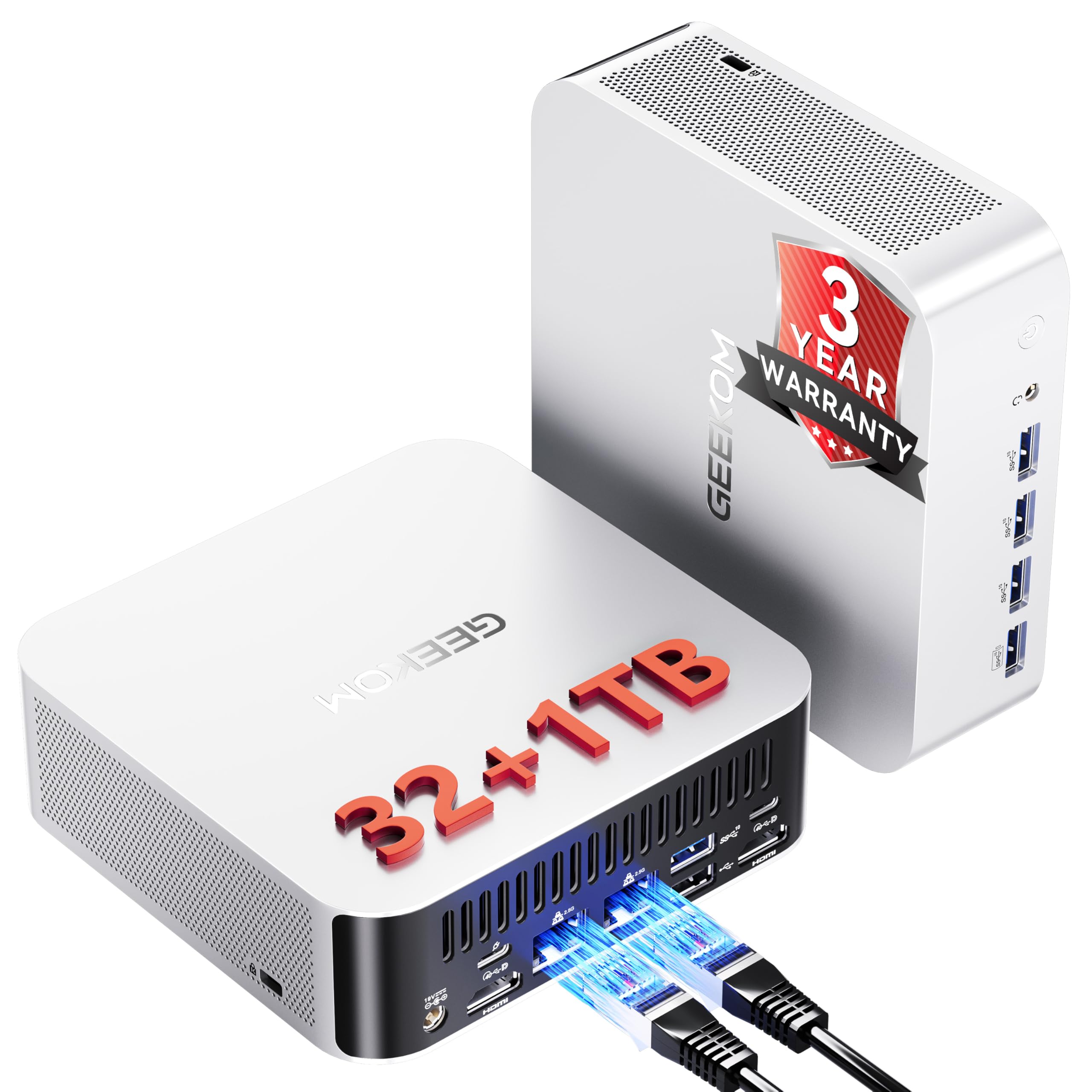 GEEKOM A8 Max | Best for Creators | 92/100 | |
 MINIX J51 | Best for Small Servers | 88/100 | |
 GMKtec i7 | Best for Home Office | 86/100 | |
 GEEKOM A5 | Best for Multitasking | 85/100 | |
 Beelink S13 | Best for Home Automation | 84/100 | |
 Glorlin GT103 | Best Budget Performer | 80/100 | |
 KAMRUI Pinova | Best Triple-Display | 78/100 |
How We Chose
We checked if the processor handles smart home lookups and video encoding without choking. We looked at wired and Wi-Fi connections—both matter for local automation and streaming.
We also checked if you can upgrade the RAM and drives without replacing the whole thing. That saves money when you need more storage later.
Finally, we measured power use and noise. A machine that runs all day and all night should use little power and stay quiet. That’s what makes a real difference at home.
Beelink GTi15
Best for: Most Powerful
The Beelink GTi15 packs serious power without taking up space. It has Intel’s Core Ultra 9 chip plus an NPU—a chip that speeds up AI work. You can run AI tools right on your home network.
Switching between tasks stays fast. Videos play smooth. Background work doesn’t slow things down.
It beats other machines because it has real power and modern Wi-Fi that cheap boxes don’t have. Want to run multiple virtual machines and smart home stuff at once? This does it. You won’t get slow file transfers or system lag, even when streaming 4K video.
Pros
- Ultra 9 processing power
- Integrated NPU for local AI
- Future-proof WiFi 7 support
Cons
- Higher power draw under load
- Premium price point
- Active fan noise under load
Tech Specs
| Major Features |
|
| Processor (CPU & Architecture) | Intel Core Ultra 9 285H (up to 5.4 GHz) with integrated NPU |
| Networking Interfaces | WiFi 7, Bluetooth 5.4, high-speed physical ethernet connectivity |
| Memory & Storage Expandability | 64 GB DDR5 RAM, 1 TB PCIe 4.0 NVMe SSD |
| Typical Power Consumption & Acoustics | Higher baseline power consumption; active cooling fan runs under heavy load |
Ideal For
- Home lab enthusiasts running local large language models (LLMs) or complex containerized networks.
- Users who want to host high-demand media servers like Plex with multiple concurrent transcodes.
- Power users looking to future-proof their desk setup with top-of-the-line WiFi 7 capabilities.
Not For
- Budget-minded buyers looking for a simple, entry-level smart home bridge.
- People seeking an ultra-low-power, passive system that draws almost zero electricity at idle.
Editor’s Take
The Beelink GTi15 is an incredibly impressive, high-performance option. Its dedicated NPU and massive 64 GB DDR5 memory pool provide a massive playground for local AI development and intensive virtualization projects. We highly recommend this model if you want desktop-class performance in a tiny chassis and are willing to accept a slightly higher power footprint as a trade-off.
GTRACING Lumina Elite LED Gaming Desk with USB and Power Outlets

GEEKOM A8 Max
Best for: Best for Creators
The GEEKOM A8 Max fits desktop power into a tiny box. Slide it on a shelf or hide it away. It has an 8-core AMD Ryzen 9 chip that handles video editing, photo work, and heavy tasks without slowing down.
It has lots of ports. USB4 is super fast. Two network ports let you wire things two ways at once.
It beats other machines because of those two network ports plus the strong AMD chip. Set one port for your smart home system. Use the other for fast file storage or backups. It stays quiet during normal work and looks clean in any office.
Pros
- Ryzen 9 performance
- Dual network ports
- Crisp 8K video output
Cons
- Fan audible under load
- High baseline power draw
Tech Specs
| Major Features |
|
| Processor (CPU & Architecture) | AMD Ryzen 9 8945HS (up to 5.2 GHz) |
| Networking Interfaces | Dual LAN ports, high-speed USB4 connectivity |
| Memory & Storage Expandability | 32 GB DDR5 RAM, 1 TB expandable SSD |
| Typical Power Consumption & Acoustics | Draws approximately 45W under typical load; built-in active cooling system |
Ideal For
- Creative professionals who need a fast, compact machine for video editing and high-resolution rendering.
- Home server builders who want dual physical network links for security segmentation.
- Users demanding extremely fast external drive support through a dedicated USB4 interface.
Not For
- Buyers seeking a purely silent, fanless device to place directly beside their bed.
- Casual smart home users who only need a simple, low-cost Home Assistant bridge.
Editor’s Take
The GEEKOM A8 Max is a beautifully constructed, high-performance solution that offers incredible utility for creators and home server operators alike. The combination of Ryzen 9 power and dual LAN ports is extremely rare in this size category. We recommend picking up this model if you need a compact workstation that easily pulls double-duty as a highly stable, high-bandwidth home lab server.
MINIX J51
Best for: Best for Small Servers
The MINIX J51 is a small, low-power server in a sturdy metal box. It has two super-fast network ports. You can set up routing, build a firewall, or keep your smart home devices on their own network.
It uses an Intel Celeron chip that runs cool and quiet. Perfect for 24/7 work.
It beats other machines because of the metal box and two fast network ports on a cheap CPU. Plastic boxes get hot and need loud fans. This metal design stays cool without noise. It’s great for network backups and smart home work that never stops.
Pros
- Dual 2.5 GbE ports
- Solid aluminum chassis
- Low-power always-on build
Cons
- Limited 8GB baseline RAM
- Not suited for local AI
Tech Specs
| Major Features |
|
| Processor (CPU & Architecture) | Intel Celeron N5105 (up to 2.9 GHz) |
| Networking Interfaces | Dual physical 2.5 GbE ports, modern USB-C interface |
| Memory & Storage Expandability | 8 GB DDR4 RAM, 512 GB PCIe NVMe M.2 SSD |
| Typical Power Consumption & Acoustics | Extremely low standby power; quiet cooling system that runs cool to the touch |
Ideal For
- Smart home users running Home Assistant or Node-RED continuously on a dedicated device.
- Hobbyists looking to set up a private, low-power NAS or a secure local firewall.
- Users who appreciate solid, aluminum metal hardware designed to last.
Not For
- Power-users wanting to process demanding, high-overhead local machine-learning models.
- Creators who edit video timelines or need high-capacity baseline system memory.
Editor’s Take
The MINIX J51 is a beautifully specialized network appliance. While the included 8 GB of RAM is on the smaller side for heavy multitasking, its premium metal construction and dual 2.5 GbE ports provide incredible reliability for small server roles. We highly recommend this model if you value physical durability, silent operation, and reliable, high-speed wired networking above all else.
GMKtec i7
Best for: Best for Home Office
The GMKtec i7 hits the sweet spot. You get good speed without paying too much. It handles daily work, spreadsheets, and web browsing. The small box fits on any desk.
It has one fast network port and room for two drives. That makes it a solid backup machine.
It beats other machines at this price because you get fast wiring and storage space. The chip is older, but it’s still snappy for home office work and local databases. Want a reliable machine that doubles as backup storage or a media hub? This is it.
Pros
- Fast 2.5 GbE networking
- Dual-SSD expansion slots
- Snappy office performance
Cons
- CPU model variation risk
- Legacy 11th Gen platform
Tech Specs
| Major Features |
|
| Processor (CPU & Architecture) | Intel Core i7 platform (i7-11390H or i7-1185G7 processor variation) |
| Networking Interfaces | Single 2.5 GbE physical port, WiFi 6, Bluetooth 5.2 |
| Memory & Storage Expandability | 16 GB DDR4 RAM, 1 TB SSD with support for secondary drive expansion |
| Typical Power Consumption & Acoustics | Laptop-class power draw; active cooling fan generates moderate noise |
Ideal For
- Home office professionals seeking a small, responsive desk machine with fast wired network access.
- Hobbyists who want to build a budget-friendly NAS (Network Attached Storage) using dual internal SSDs.
- Users who prefer a well-rounded Intel-based productivity workstation at a reasonable price.
Not For
- Enthusiasts who demand the absolute latest generation CPU architecture.
- Buyers who are uncomfortable verifying hardware processor variations with retail sellers.
Editor’s Take
The GMKtec i7 remains a highly competitive budget server option, though you must proceed with caution regarding the underlying processor model. Once confirmed, you will find it to be a dependable, highly versatile machine that easily runs office tasks and small home labs. Keep this model on your shortlist if physical drive expansion and 2.5 GbE network speeds are key priorities for your home setup.
GEEKOM A5
Best for: Best for Multitasking
The GEEKOM A5 works great for home offices and media servers. It’s got an 8-core AMD Ryzen 5 chip. You get six USB ports and two USB-C ports that can drive 8K video. Plug in smart hubs, storage, and screens without extra adapters.
It beats other machines because of all those ports plus a solid mid-range chip. Video calls stay smooth. Photo editing doesn’t lag. Background work doesn’t slow things down.
Want a clean machine with lots of ports and real power? This does it.
Pros
- Six physical USB ports
- Eight-core Ryzen 5 CPU
- Quad-display output
Cons
- Higher power footprint
- Noisy under multi-thread load
Tech Specs
| Major Features |
|
| Processor (CPU & Architecture) | AMD Ryzen 5 7430U |
| Networking Interfaces | Wired ethernet connectivity, built-in WiFi, Bluetooth |
| Memory & Storage Expandability | 16 GB RAM (upgradable), 512 GB fast NVMe storage |
| Typical Power Consumption & Acoustics | Moderate power footprint; dual-fan active cooling runs quiet but audible under heavy multi-thread loads |
Ideal For
- Users who need to connect a large number of physical accessories and smart automation dongles.
- Hobbyists wanting a highly upgradable RAM and NVMe storage platform.
- Office workers who require dual USB-C 8K display support for highly detailed workflows.
Not For
- Buyers seeking the absolute lowest power consumption for static, simple servers.
- Users wanting a purely fanless, silent build during intensive processing.
Editor’s Take
The GEEKOM A5 is an exceptionally versatile, upgrade-friendly performer. Its incredible selection of physical ports and strong Ryzen 5 processor make it highly adaptable for both productive home offices and demanding smart home servers. We highly recommend this model if you value port variety and long-term expandability over an ultra-low-power idle footprint.
Beelink S13
Best for: Best for Home Automation
The Beelink S13 is the top pick for smart home servers. It’s compact, hides behind a monitor, and uses just 25W of power. The fan runs so quiet you’ll barely hear it.
It beat out similar options with 16GB of memory and an extra storage slot. Most cheap boxes lock you in with soldered memory. The S13 lets you upgrade both RAM and storage as your needs grow.
Want a quiet, low-power machine to run your smart home? This is it.
Pros
- Low 25W typical power draw
- Extra NVMe storage slot
- Silent active cooling
Cons
- Not for heavy containers
- Limit processing speeds
Tech Specs
| Major Features |
|
| Processor (CPU & Architecture) | 13th Gen Intel Twin Lake-N150 (up to 3.6 GHz) |
| Networking Interfaces | WiFi 6, Bluetooth 5.2, Dual HDMI outputs, standard wired ethernet |
| Memory & Storage Expandability | 16 GB DDR4 RAM, 500 GB M.2 SSD with an extra open slot |
| Typical Power Consumption & Acoustics | Draws around 25W under typical use; whisper-quiet active cooling fan |
Ideal For
- Homeowners wanting a dedicated, always-on Home Assistant hub that draws minimal electricity.
- Office workers who need a tidy, silent mini PC for standard web browsing and document editing.
- Hobbyists who require a compact, budget-friendly machine with a secondary drive expansion slot.
Not For
- Users trying to run high-overhead containerized setups alongside resource-heavy local AI engines.
- Creators who require top-tier processor speeds for complex video transcoding or editing.
Editor’s Take
The Beelink S13 is a brilliantly balanced, highly efficient smart home machine. By keeping its power envelope compact and packing in 16 GB of memory, it provides plenty of runway to run extensive automation routines with dozens of active integrations. We highly recommend this model as an energy-conscious, set-and-forget home server that will easily keep your smart ecosystem running smoothly day in and day out.
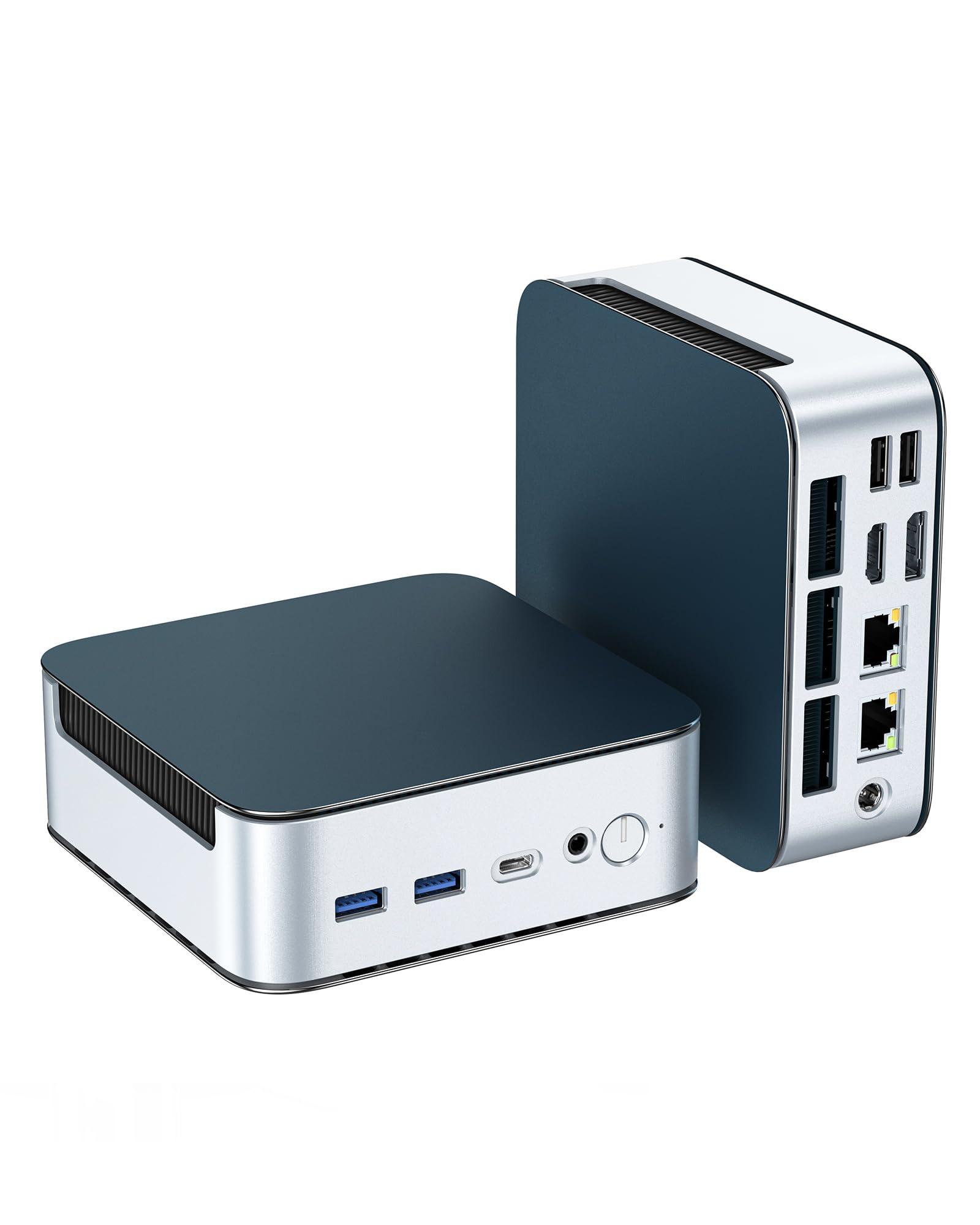
Glorlin GT103
Best for: Best Budget Performer
The Glorlin GT103 packs solid power and networking in a small, cheap box. It has an AMD Ryzen 3 processor that runs cool. Two fast network ports and three 4K outputs come standard—rare for the price.
It beat out similar options with dual network ports and upgradeable memory at a great price. The processor is older, but it’s still snappy for storing videos and files locally. Want a flexible, network-smart machine that grows with you without emptying your wallet? This is it.
Pros
- Dual 2.5 GbE LAN ports
- Upgradable to 64GB RAM
- Outstanding budget value
Cons
- Low reviews on market
- Legacy Zen 2 processor
Tech Specs
| Major Features |
|
| Processor (CPU & Architecture) | AMD Ryzen 3 5300U (2.6 GHz base, boost clock up to 3.8 GHz) |
| Networking Interfaces | Dual physical 2.5 GbE ports, WiFi 6, Bluetooth 5.3 |
| Memory & Storage Expandability | 16 GB DDR4 RAM (expandable to 64 GB), 512 GB NVMe SSD |
| Typical Power Consumption & Acoustics | Low mobile-class power draw; quiet fan operation |
Ideal For
- Budget-minded server builders who want high-speed dual networking for local data segmentation.
- Hobbyists who require a compact home lab machine that can expand up to 64 GB of system RAM.
- Users looking for a highly capable, cost-effective media hub to drive multiple displays.
Not For
- Buyers who prefer purchasing from well-known, tier-1 brand names with extensive online support histories.
- Power-users needing the absolute latest multi-core processor performance.
Editor’s Take
The Glorlin GT103 is a highly compelling, feature-rich budget platform. While the brand carries less market presence, the hardware specs are incredibly versatile—allowing you to expand the memory up to 64 GB and use dual 2.5 GbE ports for network tools like Proxmox. It represents a fantastic value choice if you want maximum technical expandability for minimum upfront cost.
KAMRUI Pinova
Best for: Best Triple-Display
The KAMRUI Pinova is responsive and compact. It has an AMD Ryzen processor that handles web work, office apps, and video without lag. Nearly 2,000 happy customers trust it for home offices.
It beat out similar options with three-monitor support and proven real-world use. Run three screens at once for multitasking or media work. Mount it behind your main screen with the included bracket. Your desk stays clean.
Pros
- Triple 4K display support
- High customer satisfaction
- Integrated VESA mount
Cons
- Potential single LAN port
- Small 256GB base SSD
Tech Specs
| Major Features |
|
| Processor (CPU & Architecture) | AMD Ryzen 7330U |
| Networking Interfaces | Wired ethernet port, built-in WiFi, Bluetooth, Wake-on-LAN support |
| Memory & Storage Expandability | 16 GB RAM, 256 GB SSD storage (expandable via internal paths) |
| Typical Power Consumption & Acoustics | Modest laptop-class power consumption; quiet active cooling profile |
Ideal For
- Office workers who want a clean, multi-monitor productivity setup without a bulky desktop tower.
- Users seeking a highly popular, well-reviewed mini PC with proven real-world reliability.
- Hobbyists looking to set up scheduled automation schedules using Wake-on-LAN.
Not For
- Buyers who require high-capacity, out-of-the-box local media storage.
- Home server builders who absolutely must have dual physical ethernet ports.
Editor’s Take
The KAMRUI Pinova is an incredibly reliable, highly praised daily workstation, provided you double-check its network port layouts. If you only need a single physical ethernet connection, its triple-display capabilities and massive volume of positive feedback make it a fantastic, risk-free productivity buy. It is an exceptional pick if clean organization and multi-monitor setups are your primary targets.
Product Comparison
| Product | Features | See Price |
|---|---|---|
Beelink GTi15 |
| |
GEEKOM A8 Max |
| |
MINIX J51 |
| |
GMKtec i7 |
| |
GEEKOM A5 |
| |
Beelink S13 |
| |
Glorlin GT103 |
| |
KAMRUI Pinova |
|
Buyer’s Checklist
| Feature to Consider | Why It Matters |
|---|---|
Identify your core workload. | If you are only hosting simple smart home platforms, an energy-efficient N-series processor handles the job perfectly. If you are planning to run local AI models or resource-heavy container environments, prioritize multi-core Ryzen or high-end Intel chips. |
Assess your network architecture. | Server stability requires dependable connections. Dual physical network ports are incredibly useful if you need to build firewalls or isolate noisy IoT accessories from your secure home network. |
Check the physical expandability limit. | Databases grow, and media collections expand rapidly. Choose a machine that includes extra NVMe slots and allows user RAM upgrades so you can easily extend your server’s operational lifetime. |
Evaluate your acoustic comfort. | Active cooling fans can become noisy under continuous loads. If your server resides directly in your bedroom or entertainment space, look for low-wattage configurations with highly efficient, whisper-quiet thermal designs. |
Final Thoughts
Imagine your home running on its own. Smart lights adjust. Backups happen. Videos stream. No loud fans. No noise.
Getting this takes more than a generic computer. You need hardware that fits your real needs. You’ll save desk space and cut your power bill while keeping everything local.
Want a quiet, low-power smart home hub? The Beelink S13 is your pick.
Need total security and network control? The MINIX J51 has two fast ports you can trust.
On a tight budget but want dual networks? The Glorlin GT103 gives you both.
Building a home office with multiple screens? The KAMRUI Pinova runs three monitors. The GEEKOM A5 has six USB ports for all your gear.
Doing heavy creative work or home labs? The GEEKOM A8 Max has a beefy Ryzen 9 and dual network ports.
Want to run AI and complex setups locally? The Beelink GTi15 has the power. No cloud needed.
Pick the machine that matches what you actually want to build.