Top Pics For Mac Accessories
| Category | Product | Score | Read More |
|---|---|---|---|
Best Cleaning Kit | Ordilend Cleaner Kit | 91/100 | |
Best Screen Cleaner | WHOOSH! Screen Shine | 90/100 | |
Best USB-C Hub | UGREEN USB-C Hub | 88/100 | |
Best Mac Mini Dock | Satechi Mini Hub | 87/100 | |
Best Keyboard Upgrade | Apple Magic Keyboard | 92/100 | |
Best Wireless Mouse | PEIBO Bluetooth Mouse | 85/100 | |
Best Expansion Dock | RayCue MiniPack Dock | 86/100 | |
Best Stream Deck | VSDINSIDE Macro Keypad | 84/100 | |
Best External Storage | WD My Book 6TB | 83/100 |
How We Chose
To find the most practical Mac accessories, we threw out the generic claims and looked closely at how each device interacts with your machine. We evaluated the primary interfaces to ensure modern USB-C and Bluetooth standards were met, avoiding outdated tech that requires dongles to work.
We also analyzed power requirements. A portable hub is useless if it drains your laptop battery without offering power passthrough, and desktop drives need reliable AC power. Finally, we looked hard at hardware specificity. Some docks are brilliant but only fit the exact dimensions of the 2024 M4 Mac mini. We make those limitations crystal clear so you don't buy hardware that won't fit your setup.
Ordilend Cleaner Kit

Dusty keyboards and smudged camera lenses happen to everyone, but standard wipes often can't reach the tightest crevices. The Ordilend kit packs multiple specialized tools into a single, highly portable cylinder, making it easy to maintain your gear without taking up desk space.
It beat out simple microfiber cloths by including specialized picks and brushes designed specifically for earbud cases and keyboard gaps. If you juggle a laptop, phone, and wireless earbuds all day, this all-in-one approach keeps them looking new.
Pros
- Portable multi-tool design.
- Cleans deep keyboard gaps.
- Great for wireless earbuds.
Cons
- Small liquid volume included.
- Lots of tiny interlocking parts.
- Manual effort required.
Tech Specs
| Feature | Detail |
|---|---|
Major Features |
|
Interface | Manual |
Power Requirement | None |
Workflow Benefit | Device maintenance |
Hardware Specificity | Universal |
Ideal For
- People who eat at their desks.
- Commuters needing a travel-friendly cleaner.
- Users with wireless earbuds.
Not For
- Users needing bulk liquid for large TVs.
- People who easily lose small parts.
Editor's Take
If your keyboard looks like it survived a crumb explosion, this kit is an inexpensive and highly effective way to keep your workstation respectable.
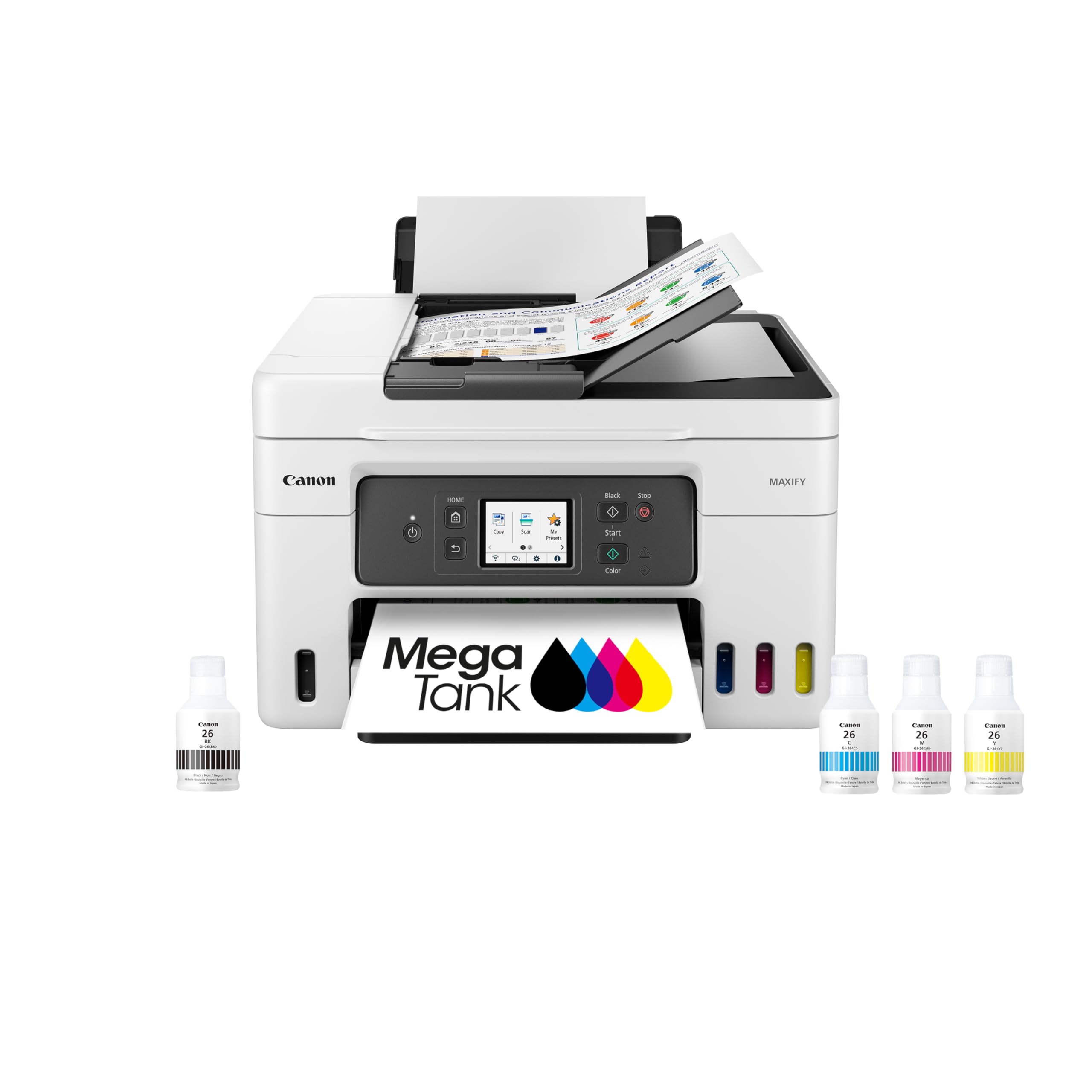
WHOOSH! Screen Shine

Using harsh household glass cleaners on your MacBook can strip the anti-reflective coating right off the display. WHOOSH! Screen Shine uses a gentle, streak-free formula to lift oils and fingerprints without damaging your expensive screens.
It won its category because it provides two distinct bottle sizes—one for the desk and one for your bag—plus high-quality microfiber cloths that don't just push the grease around. It is a foolproof solution for maintaining clear visibility on your monitor and iPad.
Pros
- Safe, streak-free formula.
- Includes travel-sized bottle.
- Protects screen coatings.
Cons
- Cloths require periodic washing.
- Liquid refills sold separately.
- Spray requires careful aim.
Tech Specs
| Feature | Detail |
|---|---|
Major Features |
|
Interface | Manual spray |
Power Requirement | None |
Workflow Benefit | Visual clarity |
Hardware Specificity | Universal |
Ideal For
- MacBook owners protecting screen coatings.
- People who frequently touch their displays.
- Workers who need a spotless background.
Not For
- Users looking for a mechanical keyboard brush.
Editor's Take
We highly recommend keeping a bottle of this on your desk to safely wipe away fingerprints before they bake onto your screen.
UGREEN USB-C Hub

Modern MacBooks are notoriously light on ports, forcing you to rely on adapters for older peripherals. The UGREEN Revodok solves this by expanding a single USB-C port into a 6-in-1 connectivity suite, including 4K HDMI and fast 10Gbps data transfer.
This hub stands out because it supports 100W Power Delivery passthrough, meaning you can charge your laptop at full speed while running an external monitor and transferring files. It is an essential lifeline for anyone working with legacy flash drives or external displays.
Pros
- Supports 100W power delivery.
- Fast 10Gbps transfer speeds.
- Sharp 4K 60Hz video output.
Cons
- Attached cable is quite short.
- Can get warm under heavy load.
- Lacks a wired Ethernet port.
Tech Specs
| Feature | Detail |
|---|---|
Major Features |
|
Interface | USB-C |
Power Requirement | Bus-powered / 100W PD Pass |
Workflow Benefit | Port expansion |
Hardware Specificity | Universal (USB-C) |
Ideal For
- MacBook Air and Pro users lacking ports.
- Mobile workers using external monitors.
- People who connect legacy USB-A gear.
Not For
- Desktop Mac users who have ample ports.
- Users needing an Ethernet connection.
Editor's Take
A reliable USB-C hub is mandatory for MacBook owners, and this model delivers the speed and power passthrough required for a modern workflow.
Satechi Mini Hub

Apple reduced the footprint of the new Mac mini, but reaching around to the back to plug in a thumb drive is still annoying. Satechi's hub sits perfectly beneath the computer, bringing essential USB-A ports and an SD card reader right to the front of your desk.
This dock wins major points by incorporating an internal NVMe SSD enclosure, allowing you to seamlessly expand your storage without buying expensive Apple upgrades. Just keep in mind: this enclosure fits the 2024 M4 Mac mini dimensions perfectly, meaning it will look awkward under older, wider Mac mini models, and you have to supply your own SSD drive.
Pros
- Hidden internal SSD enclosure.
- Brings ports to the front.
- Matches Mac silver aesthetic.
Cons
- Only fits 2024 M4 Mac mini.
- SSD drive is not included.
- Requires physical installation.
Tech Specs
| Feature | Detail |
|---|---|
Major Features |
|
Interface | USB-C |
Power Requirement | Bus-powered |
Workflow Benefit | Storage & accessibility |
Hardware Specificity | M4 Mac mini (2024) |
Ideal For
- 2024 M4 Mac mini owners.
- Photographers needing front SD card slots.
- Users wanting cheap storage expansion.
Not For
- Owners of older, pre-M4 Mac mini models.
- Users looking for built-in storage.
Editor's Take
If you own the new M4 Mac mini, this is the most elegant way to add front ports and vastly increase your storage without cluttering your desk.
Apple Magic Keyboard

Typing long documents or entering heavy data on a cramped laptop keyboard is a recipe for fatigue. The Apple Magic Keyboard with Numeric Keypad gives you plenty of breathing room, utilizing quiet scissor switches with comfortable, low-profile travel.
It stands above third-party options solely due to its integrated Touch ID button, which lets you instantly unlock your Mac or authenticate passwords without typing. However, a critical warning: the Touch ID feature will only function if you are pairing it with an Apple Silicon Mac (M-series chip), not an older Intel-based machine.
Pros
- Touch ID speeds up logins.
- Full-size numeric keypad.
- Long-lasting internal battery.
Cons
- Touch ID needs Apple Silicon.
- Keys are very low profile.
- Expensive premium pricing.
Tech Specs
| Feature | Detail |
|---|---|
Major Features |
|
Interface | Bluetooth / USB-C |
Power Requirement | Internal battery |
Workflow Benefit | Input speed & security |
Hardware Specificity | Apple Silicon required |
Ideal For
- Apple Silicon Mac users.
- Accountants or spreadsheet heavy users.
- People who hate typing passwords.
Not For
- Users with older Intel Macs.
- Gamers looking for mechanical switches.
Editor's Take
For data entry and quick password authentications on modern Macs, nothing integrates as flawlessly as the official Magic Keyboard.
PEIBO Bluetooth Mouse

Trackpads are great, but for extended work sessions, dragging and dropping files is much easier with a dedicated mouse. The PEIBO mouse features a low-profile, ambidextrous design that slides effortlessly into a laptop bag for travel.
It earned its spot because it offers dual-mode connectivity. You can connect directly via Bluetooth, or use the included USB-C receiver if you are working in an area with heavy wireless interference. It is a highly practical, no-fuss pointing device that works across all your operating systems.
Pros
- Bluetooth and USB-C modes.
- Very quiet click buttons.
- Highly portable design.
Cons
- Lacks programmable buttons.
- Low profile lacks ergonomics.
- Basic optical tracking.
Tech Specs
| Feature | Detail |
|---|---|
Major Features |
|
Interface | Bluetooth / USB-C receiver |
Power Requirement | Internal battery |
Workflow Benefit | Navigation ease |
Hardware Specificity | Universal |
Ideal For
- Coffee shop workers and travelers.
- People who switch between iPads and Macs.
- Users working in quiet environments.
Not For
- Power users needing programmable buttons.
- People with very large hands.
Editor's Take
If you want an affordable, travel-friendly mouse that guarantees a connection regardless of your port situation, this dual-mode device delivers.
RayCue MiniPack Dock

The RayCue MiniPack is a dedicated port expander that sits flush under your machine, granting immediate access to high-speed connections. Instead of spinning your desktop computer around to plug in a camera, the ports are exactly where you need them.
It beat out standard dongles by offering a balanced mix of USB-C and legacy USB-A ports, alongside vital SD card readers. Much like the Satechi, be aware that this footprint is engineered exclusively for the smaller 2024 M4 Mac mini chassis, meaning it won't align perfectly with older Mac mini generations.
Pros
- Front-facing port access.
- 10Gbps data transfer speeds.
- Built-in camera card slots.
Cons
- Only fits 2024 M4 Mac mini.
- No internal storage option.
- Uses a rear port to run.
Tech Specs
| Feature | Detail |
|---|---|
Major Features |
|
Interface | USB-C |
Power Requirement | Bus-powered |
Workflow Benefit | Port accessibility |
Hardware Specificity | M4 Mac mini (2024) |
Ideal For
- 2024 M4 Mac mini owners.
- Content creators using memory cards.
- Users with multiple wired peripherals.
Not For
- Users looking to install an internal SSD.
- Owners of older, larger Mac mini models.
Editor's Take
For users who prioritize fast port access over hidden storage, this dock perfectly complements the new M4 Mac mini without wasting space.
VSDINSIDE Macro Keypad

Repetitive keystrokes eat up time. Whether you are cutting video in Final Cut, launching complex spreadsheets, or streaming live, memorizing multi-key shortcuts is tedious. The VSDINSIDE keypad lets you map 18 different actions to physical, glowing buttons.
It secured its spot by allowing you to customize the LCD icons, giving you visual confirmation of exactly what each button does before you press it. While it requires a bit of software setup on the front end, it drastically reduces friction for heavy multitaskers and creatives.
Pros
- 18 customizable macro keys.
- Visual LCD button icons.
- Automates repetitive tasks.
Cons
- Software setup takes time.
- Takes up extra desk space.
- Overkill for basic users.
Tech Specs
| Feature | Detail |
|---|---|
Major Features |
|
Interface | USB-C |
Power Requirement | Bus-powered |
Workflow Benefit | Task automation |
Hardware Specificity | Universal |
Ideal For
- Video editors and graphic designers.
- Live streamers managing scenes.
- Users with heavy macro workflows.
Not For
- Casual web browsers.
- Users who hate configuration software.
Editor's Take
If you execute the same keyboard shortcuts fifty times a day, mapping them to this visual keypad will save you massive amounts of time.
WD My Book 6TB

Running out of internal storage on a Mac is an expensive problem. Apple charges a premium for internal drive space, making an external backup drive an absolute necessity for archiving old projects, photos, and Time Machine backups.
The WD My Book wins for pure capacity, offering a massive 6TB of storage to keep your internal drive clean and fast. Note that this is a "Desktop" class hard drive utilizing USB 3.0. That means it contains a spinning disk and absolutely requires an external AC power cord plugged into the wall to operate, unlike smaller, bus-powered portable drives.
Pros
- Massive 6TB storage space.
- Time Machine compatible.
- Hardware password security.
Cons
- Requires AC wall power.
- Not easily portable.
- Slower USB 3.0 speeds.
Tech Specs
| Feature | Detail |
|---|---|
Major Features |
|
Interface | USB 3.0 |
Power Requirement | AC wall adapter |
Workflow Benefit | High-capacity backup |
Hardware Specificity | Universal |
Ideal For
- Users archiving thousands of photos.
- People utilizing Time Machine backups.
- Desktop workers needing bulk storage.
Not For
- Travelers who need a bus-powered drive.
- Video editors requiring NVMe speeds.
Editor's Take
If you treat it as a stationary backup vault rather than a travel drive, this massive drive provides incredible peace of mind for your data.
Product Comparison
| Product | Features | Rating | See Price |
|---|---|---|---|
Ordilend Cleaner Kit |
| 91/100 | |
WHOOSH! Screen Shine |
| 90/100 | |
UGREEN USB-C Hub |
| 88/100 | |
Satechi Mini Hub |
| 87/100 | |
Apple Magic Keyboard |
| 92/100 | |
PEIBO Bluetooth Mouse |
| 85/100 | |
RayCue MiniPack Dock |
| 86/100 | |
VSDINSIDE Macro Keypad |
| 84/100 | |
WD My Book 6TB |
| 83/100 |
Buyer's Checklist
| Feature to Consider | Why It Matters |
|---|---|
Check your chipset | Features like Apple's Touch ID keyboard only work with Apple Silicon (M1, M2, M3, M4 chips). Older Intel Macs will connect, but the biometric scanner won't work. |
Verify the dimensions | Custom-fit docks, like those from Satechi and RayCue, are molded to the exact footprint of the 2024 M4 Mac mini. They will physically clash with older models. |
Confirm your power needs | Mobile hubs should draw power directly from your laptop or offer pass-through charging. Desktop storage drives usually require a dedicated wall outlet. |
Count your ports | Ensure the hub you buy actually offers the legacy ports you need, like USB-A or an SD card reader, before you buy it. |
Frequently Asked Questions
How do I choose the right Mac accessories to improve my workflow?
Start by identifying the tasks that slow you down. If you are constantly reaching behind your computer, you need a hub. If you hate typing passwords, you need a Touch ID keyboard. Fix the bottleneck first, and ensure the accessory matches your specific Mac model.
Do I really need a dedicated screen cleaner?
Yes. Using standard household glass cleaners containing ammonia or harsh chemicals will strip the delicate anti-reflective coating right off your Mac's screen. Always use an electronics-safe formula.
What is the difference between a bus-powered and AC-powered accessory?
Bus-powered devices draw their electricity directly from the USB-C port on your Mac. They are highly portable but can drain your laptop battery. AC-powered devices require a wall outlet, making them strictly for desktop use.
Will an M4 Mac mini dock fit my older Mac mini?
No. Apple drastically reduced the footprint of the Mac mini starting with the M4 generation in 2024. Docks designed specifically to sit under the M4 model are much smaller and will not align with the wider chassis of older generations.
Can I use these Mac accessories with my Windows PC?
Most basic USB-C hubs, Bluetooth mice, and external hard drives work fine with Windows, though hard drives may require reformatting. However, Apple-specific hardware like the Magic Keyboard will lose its specialized features, like Touch ID, when connected to a PC.