Your bedroom is your office. Your couch is your conference room. Your kitchen table is lunch, desk, and email spot—all rolled into one.
Sound familiar? You’re not alone. And here’s the thing: it’s not just about getting more done. Your brain can’t tell when to stop working.
The Real Cost of Blurred Boundaries
The commute was annoying. That 45-minute drive also did something crucial: it told your nervous system that work was ending. Without it, your brain spends most of the day in a foggy middle ground — not fully focused on work, not fully relaxed at home.
That’s not a small thing.
Research on remote work consistently shows that blurred work-life boundaries are a top driver of burnout, sleep problems, and anxiety. A Headway study found that 56% of remote workers go entire weeks without leaving their homes. One in four don’t speak to anyone for days. Without the natural structure a commute provides, remote workers frequently struggle to mentally separate work stress from personal time.
Your brain uses physical space as a context cue. The office told your nervous system: stay alert, stay focused. Your couch said: decompress. When both happen in the same 600 square feet, those signals collapse into noise.
The cost of inaction isn’t hidden either. Chronic work-home blur leads to:
- Sleep disruption (harder to fall asleep because your brain’s still “at work”)
- Decision fatigue (your willpower is already spent by day’s end)
- Reduced productivity (research shows people working in ambiguous spaces accomplish less, not more)
- Relationship strain (always-on mentality bleeds into personal time with family)
The good news: This isn’t a discipline problem. It’s an environment problem. And environments can be engineered.

How Smart Automation Creates Psychological Boundaries
Smart home automation can’t build you a separate room. But it can reprogram your existing space to behave differently at different times of the day. Lights shift. Devices power on and off on a schedule. Collectively, these signals train your brain to treat your workspace the way a real office works — with a clear start, a clear middle, and a decisive end.
Here’s the key insight:
Automation removes willpower from the equation. You don’t have to remember to dim the lights. You don’t have to decide when the workday is over. The room changes on schedule, and your brain follows.
This approach works because it’s not about trying harder. It’s about changing the environment so the right behavior becomes the path of least resistance.
| Preview | Product | Rating | |
|---|---|---|---|
 | Desk Lamp for Home Office* | CHECK PRICE |
Last updated on 2026-09-03
Part 1: The “Clock In” Routine — Getting Into Work Mode
The hardest part of working from home isn’t the work itself. It’s getting your head into the right state for work.
In a traditional office, you get nudged into focus mode automatically. The commute ends, you walk through a door, you sit at a specific desk, overhead lights hum on. Your nervous system recognizes the pattern and shifts gears.
At home, none of that happens. You wake up, pour coffee, and somehow you’re answering emails from bed. There’s no clear transition.
A “Clock In” smart home routine solves this. One trigger — a voice command, a button tap, or a scheduled time — kicks off a sequence that shifts your environment from “home mode” to “work mode.”
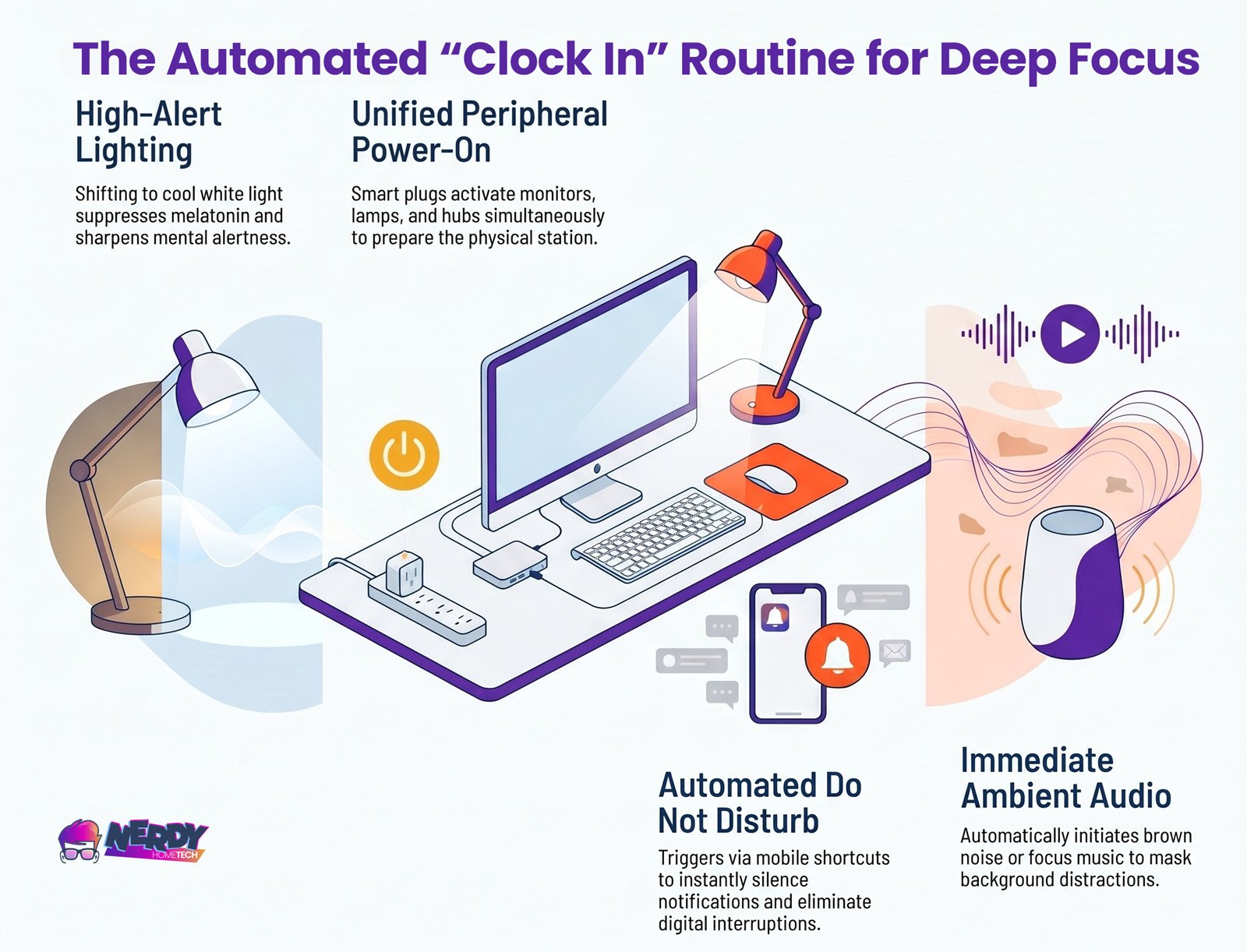
Clock In routine: Cool white light signals your brain it’s work time. Your gear powers on together. Do Not Disturb activates. Focus audio starts. One tap. Four things happen. Your brain knows: it’s time to work.
How to set it up:
If you have an Amazon Echo, Google Nest, or Apple HomePod, trigger the whole sequence with a single voice command: “Hey Google, I’m working” or “Hey Siri, start my workday.”
Prefer something tactile? A dedicated smart button — like an Sonof Button or a Flic — mounted on your desk gives you a one-press start without reaching for your phone.
Want totally hands-off? Schedule the whole routine to fire at the same time every weekday. Your space starts before you do.
| Preview | Product | Rating | |
|---|---|---|---|
 | Flic Smart Button 3-Pack* | CHECK PRICE |
Last updated on 2026-09-03
Gear you’ll need:
Smart plugs are the workhorses here. They power on your peripherals automatically. A product like the TP-Link Kasa HS300 gives you individual control of up to 6 outlets on a single power strip — so your monitor, lamp, and USB hub all come on together. It runs over standard 2.4GHz Wi-Fi and works with both Alexa and Google Home. No separate hub required.
Single smart plugs run $10–$20 each. A power strip with per-outlet control runs $30–$50. Start with one and add more if you need them.
| Preview | Product | Rating | |
|---|---|---|---|
 | Kasa Smart Plug Power Strip* | CHECK PRICE |
Last updated on 2026-09-03
Compatibility note:
If you already use Alexa, Google Home, or Apple Home, your smart plugs will integrate directly. If you’re mixing ecosystems — say, an Echo speaker but Philips Hue bulbs — you’ll need to control them through separate apps or use a compatibility layer like Apple Home or Google Home (which aggregate devices from different brands). We’ll cover this more in the ecosystem section below.
Part 2: Circadian Lighting — The Strongest Lever You Have
This matters more than anything else in this setup.
Light is the primary signal your body uses to regulate your circadian rhythm — your internal clock that drives sleep, alertness, and mood. Exposure to cool, blue-shifted light in the morning suppresses melatonin and sharpens alertness. Warm, amber light in the evening signals wind-down and lets melatonin rise naturally.
Natural sunlight delivers this automatically. A fixed overhead bulb running at constant color temperature does not.
The science (simplified):
Research published by the National Institutes of Health found that the brain’s alerting response to light is strongest in the blue spectrum — meaning the color of light you’re exposed to directly impacts circadian physiology and cognitive performance.
A peer-reviewed study in the Journal of Environmental Psychology found that cooler lighting (around 7000K) was linked to better cognitive performance and reduced mental fatigue. Warm, dimmed lighting (around 3000K) was effective at reducing stress markers.
The practical upshot:
The right color temperature at the right time of day helps your brain stay alert during work and wind down after it ends. You’re not tricking your biology. You’re working with it.
Don’t obsess over hitting exact numbers. The key is a clear progression from cool to warm as the day advances.
Important caveat:
Circadian lighting is powerful, but it’s not a magic fix. It works best as part of a larger boundary-setting routine. Sitting in a warmly lit room at 7 PM still won’t stop you from opening your laptop if you haven’t created other barriers (like the hard shutdown routine in the next section). Light is a support system, not a complete solution.
What to buy:
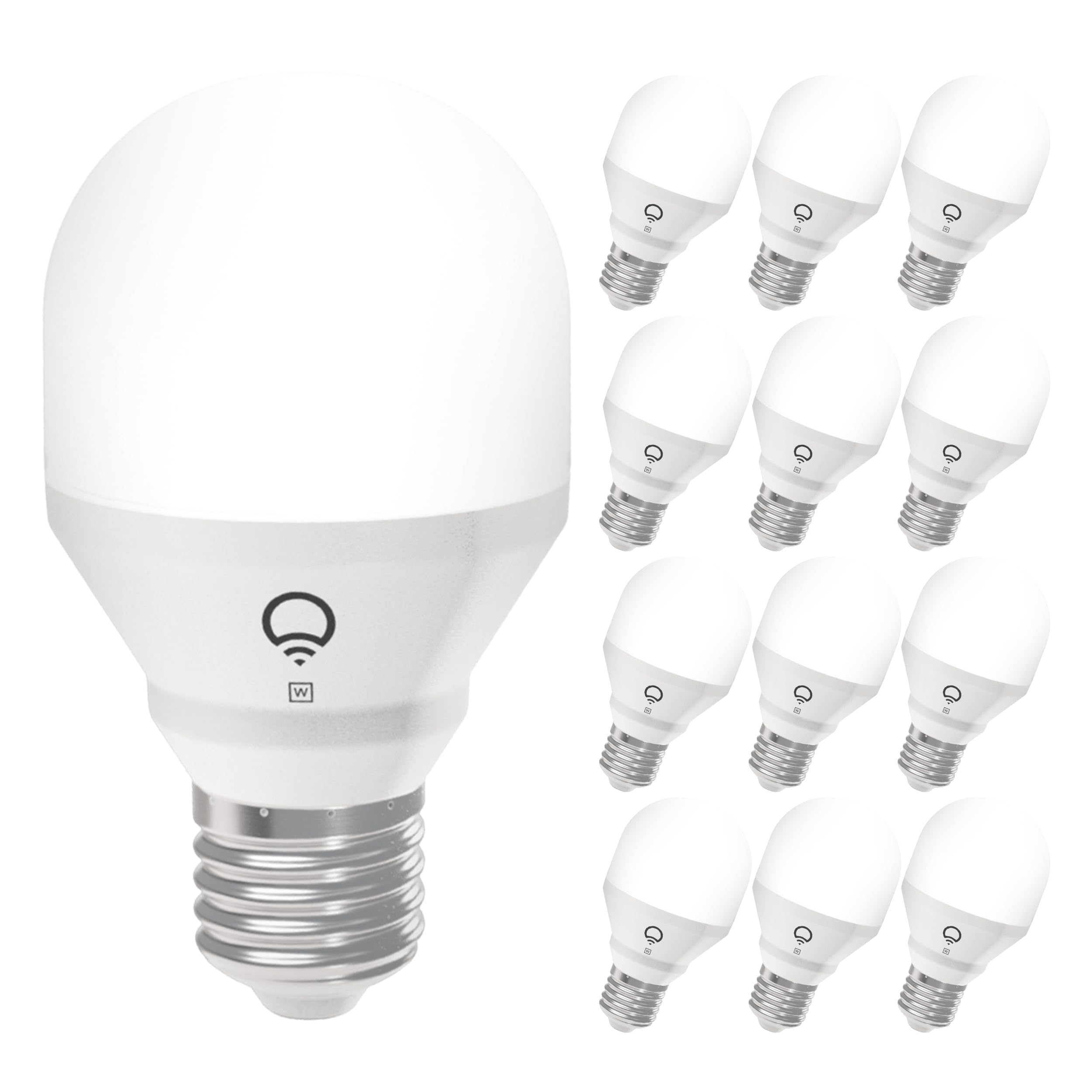
Any tunable white smart bulb works. Here are the main options:
Philips Hue White Ambiance — Covers 2200K to 6500K, most reliable automations, works with Zigbee and Bluetooth. Costs more upfront but highest reliability. Requires a Hue Bridge for advanced scheduling ($30–$40).
LIFX A19 — Similar color range, connects directly over Wi-Fi (no bridge needed), works with Alexa and Google Home. Mid-range pricing.
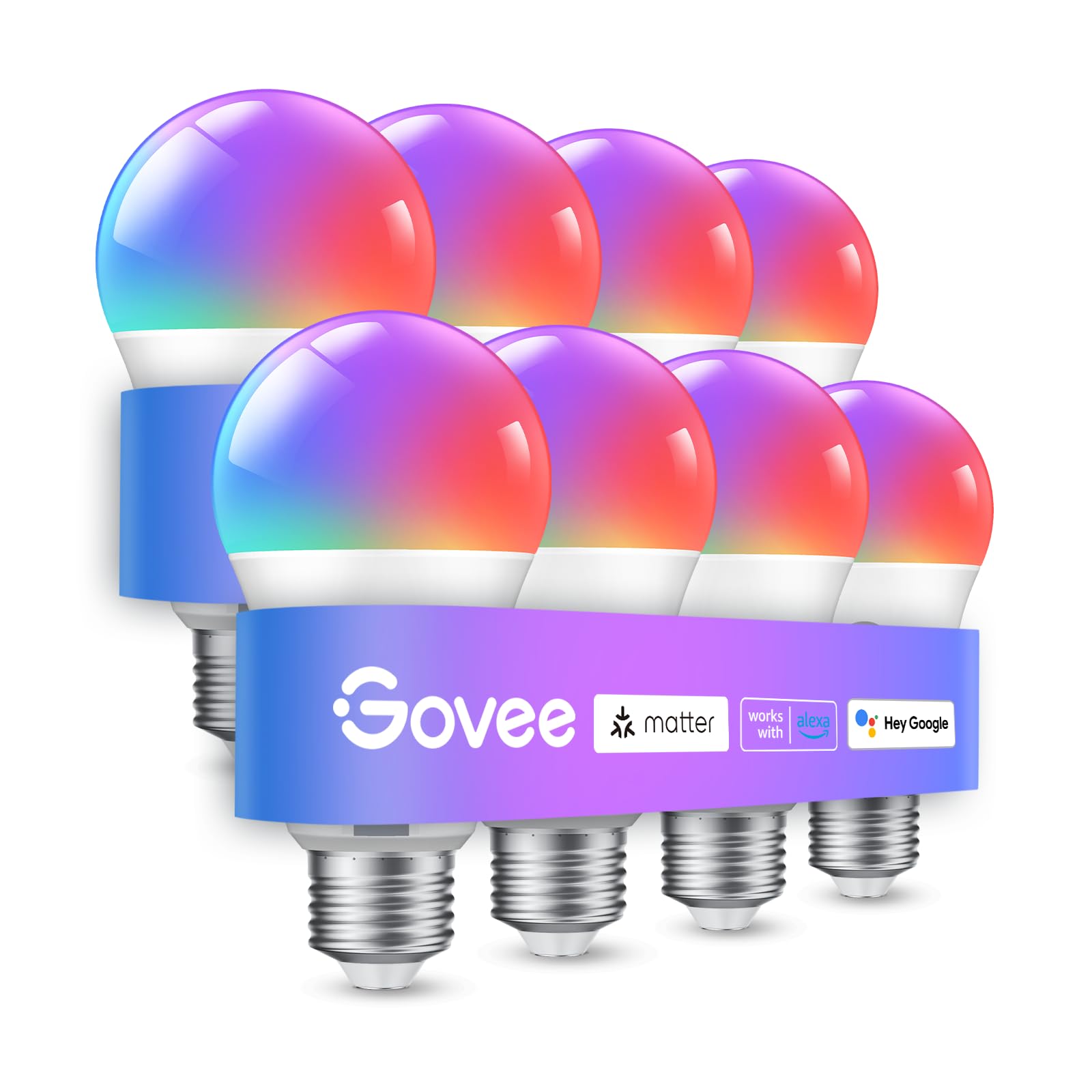
Govee Smart Bulbs — Budget option, connects over Wi-Fi, solid app, basic scheduling included.
Sengled Elements Color — Entry-level tunable bulbs, simple scheduling, most affordable option.
Start with a single tunable bulb. Place it at your desk where it lights your work surface (not just overhead). Schedule it through the app to shift from cool to warm as the day progresses. You’ll notice the difference in focus and energy within a few days.
Multi-user household consideration:
If you share a space with a partner, kids, or roommates on different schedules, one bulb at your desk solves this. You don’t need to change the room’s ambient lighting. Task lighting on your work surface is enough to get the benefit. The person napping at 2 PM won’t be bothered by your cool-white desk light.
If your workspace has no natural light:
Windowless home offices require extra attention to circadian rhythm. The cool-white desk light helps, but consider adding a dedicated daylight therapy lamp aimed at your face (not just overhead) for morning hours. These typically run 10,000 lux and are used for roughly 20–30 minutes after waking. They’re backed by research for seasonal affective disorder and can help regulate your rhythm faster when you have zero natural light exposure.



Last updated on 2026-09-04
Part 3: The Hard Shutdown — Automating the End of Your Workday
This is the piece most people skip. It’s also the most important.
A hard shutdown routine is an automated sequence that fires at a set time — say, 5 or 6 PM — and physically changes your environment to signal that work is done. Not gently nudges. Decisively ends.
When your monitors go dark and your desk lamp shifts to warm, dim light, your brain gets a message that no amount of willpower or self-discipline can deliver in the same way: the workday is over.
Research consistently shows that the inability to create clear boundaries between work and personal time is a primary driver of burnout, poor sleep, and anxiety among remote workers. Willpower alone doesn’t solve this because willpower depletes throughout the day. By 5 PM, your decision-making capacity is already spent.
A hard shutdown routine removes the decision entirely.
What a hard shutdown does:
- Cuts power to work peripherals — Monitors, desk lamp, USB hub, anything connected to a smart plug goes offline. If your monitors are off and truly powered down, the temptation to “just check one thing” loses its power
- Room lighting shifts to warm, ambient — From task-focused cool white to warm, dim light. This is the single strongest environmental cue you can send your nervous system
- Phone notifications shift to personal mode — Work email stops interrupting, or shifts to a personal notification sound
- Optional: an audio cue — A chime or short sound marks the transition for your brain
The critical word: hard
Soft endings don’t work. Closing your laptop but leaving the monitors on. Dimming the lights slightly but not all the way. Turning off notifications but leaving the app open. These don’t break the loop.
When 6 PM hits, your work environment should change in a way that’s unmistakable. Make it decisive.
Setup:
Most smart plug apps — Kasa, Tapo, Govee, LIFX, Hue — let you create a daily schedule directly in their app. Set it for the same time every weekday. Consistency is critical. Your brain learns the signal faster when the timing is predictable.
If you’re nervous about cutting power to equipment abruptly (some older monitors don’t like it), plug your computer into a standard or UPS outlet and only cut the peripherals. The monitors going dark is signal enough. Most modern monitors and equipment tolerate scheduled power-offs fine, but if you’re uncertain, test it over a weekend first.
Multi-user household reality:
If you share space with others on different schedules, set your hard shutdown to your actual end time, not theirs. Your workspace changes; theirs doesn’t. If this bothers them, consider a more modest version: instead of cutting all power, dim the lights to warm and lower the brightness significantly. It’s less dramatic but still sends a signal.
Success metric — What to watch for:
After two weeks of consistent hard shutdown automation:
- Sleep quality — Do you fall asleep faster and sleep more deeply? (Sleep tracking apps can show this)
- Post-work mental state — Can you mentally “shift” into personal time instead of thinking about work emails?
- Evening time quality — Are you actually present with family or hobbies, or are you half-watching work chat?
- Morning energy — Does the clock-in routine make it easier to focus immediately?
These are the metrics that matter. If you’re not noticing any shift after two weeks, something in the setup isn’t working or this approach isn’t right for your brain. We’ll cover troubleshooting below.
Understanding Your Ecosystem (And Why It Matters)
Smart home devices fall into different camps, and mixing them carelessly creates frustration.
The main platforms:
Amazon Alexa
Most affordable entry point, largest selection of compatible devices, basic automations work well out of the box
Google Home
Solid automation capabilities, integrates well with Android and Google services, fewer device options than Alexa
Apple Home
Strongest privacy defaults, best integration with iOS/Mac, smallest ecosystem but higher quality, requires HomeKit-compatible devices
Standalone apps
LIFX, Kasa, Govee, Hue all have apps that work independently without a hub (though some are more reliable with a hub)
Practical advice for beginners:
If you use a smart speaker already (Alexa, Google Home, or HomePod): Stick with devices that work with that platform. Don’t buy a Hue bulb and then discover it needs a separate bridge and app. Check compatibility before purchasing.
If you don’t have a smart speaker: Start with Alexa. It’s the most affordable path and has the widest selection of compatible smart plugs and bulbs.
If privacy is a priority: Apple Home is more private by default (devices process automations locally instead of sending data to cloud servers), but it’s more limited in device selection and typically more expensive.
The safe move: Buy your automation gear (plugs, bulbs) from the same brand or ecosystem. A Kasa smart plug with a Kasa bulb and Kasa app is simpler and more reliable than mixing Kasa, Philips Hue, and Govee.
When you’ll hit friction:
- Mixing ecosystems means controlling different devices through different apps (annoying but doable)
- Some devices update firmware unpredictably and lose automations temporarily (rare but happens)
- Wi-Fi quality affects reliability — if your Wi-Fi signal is weak at your desk, automations become unreliable
- Leaving your home means automations tied to your phone’s location may fail if your phone is offline
Privacy & Security — What You Need to Know
When you’re automating your lights and plugs, you’re giving devices access to your home network and, in some cases, cloud services. This matters.
What data these devices collect:
- Smart plugs know when you’re using the outlets (power draw, usage patterns). Over time, this reveals your schedule — when you work, when you sleep, when you’re away.
- Smart bulbs send data about brightness and color temperature changes, your schedule, and which apps control them
- Voice assistants (if used) record audio and transmit it to cloud servers for processing
- Apps often collect location data, device names, automation patterns, and can sync to company servers
Realistic privacy practices:
Use a strong Wi-Fi password
A weak password is more likely to be cracked than a smart bulb’s encryption to fail.
Choose local control when possible
LIFX bulbs and Kasa plugs work over Wi-Fi without a cloud connection. They’re more private than devices that require cloud servers.
Understand your chosen ecosystem’s privacy
Apple Home keeps automations local by default. Amazon Alexa sends voice to AWS servers. Google Home sends data to Google’s servers. This isn’t a dealbreaker, but know what you’re trading.
Create a separate guest Wi-Fi network for guests
Standard practice, but smart home devices shouldn’t be on your guest network.
Disable location services in apps if you don’t use location-based automations
Most people don’t, so turn this off.
Skip the always-on voice assistant if it bothers you
Buttons and apps work fine without saying “Hey Alexa” every time.
Data privacy you can’t fully control:
Manufacturers do see when you use automations, even with local control. They know when your plugs turn on and off (this is essential data for them to keep services running). The good news: this level of data is pretty useless commercially. The bad news: it exists.
If absolute data privacy is non-negotiable, this setup isn’t for you. But for most people, the balance between convenience and privacy here is reasonable.