The Smart Home Wars Are Over: Which Protocol Should You Buy Today?
What Is a Smart Home?
Picture this: you walk through your front door, the lights come on, the thermostat nudges to your preferred temperature, and the door locks itself behind you. Not because you opened three different apps, but because your home knew what to do.
In a nutshell, a smart home is a living space—home, apartment, condo and yes, even a mobile home— where everyday devices—lights, thermostats, locks, cameras, sensors—are connected and talking to each other in the background. When it works, it feels like magic. When it doesn’t, you end up with a house full of brilliant gadgets that refuse to cooperate.
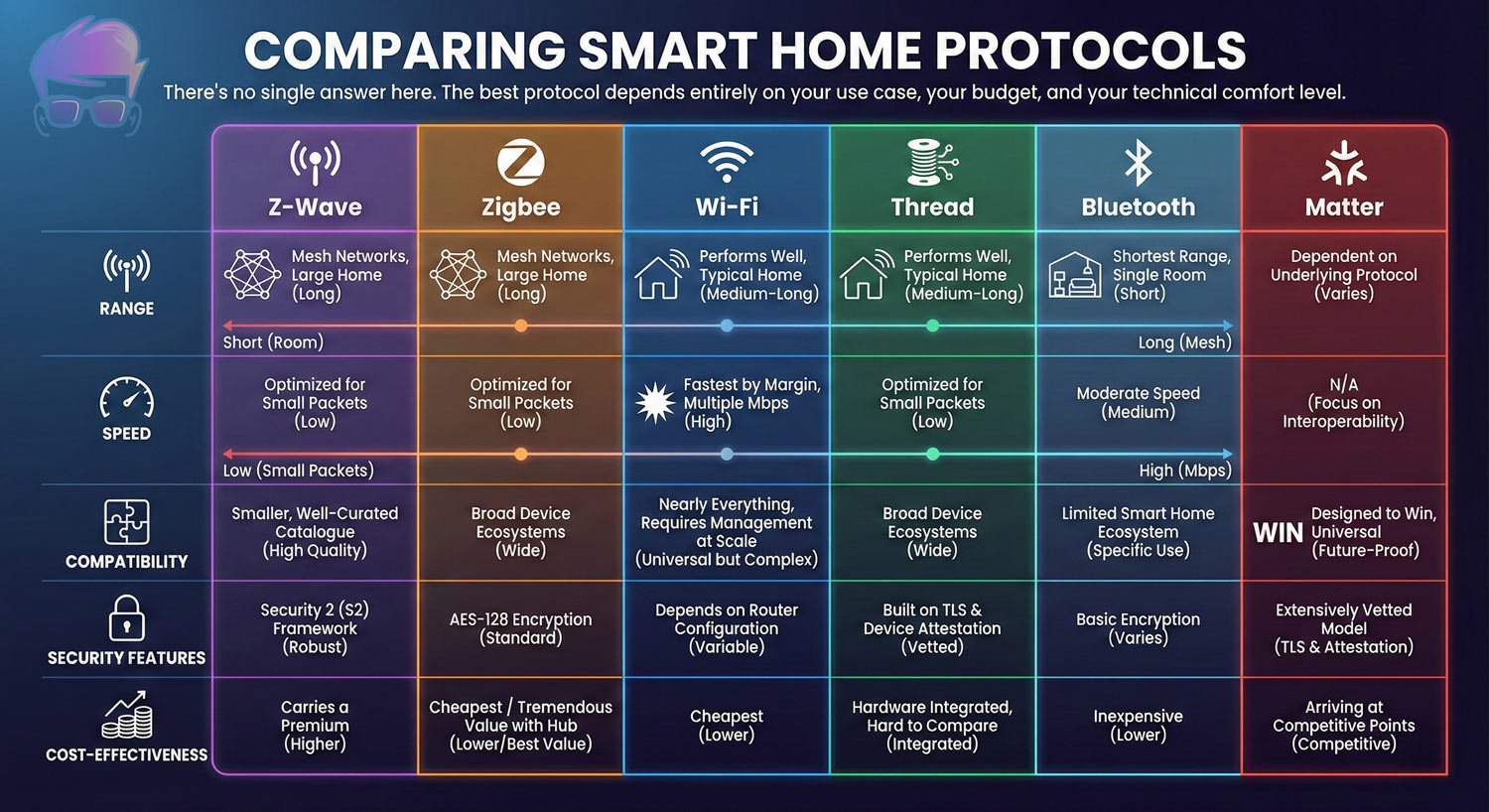
That “talking to each other” part is where protocols come in. Smart home protocols are the shared languages and rulebooks your devices use to communicate with each other. You’ve probably heard a few of these names before: Wi‑Fi, Bluetooth, Zigbee, Z‑Wave, Thread, and now Matter. Those aren’t just buzzwords; they’re different communication styles your smart home can use behind the scenes.
You don’t need to become a network engineer, but having a basic grasp of the main smart home protocol options helps you make smarter choices. It lets you see past the marketing and focus on whether a device will actually play nicely with the rest of your system—today and as you add more gear later, and that’s exactly what this guide is here to walk you through.
Key Takeaways:
- Overview of what smart home protocols are and why they “matter” (foreshadowing)
- Comparison of major protocols (e.g., Wi‑Fi, Zigbee, Z‑Wave, Thread, Bluetooth)
- How different protocols affect device compatibility and interoperability
- Pros and cons of each protocol in terms of speed, range, reliability, and power use
- Security and privacy considerations for different smart home communication methods
- How to choose the right protocol mix for your specific home and devices
- Practical examples of typical setups (hubs, bridges, and direct‑to‑Wi‑Fi devices)
- Future trends in smart home standards (like Matter) and what they mean for buyers
Introduction to Smart Home Technology
Smart home tech has been around in some form for decades, but only recently hit that sweet spot of “powerful, affordable, and within reach of regular people.” The hardware got cheaper. The apps got better. Voice assistants and hubs made control easier. Underneath all of that is one big, messy problem: incompatibility. Maybe you bought a Z‑Wave lock, a set of Zigbee bulbs, a Wi‑Fi camera, and a Bluetooth sensor. On paper they’re all “smart.” In practice they speak different languages. At the core of that problem are protocols—the invisible rules and languages your devices use to communicate. Get the protocol right and your home feels seamless. Get it wrong and you’ve basically built a small museum of expensive paperweights.Benefits of a Smart Home: Convenience, Security, Energy Efficiency
So why bother with all this? Because when you get it right, the payoffs are real.
- Convenience: Automate the mundane stuff. Lights that turn off when you leave, doors that lock themselves at night, blinds that open with your alarm. Little things that stack up into a smoother day.
- Security: Smart locks, video doorbells, motion sensors, and cameras give you eyes and ears around your home. You can see who rang the doorbell, check if the garage is closed, or get an alert if a window opens when it shouldn’t.
- Energy Efficiency: Smart thermostats, plugs, and lighting can trim real money off your bills. A good thermostat learns your patterns and only runs heating or cooling when it actually needs to. Lights and plugs stop burning power when no one’s around.
This guide walks through the major smart home protocols—Wi‑Fi, Bluetooth LE, Zigbee, Z‑Wave, Thread, Matter, and MQTT—and shows how they fit together. Think of it as a map of the “smart home wars” that helps you choose standards, not just brands.
Components of a Smart Home
Smart Devices and Appliances
A smart home is only as good as the devices inside it. We’re talking smart bulbs, plugs, switches, thermostats, locks, speakers, cameras, fridges, washing machines, and more. Each one has some form of connectivity baked in — usually Wi-Fi, Zigbee, Z-Wave, or Bluetooth.
The sheer variety is both exciting and overwhelming. There are thousands of products on the market right now. Some are fantastic. Some are overpriced gadgets that’ll be abandoned by their manufacturer in two years. Choosing wisely matters.
Connectivity and Control Systems
Most smart homes need some form of central control — a hub, a voice assistant, an app, or all three. Systems like Amazon Alexa, Google Home, Apple HomeKit, and Samsung SmartThings each act as a kind of command center, letting you manage devices from one place.
Hubs are particularly important when you’re mixing protocols. Your Zigbee bulbs don’t speak the same language as your Z-Wave lock. A smart hub bridges that gap. Without one, you’d need a separate app for every single device — which quickly becomes a nightmare.
Integration with IoT and AI
The Internet of Things (IoT) is essentially the broader concept behind smart homes. When your thermostat, fridge, and front door lock can all share data and respond to each other, that’s IoT at work. AI takes it further. Instead of just following rules you set, AI-powered systems learn your preferences over time.
They notice when you always turn the bedroom light off at 10pm and start doing it automatically. They spot energy waste you hadn’t noticed. The technology is still maturing but the direction is clear — smart homes are getting genuinely smarter.
- Blazing-fast WiFi 7 speeds up to 9.3Gbps for gaming, smooth streaming, video conferencing and entertainment
- WiFi 7 delivers 2.4x faster speeds than WiFi 6 to maximize performance across all devices. This is a Router, not a Modem.. Works with...
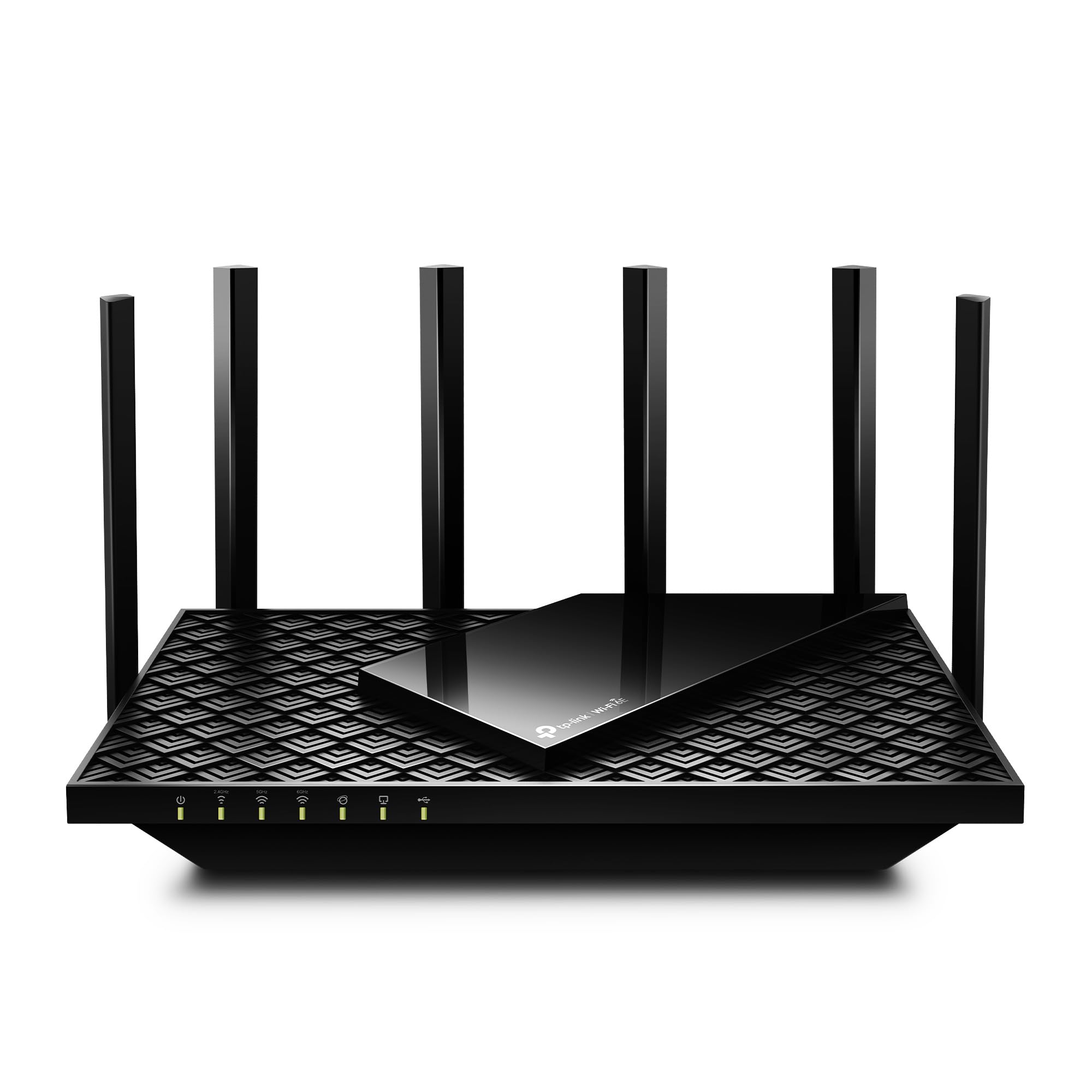
- Tri-Band WiFi 6E Router - Up to 5400 Mbps WiFi for faster browsing, streaming, gaming and downloading, all at the same time(6 GHz...
- WiFi 6E Unleashed – The 6 GHz band brings more bandwidth, faster speeds, and near-zero latency; Enables more responsive gaming and...
- Next-Gen Gigabit Wi-Fi 6 Speeds: 2402 Mbps on 5 GHz and 574 Mbps on 2.4 GHz bands ensure smoother streaming and faster downloads...
- A More Responsive Experience: Enjoy smooth gaming, video streaming, and live feeds simultaneously. OFDMA makes your Wi-Fi stronger by...

- ROUTER ONLY, NOT A MODEM: Requires a separate modem or ISP gateway for internet service, connected via ethernet. This is a standalone...
- WIFI 6 AX1800 SPEED FOR STREAMING, GAMING AND VIDEO CALLS: Up to 1.8 Gbps across 2.4 GHz and 5 GHz bands. Real-world speeds depend on...
Smart Home Protocols Explained
Let’s dig into the actual protocols. These are the technical standards that govern how your devices communicate. Think of them like different languages — some are better suited to certain conversations than others.
Wi-Fi
Overview and Applications
Wi-Fi is everywhere. Your phone uses it. Your laptop uses it. And a huge number of smart home devices use it too. It operates on the 2.4GHz and 5GHz frequency bands and can transfer data fast.
Wi-Fi smart devices are incredibly common — think smart bulbs from brands like LIFX, smart plugs, cameras, doorbells, and streaming devices. Setup is usually straightforward because most homes already have Wi-Fi infrastructure in place.
Advantages and Disadvantages
The advantages are obvious: speed, range, and familiarity. Wi-Fi can push a lot of data quickly, which makes it ideal for bandwidth-hungry devices like security cameras streaming HD video.
The downsides? Wi-Fi is a power hog. Battery-operated sensors on Wi-Fi drain fast. It also adds congestion to your network — every new smart device is one more thing your router has to handle. In larger homes with dozens of devices, this can cause slowdowns and connectivity issues.
Comparison: Wi-Fi vs Bluetooth vs Zigbee
Wi-Fi wins on speed and range but loses on power efficiency. Bluetooth is great for short-range, low-power applications but struggles beyond a room or two. Zigbee hits a sweet spot for low-power mesh networking across a whole home. Each has its place — and the best smart homes often use more than one.
Bluetooth Low Energy (BLE)
Overview and Applications
Bluetooth Low Energy, or BLE, is the version of Bluetooth designed specifically for devices that need to run for months or years on a small battery. Smart locks, fitness trackers, environmental sensors — this is where BLE shines.
It’s a short-range protocol, typically effective within about 10 metres. That makes it perfect for personal-area applications but less suited to whole-home automation.
Advantages and Disadvantages
Exceptionally low power consumption is the standout advantage. A BLE device can run on a coin cell battery for an extended period. Pairing is quick, and it integrates naturally with smartphones.
The limitation is range. BLE doesn’t mesh (in its standard form), so it can’t relay signals across a home the way Zigbee or Z-Wave can. It also lacks the raw bandwidth for video or audio streaming.
Bluetooth LE in Smart Home Environments
BLE is finding its footing in smart homes as a complement to other protocols rather than a primary standard. Devices like smart locks, window sensors, and occupancy detectors work well on BLE. The Matter protocol (more on that shortly) uses BLE for the initial device commissioning process, which has renewed interest in BLE as part of a broader ecosystem.
What is Z-Wave?
Overview and Applications
Z-Wave is a wireless technology created specifically for smart homes. Instead of trying to do everything (like Wi‑Fi or Bluetooth), it focuses on one job: letting smart devices quietly send simple messages to each other—things like “door opened,” “light on,” or “motion detected”—in a reliable way.
It uses a different part of the radio spectrum than Wi‑Fi and Bluetooth: the sub‑GHz band (around 868 MHz in Europe and 908 MHz in the US). Because it stays out of the busy 2.4 GHz range used by Wi‑Fi, Bluetooth, and Zigbee, it usually deals with less interference and can communicate more consistently through walls in a typical house.
Z-Wave is most common in:
- Security systems (door/window sensors, motion sensors, sirens)
- Smart locks (front door, garage entry)
- Environmental sensors (water leak, temperature, smoke/CO in some systems)
- Lighting controls (smart switches, dimmers, plug-in modules, smart outlets)
It’s designed for small, low-power devices that only need to send tiny bits of information, not stream video or audio.
Advantages and Disadvantages
Advantages
Highly interoperable: Z-Wave has a strong track record of different brands working together. Devices must pass a certification process, so a Z-Wave lock from one company can usually talk to a Z-Wave hub and switch from others with minimal hassle.
Mesh network for whole-home coverage: Z-Wave devices can act as repeaters, passing messages from one device to another. This “mesh” means a signal from your hub can hop across the house—through several devices—until it reaches a distant sensor or lock. If one path fails, the network can often find another route.
Reliable and power-efficient: Because Z-Wave is built for small control messages and uses lower frequencies, it tends to be stable, and many battery-powered devices can last months or years without a battery change.
Disadvantages
Higher cost: Z-Wave devices often cost more than similar Wi‑Fi or Zigbee products. You’re partly paying for certification, reliability, and the niche focus on security and home automation.
Smaller ecosystem than Wi‑Fi or Zigbee: There are thousands of certified Z-Wave products, but the selection is still narrower than what you’ll find for Wi‑Fi or Zigbee, especially in cheaper “budget” categories.
Matter vs. Z-Wave
Matter is a newer standard aiming to make smart home devices easier to set up and more consistent across brands and platforms (Apple, Google, Amazon, etc.). It mostly runs over Wi‑Fi and Thread, not over the same sub‑GHz band as Z-Wave.
Z-Wave isn’t going away in the near term:
- It runs on different radio frequencies and fills a specific niche where security, reliability, and long battery life matter more than raw speed.
- Many alarm systems, smart locks, and professional installations already rely on Z-Wave and are unlikely to rip everything out overnight.
- Some smart home hubs speak both Matter (via Wi‑Fi/Thread) and Z-Wave, so they can bridge old and new devices under one roof.
In practice, you can think of Matter as making your system more “future-proof” and easier to manage, while Z-Wave continues to quietly run critical devices like locks and sensors in the background.
Zigbee vs. Z-Wave vs. Matter
All three can be good choices; they just emphasize different strengths:
| Technology | Pros | Cons |
|---|---|---|
| Zigbee | Large device ecosystem; many affordable options | Historically fragmented; different “flavors” and manufacturer quirks can cause compatibility headaches |
| Z-Wave | Strict certification; strong reputation for reliability, especially in security and automation; mesh networking and sub‑GHz frequencies help with whole-home coverage | Typically more expensive; smaller ecosystem than Zigbee or Wi‑Fi |
| Matter | Designed as the industry’s common language so devices “just work” across major platforms; focused on easy setup and long-term compatibility | Still relatively new; some device categories and advanced features are still evolving |
In simple terms:
- Z-Wave is the battle-tested workhorse for secure, reliable smart home control.
- Zigbee is the cost-effective middle ground with lots of devices but more historical quirks.
- Matter is the long-term unifying standard, aiming to tie everything together and make your smart home feel less like a science project and more like an appliance.
What is Zigbee?
Overview and Applications
Zigbee is a wireless standard built on the IEEE 802.15.4 specification and is designed for low-power, short-range communication. In plain terms, it’s made for small smart home messages like “light on,” “motion detected,” or “door opened,” not for streaming video or heavy data.
Zigbee usually runs on the 2.4 GHz band (the same range used by Wi‑Fi and Bluetooth), but it uses much less bandwidth and power. It creates a mesh network, where many devices pass messages along to each other so signals can reach across your home.
You’ll commonly find Zigbee inside:
- Smart lighting systems (e.g., Philips Hue, many smart bulbs and switches)
- Sensors (motion, contact, temperature, humidity, leak sensors)
- Smart plugs and outlets
- Smart home hubs and bridges that coordinate multiple devices
It’s especially popular for affordable, battery-powered devices that only need to send small status updates.
Advantages and Disadvantages
Advantages
Affordable and widely available: Zigbee devices are often cheaper than Z‑Wave equivalents, and there’s a huge ecosystem of bulbs, sensors, and plugs from many brands.
Mesh networking that improves with scale: Each mains-powered Zigbee device (like a smart plug or hardwired switch) can act as a repeater. Adding more of these devices usually:
- Extends the range of your network
- Makes communication more robust, because there are multiple paths for a message to travel
Low power, good for batteries: Zigbee is designed so battery-powered devices can stay in “sleep” mode most of the time and only wake briefly to send or receive messages. This helps batteries last much longer.
Disadvantages
Fragmentation and compatibility quirksHistorically, different manufacturers interpreted parts of the Zigbee standard in their own ways. As a result:
- A Zigbee device from Brand A didn’t always work smoothly with a hub from Brand B.
- Some devices used proprietary “profiles” or features that only worked reliably inside one brand’s ecosystem.
The Zigbee Alliance (now the Connectivity Standards Alliance) has done a lot of work to tighten this up, and the push toward Matter has further encouraged consistency. But older devices and some cheaper products can still show these compatibility quirks.
Shares the crowded 2.4 GHz band: Because Zigbee lives in the same general frequency space as Wi‑Fi and Bluetooth, heavy Wi‑Fi traffic or poor channel planning can sometimes cause interference. Careful hub placement and channel selection can usually reduce these issues.
Zigbee in Smart Home Networks
A well-designed Zigbee network can support hundreds of devices in a home:
Mains-powered devices = routers: Smart plugs, in-wall switches, and other always-powered Zigbee devices act as routers in the mesh. They:
- Pass messages between devices and the hub
- Help extend coverage into distant rooms or floors
- Make the network more resilient, because there are multiple possible routes
Battery-powered devices = sleepy end devices: Battery-powered sensors (motion, contact, leak detectors, etc.) are typically “sleepy” nodes:
- They do not route traffic for others (to save power)
- They rely on nearby mains-powered routers to carry their messages back to the hub
- They wake briefly to send updates (e.g., “door opened”) and then go back to sleep
Self-healing mesh: If one device that used to relay messages is unplugged or fails, the Zigbee network can usually:
- Discover a new path through other routers
- Rebuild routes over time so devices still stay connected
In everyday terms, you can think of Zigbee as a budget-friendly, low-power team of devices that whisper short messages to each other across your house. The more always-on devices you give it (like smart plugs), the more pathways it has to get those messages where they need to go.
What is Matter?
Overview and Applications
Matter is the smart home protocol that the industry has been waiting for. Launched formally in late 2022, it’s a royalty-free, open-source standard backed by Apple, Google, Amazon, Samsung, and hundreds of other companies. The entire pitch is simple: a Matter device should work with any Matter-compatible platform, full stop.
Matter runs over Wi-Fi and Thread (more on Thread shortly) and uses Bluetooth LE for device onboarding. It’s designed for lighting, thermostats, locks, sensors, blinds, and more.
Advantages and Disadvantages
The main advantage is interoperability without compromise. A Matter light bulb bought today should work with Alexa, Google Home, and Apple HomeKit simultaneously. No more being locked into a single ecosystem. That’s a big deal.
The disadvantage right now is that the standard is still maturing. Not every device category is supported yet. And while the foundation is solid, real-world implementations have occasionally been bumpy. Give it time — the trajectory is firmly upward.
What is Thread?
Overview and Applications
Thread is a low-power mesh networking protocol built on the same IEEE 802.15.4 radio standard as Zigbee. It’s not a full smart home protocol on its own — it’s the transport layer that Matter uses. Think of it as the road that Matter’s data travels on.
Thread creates an IP-based mesh network, meaning every device gets its own IP address. That’s a significant architectural difference from Zigbee and Z-Wave, which use their own proprietary addressing. Being IP-native makes Thread more aligned with the modern internet stack.
Advantages and Disadvantages
Thread is fast, reliable, and self-healing. If a device drops off the network, Thread reroutes traffic automatically. Low latency makes it excellent for responsive devices like light switches. And because it’s IP-based, it integrates cleanly with cloud services and local control architectures alike.
The main limitation is that Thread requires a Thread Border Router to connect the mesh to your wider home network. Devices like the Apple HomePod mini, Google Nest Hub (2nd gen), and some Amazon Echo devices contain Thread Border Routers. Without at least one, you can’t run a Thread network.
What is MQTT?
Overview and Applications
MQTT stands for Message Queuing Telemetry Transport. It’s a lightweight publish-subscribe messaging protocol designed for low-bandwidth, high-latency, or unreliable networks. You’ll encounter it a lot in DIY and advanced smart home setups, particularly those using Home Assistant or Node-RED.
The protocol uses a broker-based architecture. Devices publish messages to a topic on the broker, and other devices or services that have subscribed to that topic receive them. It’s elegant, efficient, and extremely versatile.
Advantages and Disadvantages
MQTT is incredibly lightweight. It works on tiny microcontrollers with minimal RAM and runs happily over slow or intermittent connections. For IoT applications at scale — thousands of sensors reporting data — MQTT is often the protocol of choice.
The downside is complexity. MQTT isn’t plug-and-play. You need to run a broker (Mosquitto is popular), understand topics and subscriptions, and often write some configuration or code. It’s powerful but it rewards technical users. For most consumers, it’s overkill.

Top 5 Smart Home Devices for Beginners
What Protocol Should You Select as a Newbie to Smart Home Automation?
Ease of Setup
If you’re just getting started, ease of setup should rank high on your list. Wi-Fi devices are usually the most beginner-friendly — they pair directly with an app and your existing router. No hub required. The trade-off is the network congestion issue mentioned earlier.
Zigbee and Z-Wave require a compatible hub or controller, which adds a step. But the ecosystem of user-friendly hubs like the Amazon Echo (which has a Zigbee hub built in) or the Samsung SmartThings hub has made this much less intimidating than it once was.
Compatibility with Existing Devices
Check what you already own before buying anything new. If you’re an Apple household with HomePods and Apple TVs, HomeKit and Matter make natural choices. If you’re deep in the Amazon ecosystem, Zigbee through an Echo hub might be the path of least resistance.
The golden rule: don’t buy a platform, buy into a standard. Platforms come and go. Standards endure. Matter is the standard most worth betting on for the long term.
Future-Proofing Your Smart Home
Future-proofing is genuinely tricky in a market that moves this fast. The safest bets right now are Matter-compatible devices wherever possible, or devices that have committed to Matter updates. Beyond that, sticking with established standards like Zigbee and Z-Wave gives you a reasonable guarantee that your devices will remain supported.
Avoid proprietary ecosystems with no open standard support. If a company goes under or discontinues a product line, you don’t want to be left with a collection of expensive paperweights.
Understanding the Relationship Between Communication Protocols and IoT Smart Home Applications
Data Volume
Different devices produce wildly different amounts of data. A temperature sensor sends a small packet of numbers every few minutes. A security camera streams continuous high-definition video. The protocol you choose needs to handle your specific data volumes without choking. Wi-Fi excels for high-volume data. Zigbee, Z-Wave, and Thread are optimised for low-volume, frequent messaging. Matching the protocol to the device’s data profile is a foundational design decision in any smart home setup.Power
Power consumption is one of the most important protocol characteristics for battery-operated devices. BLE and Zigbee are specifically engineered for low power operation. Z-Wave also manages power efficiently. Wi-Fi, by contrast, is relatively power-hungry — fine for mains-powered devices but unsuitable for most battery sensors. Thread’s sleep/wake architecture allows devices to spend most of their time in a low-power sleep state, waking only to send or receive data. This makes it well-suited for devices like door sensors, occupancy detectors, and environmental monitors.Operation Cycle
How often does a device need to communicate? A light switch needs to respond in milliseconds. A weather sensor reporting temperature might only need to update every five minutes. Protocol selection should reflect these operational rhythms. Z-Wave and Zigbee handle infrequent, low-latency communications well. Thread is designed for fast response times. MQTT can queue messages and deliver them when connectivity is restored — ideal for intermittent connections. Wi-Fi works well across the spectrum but drains batteries in high-frequency applications.Compatibility / Interoperability
Interoperability — the ability of devices from different manufacturers to work together — has been the Achilles heel of smart home technology for years. Proprietary systems, inconsistent implementations of open standards, and competing ecosystems created a fragmented landscape. Matter directly addresses this. By building a single application layer that runs on top of Thread and Wi-Fi, and by requiring rigorous certification, Matter promises genuine plug-and-play interoperability. The Connectivity Standards Alliance (CSA) oversees certification and compliance, ensuring that a Matter stamp on a box actually means something.Cost
The cost of building a smart home isn’t just the upfront price of devices. It includes the hub or controller you need, ongoing subscription fees (some platforms charge for cloud access or premium features), the cost of replacing incompatible devices as standards evolve, and the time investment in setup and maintenance.Choosing open standards over proprietary platforms significantly reduces long-term cost and risk. Devices built on open standards don’t disappear when a company pivots or shuts down.

Bringing it Together: Smart Home Hubs and Multi-Protocol Hubs/Gateways
Choosing the Right Protocol
In practice, most smart homes end up using multiple protocols. You might have Zigbee bulbs, a Z-Wave lock, Wi-Fi cameras, and a Matter thermostat. That’s not a problem — it’s reality. The key is choosing a central hub capable of managing all of them.Integrating Devices
Integration is where a good multi-protocol hub earns its keep. Platforms like Home Assistant, Samsung SmartThings, and Hubitat support a wide range of protocols and allow you to create automations that span devices regardless of their underlying communication standard. A single routine can trigger actions across Zigbee, Z-Wave, and Wi-Fi devices simultaneously.Configuring Your Network
Network configuration is often overlooked but genuinely important. A dedicated IoT VLAN (virtual local area network) keeps your smart devices isolated from your primary devices, reducing security risk and network congestion. Assigning static IP addresses to key devices prevents connectivity issues when your router restarts. For mesh protocols like Zigbee and Z-Wave, physical placement of devices matters. Dead zones in coverage are usually fixed by adding mains-powered devices (which act as mesh repeaters) in strategic locations.Features and Benefits of Multi-Protocol Hubs
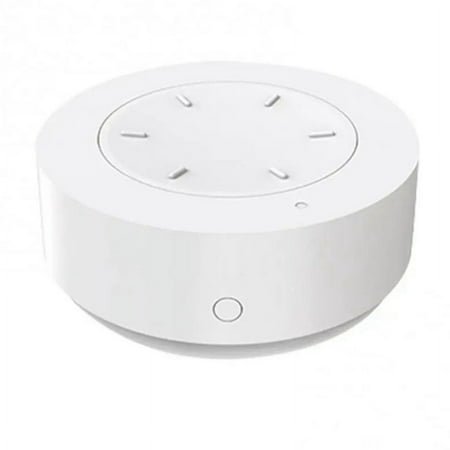
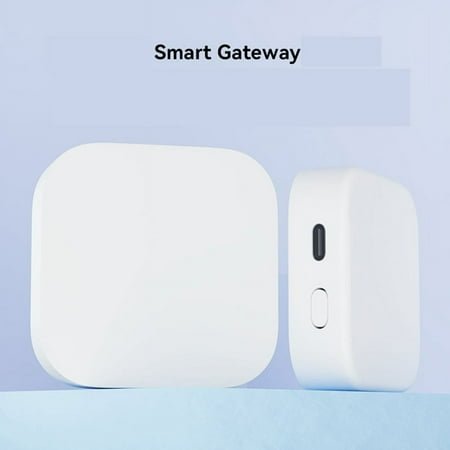
A high-quality multi-protocol hub consolidates control, reduces app clutter, enables cross-protocol automations, and adds a layer of local processing that keeps your home working even when the internet goes down. Brands like Aeotec, Hubitat, and Home Assistant Yellow offer compelling options for users who want real control without cloud dependency.- Note: Aqara Hub E1 only supports 2.4 GHz Wi-Fi. It can connect up to 128 Aqara devices (*use of repeaters such as the Aqara Smart Plug...
- Flexible and Small Size: The Hub E1 shaft angle can be changed within 210 degrees, which makes its placing extremely flexible. The...
Matter: Why It Matters
Introduction and Background
Matter emerged from the ashes of a previous initiative called Project Connected Home over IP (CHIP), launched in 2019 by the Zigbee Alliance. The founding members — Amazon, Apple, Google, and Samsung — agreed on something remarkable: that fragmentation was bad for the industry and worse for consumers, and that a unified standard was necessary.
The Zigbee Alliance rebranded as the Connectivity Standards Alliance (CSA) and took on stewardship of the standard. Matter 1.0 was formally released in October 2022.
Goals and Objectives of the Matter Protocol
Matter has three core objectives. First: interoperability. Any certified Matter device should work with any Matter-compatible platform. Second: simplicity. Device setup should be straightforward regardless of which ecosystem you use. Third: reliability. Matter prioritises local processing so that devices work even without an active internet connection.
What Makes Matter Different?
Unique Features and Advantages
The defining characteristic of Matter is multi-admin capability. A single Matter device can be simultaneously enrolled in Apple HomeKit, Google Home, and Amazon Alexa — all at the same time. This was impossible before Matter without running multiple separate systems.
Matter also uses strong security by default. Device attestation ensures that only genuine, certified devices can join a Matter network. The security model was designed with cryptographic rigour from the ground up.
Comparison with Existing Smart Home Protocols
Matter isn’t a radio protocol. It rides on top of Thread (for low-power mesh devices) and Wi-Fi (for higher-power devices). This means it works alongside Zigbee and Z-Wave rather than directly competing with them at the radio layer. Matter is more accurately described as a unifying application layer than a replacement for existing RF protocols.
When Will Matter Arrive?
Timeline for Deployment and Adoption
Matter 1.0 arrived in late 2022. Since then, adoption has been accelerating. The CSA released Matter 1.2 in 2023, adding support for new device categories including robot vacuums, refrigerators, and washing machines. Matter 1.3 followed in 2024 with further expansions.
Current Status and Future Prospects
Hundreds of Matter-certified products are now on the market. Major platforms including Apple HomeKit, Google Home, Amazon Alexa, and Samsung SmartThings all support Matter. The ecosystem is growing rapidly and the pace of certification is increasing. The transition won’t happen overnight but the direction is clear.
What About Other Smart Home Standards?
Comparison with Z-Wave, Zigbee, and Thread
Z-Wave isn’t going away. Its dedicated frequency band and rigorous certification process make it a preferred choice for security-conscious installers and users. Zigbee continues to have a massive installed base and remains highly cost-competitive. Thread is, at this point, effectively the wireless backbone of Matter rather than a standalone consumer-facing standard.
Impact on Existing Smart Home Ecosystems
Matter is designed to augment rather than eradicate existing ecosystems. Many Zigbee and Z-Wave devices will gain Matter support through software updates or via bridge devices. The investment you’ve already made in non-Matter devices isn’t necessarily wasted.
What Devices Does Matter Work With?
Compatibility with Various Smart Home Devices
Matter currently supports a growing list of device categories: smart lights, switches, thermostats, door locks, window coverings, sensors, televisions, robot vacuums, and kitchen appliances, among others. Each new version of the specification adds support for additional categories.
Examples of Matter-Compatible Products
Products from Eve, Nanoleaf, LIFX, Yale, Schlage, ecobee, and many others carry Matter certification. Apple, Google, Amazon, and Samsung have all updated their flagship hub devices and voice assistants to serve as Matter controllers. The catalogue is expanding monthly.
How Do Smart Home Hubs Fit In?
Role of Hubs in Managing Matter-Enabled Devices
In a Matter ecosystem, the concept of a ‘hub’ evolves somewhat. Matter controllers — which is what hubs become in Matter terminology — can reside in smartphones, smart speakers, streaming devices, or dedicated hubs. Multiple controllers can manage the same device simultaneously thanks to Matter’s multi-admin architecture.
Integration with Existing Smart Home Setups
If you have an existing smart home setup, Matter bridges allow non-Matter devices to appear as Matter devices on your network. Philips Hue’s bridge, for example, exposes Zigbee Hue bulbs as Matter devices, letting them be controlled through any Matter-compatible platform. This bridge approach is a practical transition path for existing ecosystems.
What Do I Need to Use Matter?
Hardware and Software Requirements
To use Matter, you need: at least one Matter-certified device, a Matter controller (a smartphone running iOS 16+, Android 8.1+, or a compatible smart speaker), and for Thread-based devices, a Thread Border Router. Most recent Apple, Google, and Amazon smart speaker devices include Thread Border Routers.
Setup and Configuration Process
Matter device commissioning is designed to be simple. Scan a QR code on the device, approve the connection in your preferred platform’s app, and you’re done. The device is then available across any Matter controller you’ve enrolled it with. The technical complexity is abstracted away entirely for end users.
What About Security and Privacy?
Security Features of the Matter Protocol
Matter’s security architecture is comprehensive. It uses device attestation — a process where each device cryptographically proves its identity and certification status before being allowed onto a network. Communications are encrypted end-to-end. Local control reduces reliance on cloud infrastructure, eliminating a common attack vector.
Privacy Considerations for Homeowners
Local processing is a significant privacy benefit of Matter and Thread-based systems. When your light switch communicates directly with your hub rather than routing through a cloud server in another country, your data stays closer to home. That said, most Matter platforms still offer cloud connectivity for remote access and voice control. Review the privacy policies of any platform you adopt and understand what data leaves your home network.
Will Manufacturers and Platforms Limit Functionality?
Potential Limitations Imposed by Manufacturers
This is a legitimate concern. Some manufacturers have been accused of implementing Matter in ways that technically comply with the standard but limit functionality compared to their native apps. Advanced features, firmware updates, or cloud-specific integrations might not transfer fully to third-party platforms.
Impact on User Experience and Device Interoperability
The CSA’s certification process helps guard against this but can’t eliminate it entirely. For critical functionality, check user reviews and independent testing to confirm that a device’s Matter implementation is genuinely complete. The best implementations treat Matter as the primary interface rather than a secondary add-on.
Will Matter Succeed?
Factors Influencing the Success of Matter
Three things will determine Matter’s success: industry adoption rate, consumer awareness, and the quality of real-world implementations. On all three counts, the early signs are encouraging. The pace of certification is accelerating, platform support is broad, and consumer-facing communication around Matter is improving.
Predictions for the Future of Matter in Smart Homes
Matter will almost certainly become the dominant application-layer standard for smart home devices over the next five to ten years. The alternative — continued fragmentation and ecosystem lock-in — serves nobody except the largest platform owners. The industry’s collective commitment to Matter, backed by the heaviest hitters in consumer technology, makes its long-term success highly probable.
Summary of Key Points
The smart home “wars” aren’t really about brands. They’re about protocols. Those quiet choices—Wi‑Fi vs Zigbee vs Z‑Wave vs Thread vs Matter—decide whether your home feels effortless or fragile.
By now you’ve seen the pattern:
- Wi‑Fi is the fast, familiar workhorse for cameras, doorbells, and media devices—but it’s noisy and not great for tiny battery sensors.
- Zigbee and Z‑Wave are the battle‑tested mesh standards that quietly power a huge slice of lighting, sensors, and security gear.
- Thread brings an IP‑native, self‑healing mesh that pairs perfectly with low‑power devices and modern architectures.
- Bluetooth LE fills in the gaps for short‑range, low‑energy links and onboarding.
- MQTT sits behind the scenes as the glue for power users who want ultimate local control and custom automations.
- Matter is the application layer that tries to pull it all together so one device can live happily in multiple ecosystems at once.
Protocols are not just trivia. They affect battery life, latency, reliability, security, and whether that thing you buy today still works when you upgrade platforms in a few years.
Final Thoughts on Selecting the Right Protocol for Your Smart Home
If you’re starting fresh today, a simple way to think about it is:
Buy into standards, not just platforms. Matter‑compatible devices where possible, backed up by solid Zigbee and Z‑Wave gear for lighting and security.
Expect to use more than one protocol.
A realistic setup might be Wi‑Fi cameras, Zigbee or Z‑Wave switches and sensors, Thread/Matter devices for newer gear, and maybe MQTT under the hood if you run Home Assistant or similar.
Anchor everything with a capable multi‑protocol hub or controller.
Something that speaks several languages—Zigbee, Z‑Wave, Thread, Matter, Wi‑Fi—and can keep more logic local than in the cloud.
The good news: the smart home space is finally maturing. The days of completely isolated, incompatible islands of tech are numbered. Matter isn’t perfect yet and it won’t erase Zigbee or Z‑Wave overnight, but it’s the most credible path so far toward a home where “Will this work with my setup?” is no longer the first question you have to ask.
You don’t have to pick a side in some abstract protocol war. You just need a clear plan, a couple of well‑chosen standards, and a hub that can keep the peace. From there, every new device becomes less of a gamble and more of a building block.
The Future of Home Automation Protocols
Advances in Technology
The near-term trajectory points toward more local processing, better AI integration, and continued expansion of Matter’s device category support. Edge computing — where processing happens on the device or hub rather than in the cloud — will reduce latency, improve reliability, and protect privacy. New Matter versions will progressively add support for categories like EV chargers, energy management systems, and commercial building applications.
Trends to Watch
Keep an eye on Matter’s expansion into energy management. As solar panels, home batteries, and EV chargers become mainstream, a unified protocol for energy orchestration could be transformative. Thread’s IP-native architecture positions it well for this — it integrates naturally with broader home energy management infrastructure.
Also watch for AI-driven automation that moves beyond simple scheduling into genuinely adaptive behavior. Systems that learn from your patterns, predict your needs, and coordinate across dozens of devices without manual configuration are becoming technically feasible.
Potential Challenges
The biggest challenges ahead are fragmentation risk (will manufacturers implement Matter fully or partially?), security (more connected devices means a larger attack surface), and the perennial issue of device longevity. Smart home devices are often replaced more frequently than traditional appliances, creating electronic waste and compatibility headaches.
The industry also needs to do better at communicating end-of-software-life dates. Buying a smart device should come with a clear commitment about how long security updates and platform support will continue. Until that becomes standard practice, consumers remain exposed to the risk of expensive devices becoming unsupported — and potentially insecure — well before their useful hardware life is over.
FREQUENTLY ASKED QUESTIONS
What are the most popular smart home protocols?
The most widely deployed protocols today are Wi-Fi, Zigbee, Z-Wave, Bluetooth LE, Thread, and Matter. Wi-Fi and Zigbee have the largest installed bases. Matter is growing rapidly as manufacturers add support across new product lines.
How do I ensure my home network protection?
Use a dedicated IoT VLAN to isolate smart devices from your primary network. Enable WPA3 encryption on your Wi-Fi. Keep device firmware updated. Choose platforms with strong security track records and avoid cheap devices from unknown manufacturers with no history of security patching.
What is the universal protocol for home automation?
Matter is the closest thing to a universal protocol that the industry has ever produced. While no single protocol covers every device and use case, Matter’s cross-platform compatibility and broad industry backing make it the most universally applicable standard currently available.
How do Matter and Z-Wave compare?
Matter and Z-Wave serve complementary roles. Matter is an application-layer standard running over Wi-Fi and Thread. Z-Wave is a dedicated RF protocol with its own radio hardware. Z-Wave is particularly strong in security applications and has a mature certification ecosystem. Matter is broader and more future-oriented. Both have a place in modern smart home installations.
What’s the difference between Zigbee, Z-Wave, and Matter?
Zigbee is an open mesh networking protocol on the 2.4GHz band with a large, cost-competitive device ecosystem. Z-Wave is a proprietary-origin mesh protocol on a dedicated sub-GHz frequency with rigorous interoperability certification. Matter is an application-layer standard that uses Thread or Wi-Fi as its transport, designed to work across all major smart home platforms simultaneously. Each has distinct strengths and they’re not mutually exclusive.
Products related to this article you might be interested in
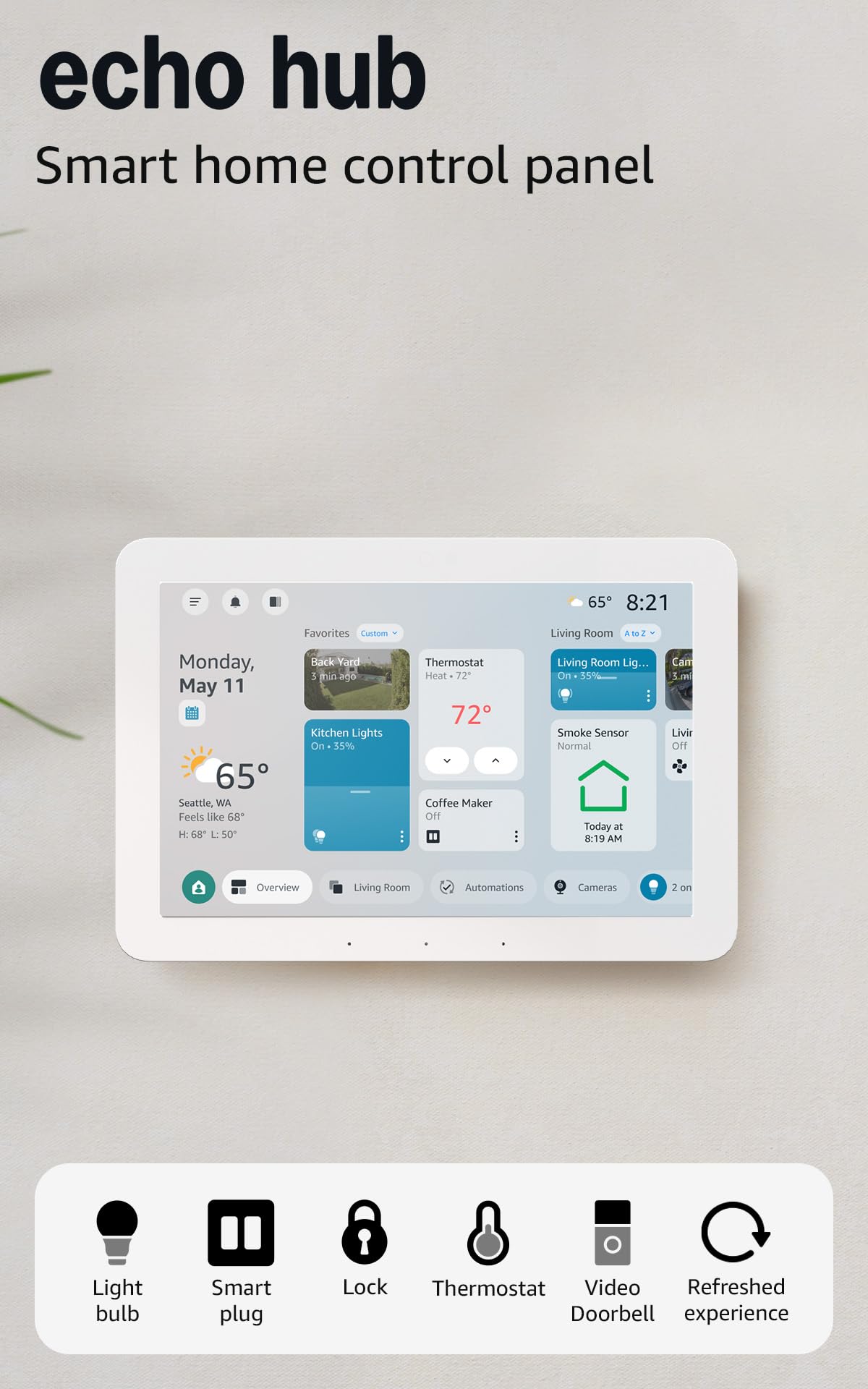
- Echo Hub — An easy-to-use smart home control panel redesigned for your home. Arrange controls on your dashboard to quickly adjust...
- Customize your dashboard — Arrange devices into sections and resize them to focus on what matters most. Create a personalized layout...
- Connect & control your smart home — Easily link thousands of compatible devices from leading brands to create a connected home...
- Automate your routines — Build custom automations using the SmartThings app to coordinate lights, sensors, switches, and other...