We do the homework so you can make your home work.™

Micro-Managing Your Electric Bill: Smart Automation for Sky-High Utility Rates

Nerdy Home Tech uses affiliate links. These links will help support the site. For more information, visit our Disclosure page.

Stop Leaving Money on the Table—Automate Your Way to Savings

You pay a lot to live in the city—rent, parking, pricey coffee. You take it as part of the deal. But your power bill? That’s actually flexible. Electric rates are going up, and more companies now use time-of-use pricing. Same power costs two or three times more depending when you use it. If your home runs the same all day—thermostat locked in, TV on standby, blinds sitting there—you’re throwing away real money every month.

Smart home automation won’t turn your apartment into a Tesla showroom. But it will let your home react to pricing conditions the way a savvy shopper reacts to a flash sale. Here’s how to set it up, what it costs, and what you’ll realistically save.

The Cost of City Living: Why Static Schedules No Longer Work

Most people are still running their homes on autopilot — set the thermostat to 72°F and forget it. That worked fine when utilities charged a flat rate. It doesn’t work when your utility is billing you based on when you use power, not just how much.

Time-of-use pricing means one thing: electricity costs more during peak demand windows and less when most people are asleep or at work. Con Edison customers in New York City, for instance, can see supply charges exceed $1.10 per kilowatt-hour between 2 and 6 p.m. on summer weekdays — compared to a few cents per kWh overnight.

Florida Power & Light’s TOU plan runs about 26 cents per kWh during peak hours versus roughly 9 cents off-peak. Rocky Mountain Power is migrating residential customers to time-of-use schedules with peak hours from 6 to 10 p.m. on weekdays. Seattle City Light, PG&E, and utilities across the country are following the same path.

The pattern is consistent across providers: late afternoon into early evening is almost always peak-rate territory. That’s the exact window when most people come home, crank the AC, start cooking, and sink into the couch with the TV on full brightness. You’re not doing anything wrong — you’re just unknowingly paying the highest possible rate while doing it.

A programmable thermostat with a fixed schedule doesn’t know what electricity costs right now. A smart thermostat does — and it can move the heavy work to cheaper hours without you touching a single button.

Manage Your Utility Bills With This Nerdy Tech Home Guide.

Adaptive Climate Control: Automating Around Peak Hours

Heat and cooling eat up about half your home’s energy. Your HVAC system is your best tool for saving money on a time-of-use plan. The trick is simple: do your heating and cooling work before prices spike, then just coast through the pricey hours using the comfort you’ve stored.

This is called pre-conditioning, and it works better than it sounds. If peak pricing starts at 4 p.m. and runs to 9 p.m., you program your smart thermostat to pre-cool your home to 69°F or 70°F by 3:45 p.m. using cheaper off-peak power. When 4 p.m. hits, you raise the setpoint to 76°F and let the house slowly drift up.

A well-built apartment with good insulation and modern windows can stay cool for two to four hours without running the AC. But here’s the catch: humidity. In wet places like Florida or Houston, turning off the AC means moisture builds up in the air. The temperature might only go up one or two degrees, but the air gets sticky and 74°F feels like a swamp. In these spots, you can’t just coast. You’ve got to set your smart thermostat to cycle the AC now and then to keep moisture down, even during peak pricing.

Many city apartments leak air, have exposed brick that soaks up heat, or use shared radiators you can’t control. If your place isn’t sealed tight or lacks your own thermostat, cooling ahead of time won’t help much. But if your unit is sealed well and you control your own heat, you’ll stay cozy without wasting money on power.

Geofencing adds another layer of savings. Thermostats like the Google Nest Learning Thermostat, Ecobee Smart Thermostat Premium, and several Honeywell Home models use your phone’s location to automatically set an energy-saving mode the moment you leave a defined radius around your home — typically a mile or so. No more paying to cool an empty apartment all afternoon because you forgot to adjust the temperature before leaving.

The system detects your departure, scales back, and starts warming or cooling again before you pull into the parking lot. It’s not magic; it’s just your phone’s GPS doing something useful for once. To set this up, simply enable Home/Away Assist in the Nest app, or the SmartSensor feature in the Ecobee app, no subscription needed.

Nerdy Top Picks for Smart Thermostats

Product Link Thumbnail Photo Best Feature Ecosystem Support
Google Nest See Price Google Nest Auto-away mode Google Home
Amazon Smart See Price Amazon Smart Alexa integration Alexa, Ring
ecobee Essential See Price Ecobee Essential Remote sensors Multi-platform
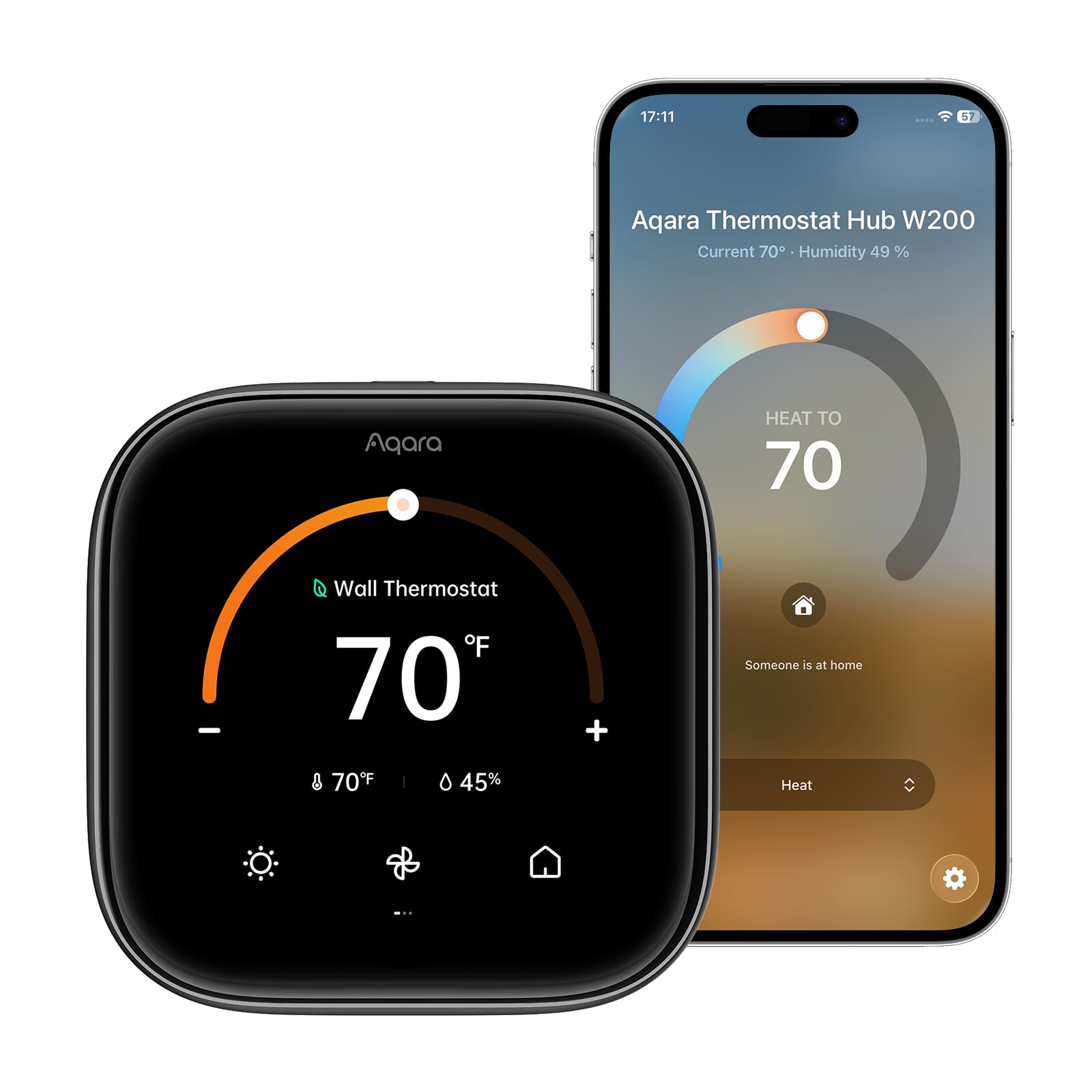
Aqara W200 See Price Aqara W200 Matter controller HomeKit, Siri
Honeywell T5 See Price Honeywell T5 Geofencing Multi-platform

What it costs:

Budget smart thermostats start around $130 (Ecobee’s Smart Thermostat Essential launched at $129.99). The Ecobee Smart Thermostat Premium and Google Nest Learning Thermostat (4th Gen) run about $250-$260. Many utilities offer rebates of $25 to $100 on smart thermostats — worth checking before you buy.

What it costs:

Budget smart thermostats start around $130 (Ecobee’s Smart Thermostat Essential launched at $129.99). The Ecobee Smart Thermostat Premium and Google Nest Learning Thermostat (4th Gen) run about $250-$260. Many utilities offer rebates of $25 to $100 on smart thermostats — worth checking before you buy.

Apartment caveat:

If your building uses centralized HVAC — where a landlord controls the system — a smart thermostat may not be an option. Check your lease and talk to your building manager before buying. If you have your own unit, installation typically takes 30-60 minutes with basic tools. If you find wires you don’t recognize or your system uses baseboard heating, a licensed HVAC tech is worth the one-time cost.

Best Mini PCs for Home Automation and Entertainment

Discover the best mini PCs for home automation and entertainment. Compare performance, power draw, and networking capabilities to find your perfect home server.

Hunting Vampire Draw: Smart Plugs with Power Monitoring

Here’s something most people don’t think about: a lot of your home’s electricity use happens while you’re asleep and everything appears to be “off.” The TV, soundbar, game console, cable box, streaming stick, and desktop computer don’t fully power down — they sit in standby mode, quietly drawing power around the clock. This is called vampire draw, phantom load, or standby power, depending on who you ask. The name doesn’t matter. The bill does.

The Department of Energy estimates standby power accounts for 5 to 10 percent of a typical household’s electricity bill. One real-world measurement of a standard entertainment setup — TV, soundbar, cable box, and game console — showed the whole cluster pulling 23 watts in “off” mode. That adds up to roughly 200 kWh per year, translating to $32-$40 at average national rates. In a high-rate urban market? More. And that’s one room.

Home offices are similarly leaky. A desktop PC, monitor, external hard drive, router, printer, and desk lamp can collectively draw 15-30 watts overnight even when everything looks dark.
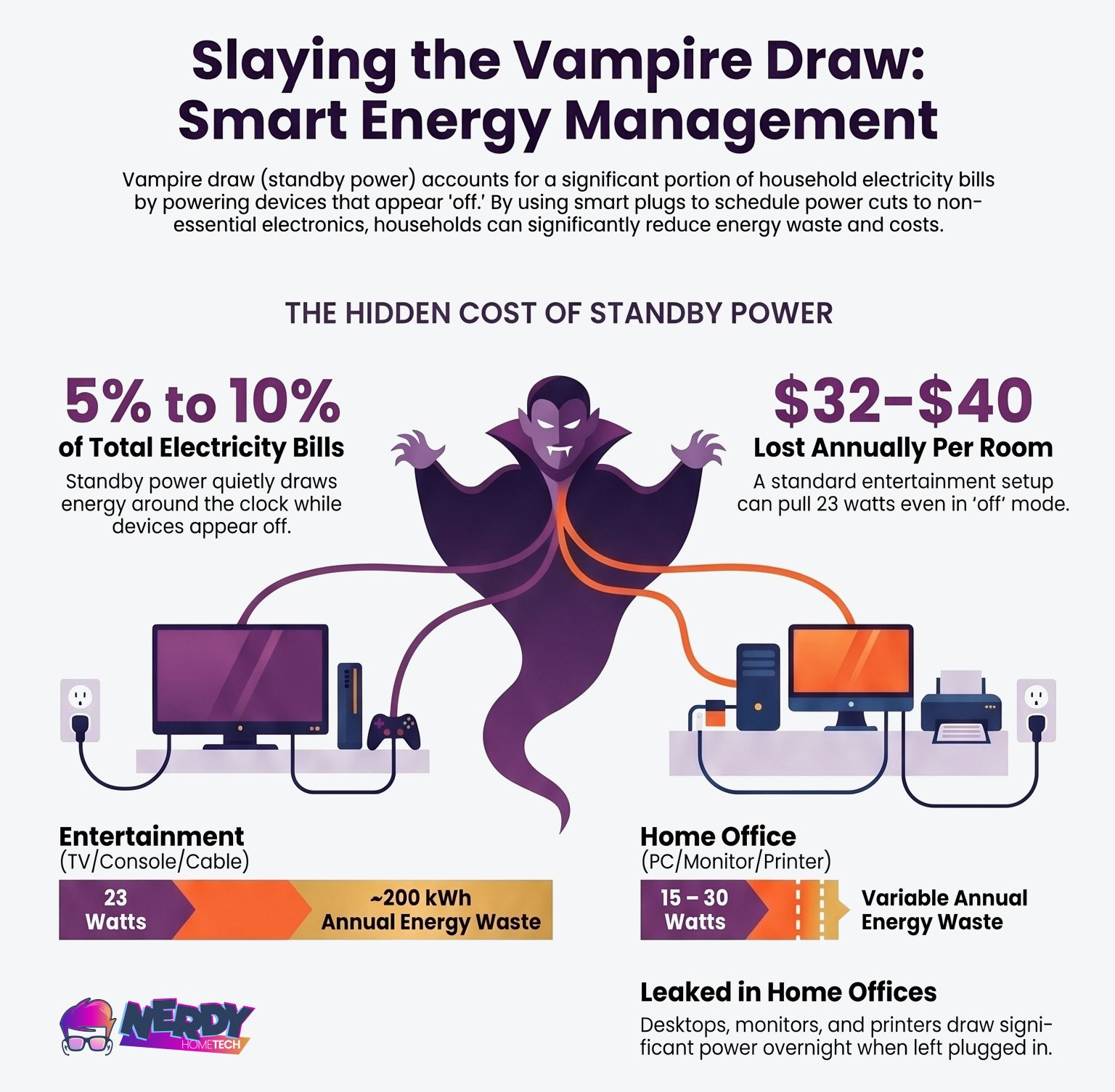
Slaying The Vampire Draw From Nerdy Home Tech

The Department of Energy estimates standby power accounts for 5 to 10 percent of a typical household’s electricity bill.

Smart plugs with energy monitoring fix this without requiring you to remember anything. You schedule the plug to cut power to instant-on devices like soundbars, subwoofers, and secondary monitors at midnight and restore it at 6 a.m. (Do not put your main cable box on a smart plug—forcing it to cold-boot and download guide data for 15 minutes every morning is a terrible trade-off for a few cents). You can monitor actual wattage through the plug’s app to see exactly what each cluster is drawing and decide what’s worth targeting.

Brands like Kasa, Emporia, Meross, and Eve all make reliable monitoring plugs in the $15-$35 range. For a full entertainment center or office cluster, a smart power strip — which lets you control multiple outlets individually or as a group — typically runs $35-$50 and can eliminate 25-50 watts of standby draw.

The math on payback is fast. A $15-$25 smart plug on a secondary TV and soundbar drawing 15 combined watts at $0.20/kWh pays for itself in under five months. A $40 smart power strip on an entertainment center with 30 watts of standby draw saves roughly $50-$85 per year — with payback under 12 months.

A few things to keep in mind:

Don’t put your Wi-Fi router, DVR, or smart home hub on a switched circuit unless you want your automations and recordings to disappear overnight. Plug those into an always-on outlet.

Check whether your smart TV streams updates or app syncs overnight. If you can’t live without that feature, schedule the power cut for the deepest hours (say, 2-6 a.m.) to minimize disruption.

Smart plugs themselves draw a small amount of power — typically 0.3 to 1 watt — so you’re not going all the way to zero. But the net savings on any meaningful standby load is still well positive.

Nerdy Top Smart Plug Picks

Product Name Control Type Compatibility Unique Highlights
Kasa Smart Plug MiniProduct Image Voice Control; App Control; Scheduling Amazon Alexa; Google Assistant; IFTTT
  • Compact design, Doesn’t block adjacent outlets
  • 15A max load
  • UL Certified
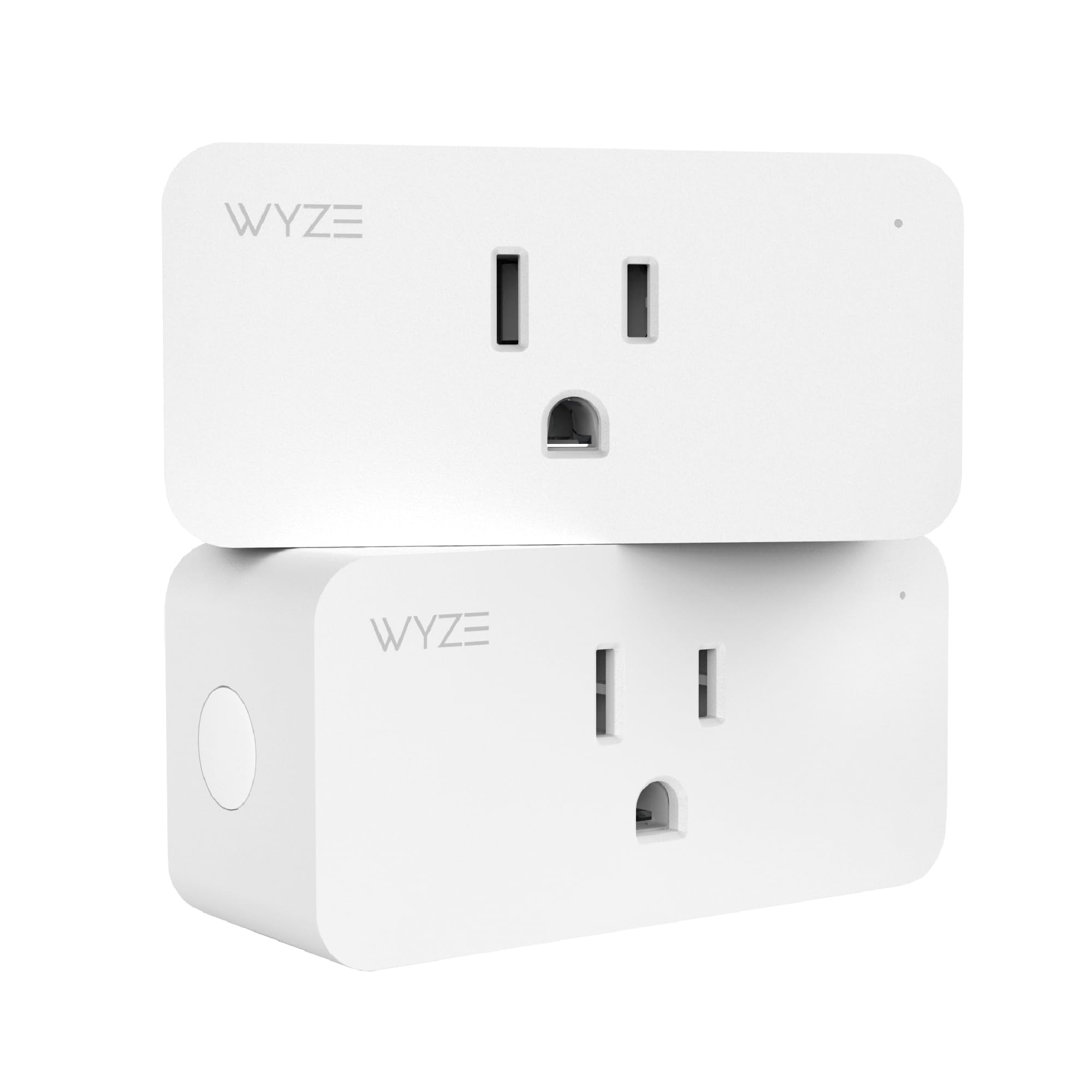
Wyze Plug, 2.4GHz WiFi Smart PlugProduct Image Voice Control Amazon Alexa; Google Assistant; IFTTT; Vera
  • Full operational control
  • DIP Switch for customization
  • Compact design
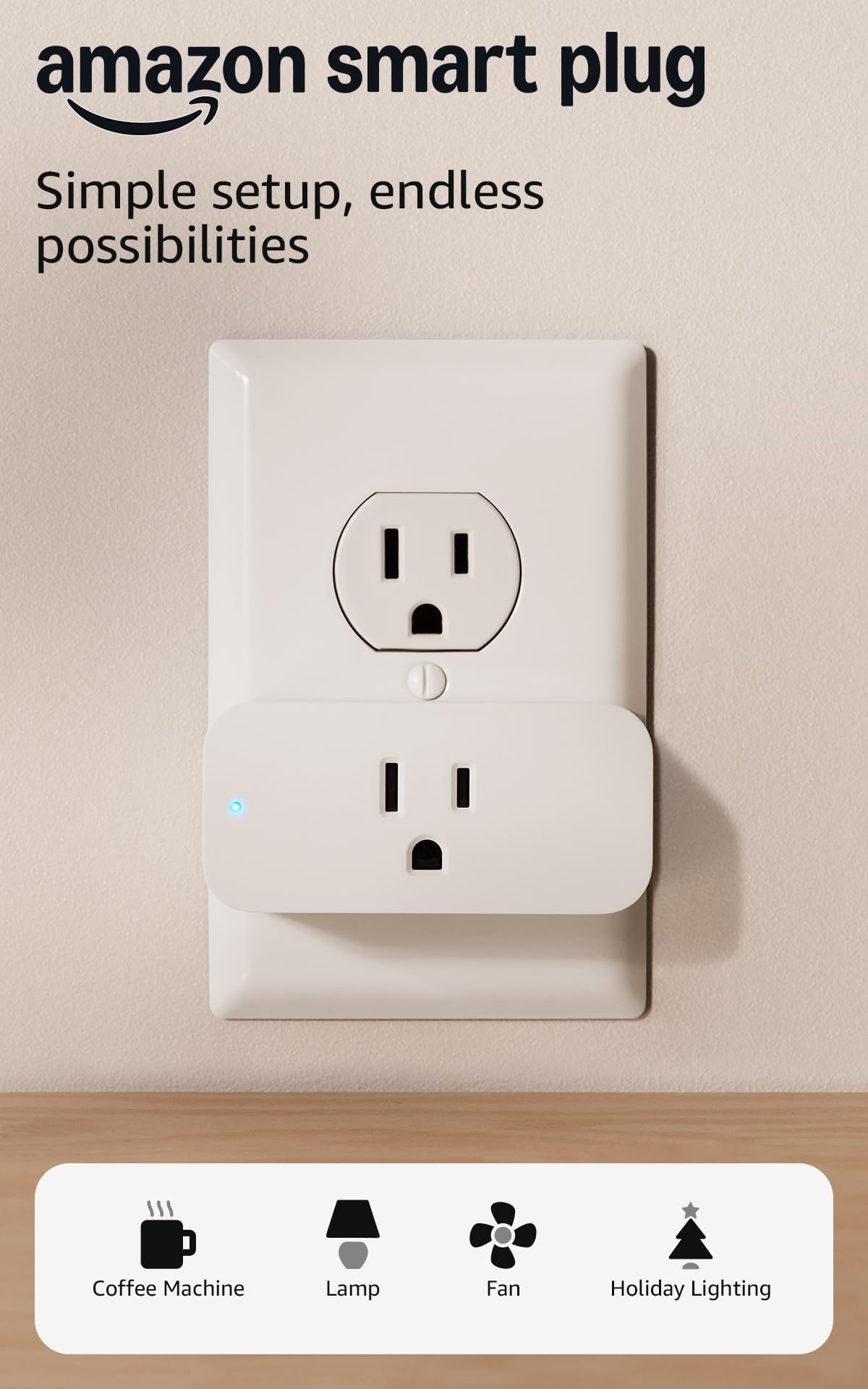
Amazon Smart PlugProduct Image Voice Control Exclusive to Amazon Alexa
  • Simple setup with Alexa app
  • Reliably integrates with Alexa ecosystems
  • 1-year warranty
TP-Link Tapo Matter Supported Smart Plug MiniProduct Image App Control; Voice Control Apple Home; Amazon Alexa; Google Home
  • Matter compatibility
  • Easy setup
  • 15A load support

Motorized Shading: Natural Thermal Management

Your windows are working against you in summer. South- and west-facing glass acts like a slow cooker, letting solar radiation pour in all afternoon and forcing your AC to compensate for heat it didn’t generate. This is called solar gain, and it’s one of the sneakiest drivers of cooling costs in apartments and smaller homes where a single large window can spike the room temperature by several degrees.

Who this is for:

If you have south or west-facing windows in a warm climate and your cooling costs are significant, motorized shading has a real ROI. If your windows face north, are heavily shaded by a building next door, or you live somewhere winters dominate your energy bill, the benefit shrinks considerably.

Motorized blinds and smart shades address this directly. Instead of counting on you to remember to close the blinds at 2 p.m. every day, they do it on a schedule based on sun position, outdoor temperature, or signals from your smart thermostat. When the thermostat detects your home rising toward an uncomfortable temperature, it can tell the shades to close and reduce solar gain before triggering the compressor. The blinds become part of your HVAC strategy rather than just a privacy feature.

SAVE: $10.00
SwitchBot Blind Tilt Opener*
Removes the need to replace existing louvers. You can make your blinds smart instantly.

Last updated on 2026-08-15

Serena by Lutron is a premium option with better aesthetics and deeper smart home integration, but at $250-$600+ per window depending on fabric and size, it’s an investment. SwitchBot’s Blind Tilt ($89) is worth knowing about if you’re a renter — it retrofits onto existing horizontal blinds and leaves no permanent installation behind.

Summer cooling savings from motorized shading have been estimated at $12-$16 per window per month in high-solar climates. That figure varies significantly based on window orientation, local climate, and insulation — treat it as an upper-range target in the best conditions, not a guaranteed baseline.

Pairing shading with your thermostat gives you the best results. To do this, both devices need to communicate through a shared platform. For example, linking an Ecobee thermostat to SwitchBot’s Tilt usually requires a bridging hub like an Amazon Echo.

Renter note:

Battery-powered options like the SwitchBot require no drilling and no landlord permission for the blinds themselves. Check whether your building allows smart home hubs or dedicated Wi-Fi devices — most do, but it’s worth knowing.

Once linked in your central smart home app, you can set up a conditional automation: if the indoor temperature exceeds 76°F before peak hours, close south- and west-facing shades. When the sun sets, open them again to allow natural cooling through ventilation.


1. HVAC Pre-Conditioning vs. Thermal Reality

The Claim: Shift cooling to cheaper, off-peak hours to avoid time-of-use pricing spikes.

The Reality Check: This is entirely dependent on your home's R-value and latent heat (humidity). A well-sealed home can coast for hours. An older urban apartment with face brick and leaky windows bleeds thermal gains rapidly. If your unit is poorly insulated, pre-conditioning will simply force your AC to work twice as hard. Expect $50–$140/year savings only if your baseline thermal envelope is sound.

2. Mitigating Vampire Draw

The Claim: Cutting standby power on entertainment centers and offices saves roughly $50–$85 annually.

The Reality Check: The math works on paper, but the execution creates friction. Slicing power to dumb devices (monitors, subwoofers, desk lamps) is smart. Killing power to a DVR, Wi-Fi router, or modern cable box forces a painful 10-minute network handshake every morning. Do not place essential network hardware on a switched schedule unless you want to spend your mornings troubleshooting connections.

3. Managing Solar Gain

The Claim: Smart shades automate natural thermal management, blocking afternoon sun before it triggers your AC.

The Reality Check: This is a capital-intensive upgrade. At $260+ for a basic two-window setup, the $80–$120 estimated annual savings require 2 to 3 years to break even. Furthermore, these figures only apply to high-exposure South/West-facing glass. If your windows face North, or you are shaded by an adjacent building, the financial ROI drops precipitously.

4. The ROI Stacking Fallacy

The Claim: Adding every device yields massive, compounding utility drops.

The Reality Check: Savings stack imperfectly. If your smart thermostat is already optimizing runtime, adding smart shading provides a smaller marginal benefit than the manufacturer advertises. A realistic first-year break-even for a $475 starter ecosystem is 1 to 2 years—and that assumes you are replacing highly inefficient baseline habits. The savings are real, but they are incremental, not a gross reduction.

The ROI Reality Check: Hidden Costs of Energy-Saving Gear

Whether you’re installing a thermostat, a fleet of smart plugs, or motorized blinds, the marketing material always promises massive financial returns. But what do those numbers actually look like when you add up the initial investment?

Here’s where a lot of smart home energy guides go wrong. They add up the manufacturer’s claimed savings for each device — thermostat saving 23%, smart plugs saving $85/year, shades saving $15/window — and present a rosy total that implies your electricity bill will fall off a cliff the moment everything’s installed. That’s not quite how it works.

Let’s be honest about a few things.

Savings stack, but not perfectly.

If your thermostat is already doing the heavy lifting on climate efficiency, the marginal gain from adding smart shading is smaller than the shade manufacturer’s estimate implies. Same with vampire draw — if your biggest standby loads are already on schedules, adding more smart plugs to low-wattage devices yields diminishing returns. Prioritize the biggest loads first.

Claimed savings often reflect optimal conditions.

Thermostat savings assume you were previously heating or cooling on an inefficient schedule. If you’re already diligent about adjusting your thermostat manually, a $260 Nest or Ecobee might only deliver $50-$70/year in actual savings, not the $130-$145 average. The savings are real, but they come from fixing waste you’re already generating.

There are costs beyond the hardware.

Some smart home platforms charge subscription fees for full feature access. Nothing on this list requires a paid subscription for basic scheduling and energy monitoring as of this writing, but that can change. Read the fine print before buying.

Hidden ecosystem costs add up fast.

To get the full coordination benefit — thermostat talking to shades, plugs on automated schedules, everything visible in one app — you’ll likely want a smart home hub or a platform like Apple Home, Amazon Alexa, Google Home, or SmartThings. Most of these are free at the software level, but you may end up buying a hub ($50-$130) or a compatible speaker device to tie it together. Factor that into your first-year costs.

A realistic starter budget and timeline.

Keep in mind that these annual savings figures represent incremental reductions on your utility bill, not gross savings before the purchase price is recouped:

The ecobee Smart Thermostat Premium: Comprehensive Review

Discover the ecobee Smart Thermostat Premium: a perfect blend of intelligent climate control and energy efficiency, ensuring ultimate comfort in your home.
Equipment (Select to Stack) Approx. Cost Est. Annual Savings Est. Payback Period
$130 $50–$140 11 mos – 2.6 yrs
$40 $50–$85 5 – 10 mos
$45 $50–$85 6 – 11 mos
$260 $80–$120 2.1 – 3.2 yrs
Your Custom Setup: $475 $230–$430 1.1 – 2.1 yrs

*Savings stack imperfectly. The more devices you add to mitigate waste, the smaller the marginal return of the next device. These figures represent optimal conditions; your actual payback period will fluctuate based on your utility's time-of-use (TOU) rates and the thermal insulation of your home.

That’s a reasonable first-year investment with a break-even window of one to two years under time-of-use pricing, assuming moderate energy use and a reasonably warm climate. In a high-rate city like New York or San Francisco, the savings side of that table moves up. In a well-insulated apartment with minimal HVAC use, it moves down.

The devices worth buying first: 

  • Smart thermostat with geofencing if you control your own HVAC system.
  • Smart plugs on your entertainment center if you have cable/satellite equipment running overnight.
  • Motorized blinds if you have significant south- or west-facing sun exposure. In that order.

None of this requires a full-scale smart home overhaul. In fact, getting a thermostat, two smart plugs, a power strip, and motorized blinds all communicating through one platform usually involves a solid two- to three-hour setup investment and plenty of small friction points.

The software updates, network drops, and account linking steps frequently cause people to abandon smart home projects halfway through. To avoid that, start with one device. Monitor your bill, learn its quirks, and only add the next piece when you’re ready. The automation does the work eventually, but you need to acknowledge the initial effort required to get there.

Check your utility’s website for TOU rate schedules and rebate programs before buying. Most offer some form of smart thermostat rebate, and a few have bill credits for enrolling in demand response programs where you agree to minor temperature adjustments during grid stress events. Free money is free money.

Oscar Rabeiro
Oscar Rabeiro

Bringing 25+ years of expertise in graphic design, marketing, and advertising to Nerdy Home Tech. Specializing in demystifying home automation and AI, I craft engaging content that simplifies complex tech for newbies and seasoned pros alike. Join me on a journey through the world of smart home tech!

Nerdy Home Tech
Logo