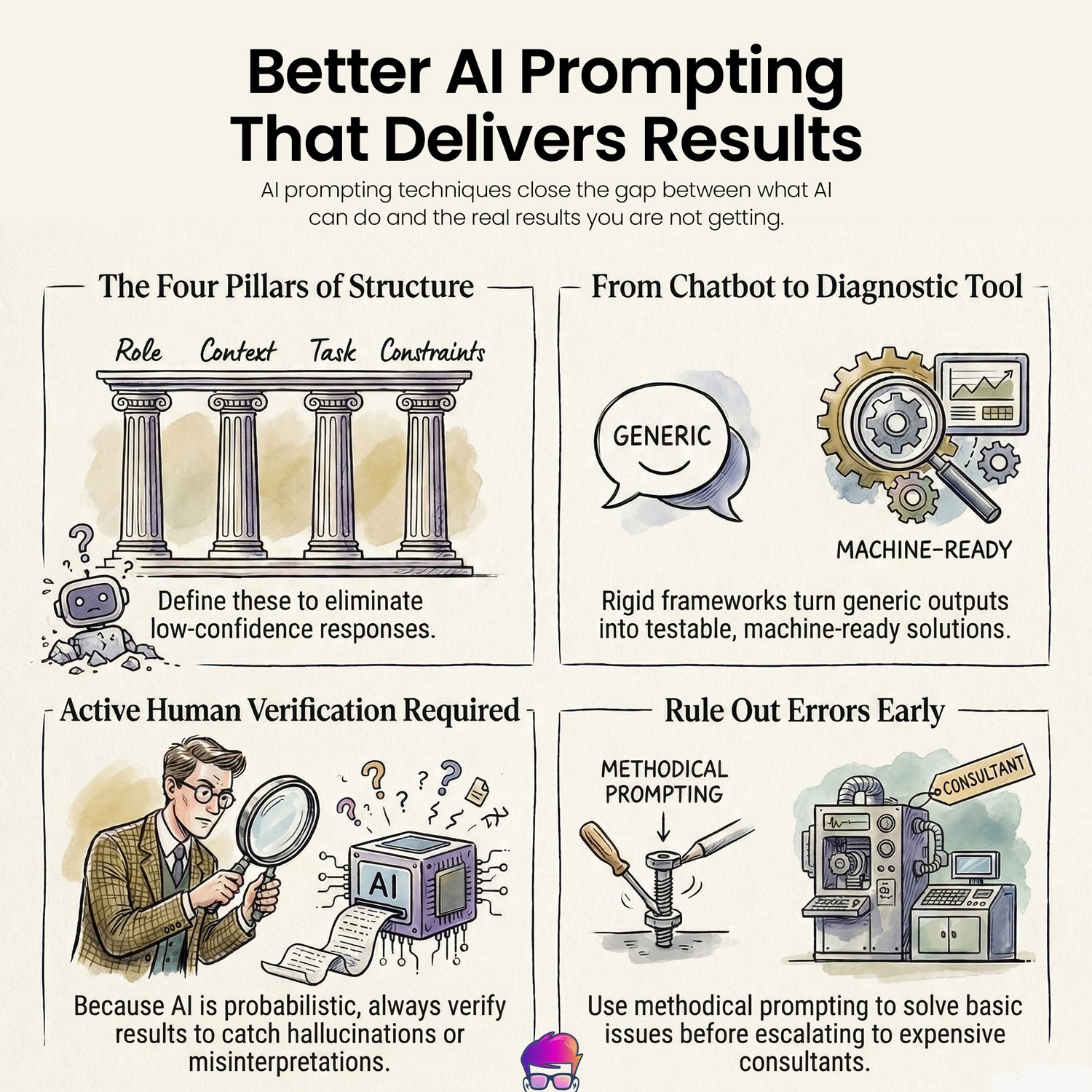
Better AI prompting techniques close the gap between what AI can do and the real results you’re not getting.
Ask it a straightforward question and receive a polite, rambling essay that fixes nothing. Stop wasting time. Structured prompts produce better results because they replace statistical guessing with clear, operational rules.
You aren’t looking for a pen pal; you’re looking for an output that works. When you treat the interface like a magic mirror, it reflects the most mediocre version of its training data back at you. Every “please” and “thank you” you type is noise that the model must process, diluting the actual signal of your intent.
If you provide a vague prompt, you’re essentially asking the system to flip a coin on the tone, depth, and accuracy of the response. You shouldn’t be surprised when the result is a generic mess of hedging and “on the one hand” summaries. By adopting a structured framework, you strip away the model’s permission to guess.
Stop being a passive recipient of whatever the probability engine spits out and start acting as the lead engineer of your own data. Precision isn’t a preference—it’s the only way to ensure the machine actually solves the problem instead of just talking about it.

Problem
This failure manifests as a sea of fluff. When denied a structure, the model fills the void with hedges, qualifiers, and polite repetition. The result reads as fluent but remains operationally empty. This isn’t a glitch; it’s the model defaulting to the most statistically common response in its training data because you haven’t provided a narrower path.
This dynamic happens because the underlying model predicts likely continuations rather than diagnosing a specific intent. Give it nothing, and it guesses.
Most of us treat AI like a human colleague who understands our specific environment. That assumption is flawed. When we ask for help handling a stalled project, the AI defaults to the lowest-common-denominator advice available. It tells us to schedule a meeting or improve communication.
We have to recognize this limitation. Once we understand that the model is guessing, we can stop guessing back. Take control. Giving specific, structured direction narrows what the model can reasonably output, pushing it away from generic advice and toward our actual problem.
Ambiguity is the enemy. If you leave room for interpretation, the system chooses the path of least resistance. Strip away pleasantries, demand exact formats, and treat the interface like the probabilistic text engine it is—a system that predicts likely words rather than reasoning through problems. To stop the system from guessing, provide a structural container for its response.

Lenovo AIO 24" FHD All-in-One Desktop Computer

Framework
Use this framework every time to initiate any AI-assisted task:
Context: [one-sentence background]
Task: [exact deliverable]
Constraint: [format/safety limits]
Example:
Role: Senior copywriter.
Context: We are launching a B2B accounting software update.
Task: 3-part email drip campaign.
Constraint: Under 150 words per email; no marketing jargon.
Short commands remove ambiguity. They force the tool to pick one audience, one tone, and one precise output shape. That structural constraint is the difference between a sprawling memo and a functional technical answer.
Be clear about your desired format. Instructing the AI to output only a formatted spreadsheet table or a strict bulleted list leaves no room for creative interpretation. It prevents unwanted conversational prose.
Limit the scope of the request. A focused prompt requesting three actionable steps beats a vague command to diagnose everything. Narrowing the analytical focus prevents the model from wandering into irrelevant tangents. Instead of generating a 500-word essay on the history of customer service philosophy, it outputs exactly three email templates to handle a delayed shipment.
Add safety constraints to every query. Instruct the model not to request passwords or suggest legally binding claims. Build guardrails because the baseline safety settings won’t adequately protect sensitive personal data.
Iterate your way to a solution. Ask for one minor thing, run the suggested test, report the result, and ask for the next logical step. This methodical approach reduces the likelihood of the AI inventing fictitious scenarios. If you feed it a specific Q3 sales dataset first, it won’t confidently instruct you to analyze a product line you discontinued three years ago. Once you understand the structure, you can adapt it to your most common professional workflows.
Examples & Templates
Reuse these foundational frameworks to ensure diagnostic efficiency across workflows.
Each example maps directly to a specific search intent. Don’t skip the constraints. They dictate the boundaries of the generated response and prevent the inclusion of inaccurate or unsafe output.
| Use case | Copy-paste prompt | Expected output format | Search intent keyword |
|---|---|---|---|
| Customer Support Triage | Role: Support manager. Context: We have a backlog of 50 refund requests due to a shipping delay. Task: 3-step de-escalation checklist. Constraint: No promises of future discounts. | 3 short steps (plain text) | customer service de-escalation checklist |
| Career Transition | Role: Executive recruiter. Context: Transitioning from retail management to corporate HR. Task: Rewrite this resume summary. Constraint: Under 50 words; focus on conflict resolution. | Short paragraph | resume summary for career change |
| Local Promotions | Role: Marketing consultant. Context: We own a local bakery and want to promote our new sourdough. Task: Draft 3 Instagram captions. Constraint: Include local hashtags; no emojis. | 3 short text blocks | bakery instagram captions |
| Image Analysis | Role: Event planner. Context: Attached is a photo of a proposed venue layout. Task: Identify 3 potential bottlenecks for foot traffic. Constraint: Bulleted list only; maximum 50 words. | Bulleted list | venue layout traffic analysis |
Each template above follows the same four-part structure. Copy one of these prompts and paste it in. Evaluate the generated response before taking action. Run the suggested test, observe the actual outcomes, and report the results back to the AI model.
Because each factual input narrows the remaining problem space, each input shifts the model’s output toward actual context.
Don’t expect perfection on the first try. The model will fail. It might lose the requested formatting or hallucinate a nonexistent fact. Correct it directly by stating exactly which instruction it ignored and what the proper format should look like. Even with precise templates, AI remains a probabilistic tool with inherent risks.
Safety & Tools
AI hallucinations are reality. Treating every generated answer as a rough draft to verify, rather than a definitive technical authority, is our safest bet. We should also remember that uploading large images or pasting massive financial documents on free tiers will quickly consume available credits.
Configure persistent instructions to save time. Navigate to the settings of the preferred tool (often labeled “Custom Instructions” or “Projects”) to save the default role and formatting rules. Setting these once enforces our baseline formatting constraints across future troubleshooting sessions.
Model selection matters. Use a model known for strong analytical capabilities when needing complex logic, structured output, or data formatting tasks. Rely on a conversational generalist model for iterative, step-by-step problem solving. Deploy a search-integrated model when the query requires live internet access or ecosystem-specific documentation.
Get exact formatting from an assistant
Demanding machine output specifically is our best defense. We have to explicitly instruct the model to output only the requested format, include necessary comments, and omit conversational prose. Pasting small, focused sections of an existing document for targeted validation works far better than dumping our entire 50-page project history into the chat window.
Avoid hallucinated data or fictitious timelines
Stating exact constraints and current variables clearly in the initial context prompt prevents the AI from filling in the blanks. Also ask the assistant to cite its sources directly. If none are provided, the safest approach is to treat the claim as unverified and independently check the original documentation yourself.
Troubleshoot sensitive workflows without risking data breaches
Relying on an AI to determine if a legal contract is airtight or if customer data is fully anonymized is a risk no one can take. Models frequently misread context and overlook glaring loopholes. Verifying sensitive decisions with official guidelines or a licensed professional is non-negotiable. While AI can help us isolate basic errors, compliance and liability protocols remain entirely in our hands.
Conclusion
Applying a rigid framework turns a conversational AI from a generic chatbot into a targeted diagnostic tool. By defining the role, context, task, and constraints, we force the model to abandon generic, low-confidence responses in favor of testable, machine-ready solutions. This process isn’t a silver bullet. The technology is probabilistic, meaning it will still hallucinate, misinterpret context, and require active verification. It won’t replace an expert or our common sense.
However, used methodically, structured prompting allows us to rapidly rule out basic errors before ever having to escalate to a manager or hire an expensive consultant.