Top Picks for Smart Home Lighting
| Product | Best Category | Key Buying Info | Score | Read More |
|---|---|---|---|---|
 Lutron Caseta Switch | Best 3-Way Smart Switch | Standard Top-tier reliability for 3-way setups using a wireless Pico remote. | 94/100 | |
 Kasa Smart Switch | Best Budget Smart Switch | Budget High-value Wi-Fi switch with a robust 15 Amp load rating. | 90/100 | |
 Philips Hue Bulbs | Best Smart LED Bulbs | Premium Premium 1100 lumen color bulbs with unmatched dimming quality. | 91/100 | |
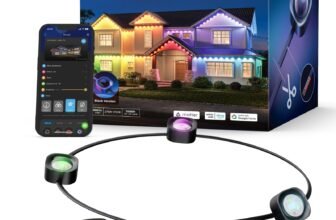
 Govee Permanent Lights | Best Outdoor RGBIC Lights | Standard Weatherproof eaves lighting with flowing RGBIC animations. | 89/100 | |
 Govee Smart Bulbs | Best Color Changing Bulbs | Budget Affordable hubless bulbs featuring interactive music sync modes. | 88/100 | |
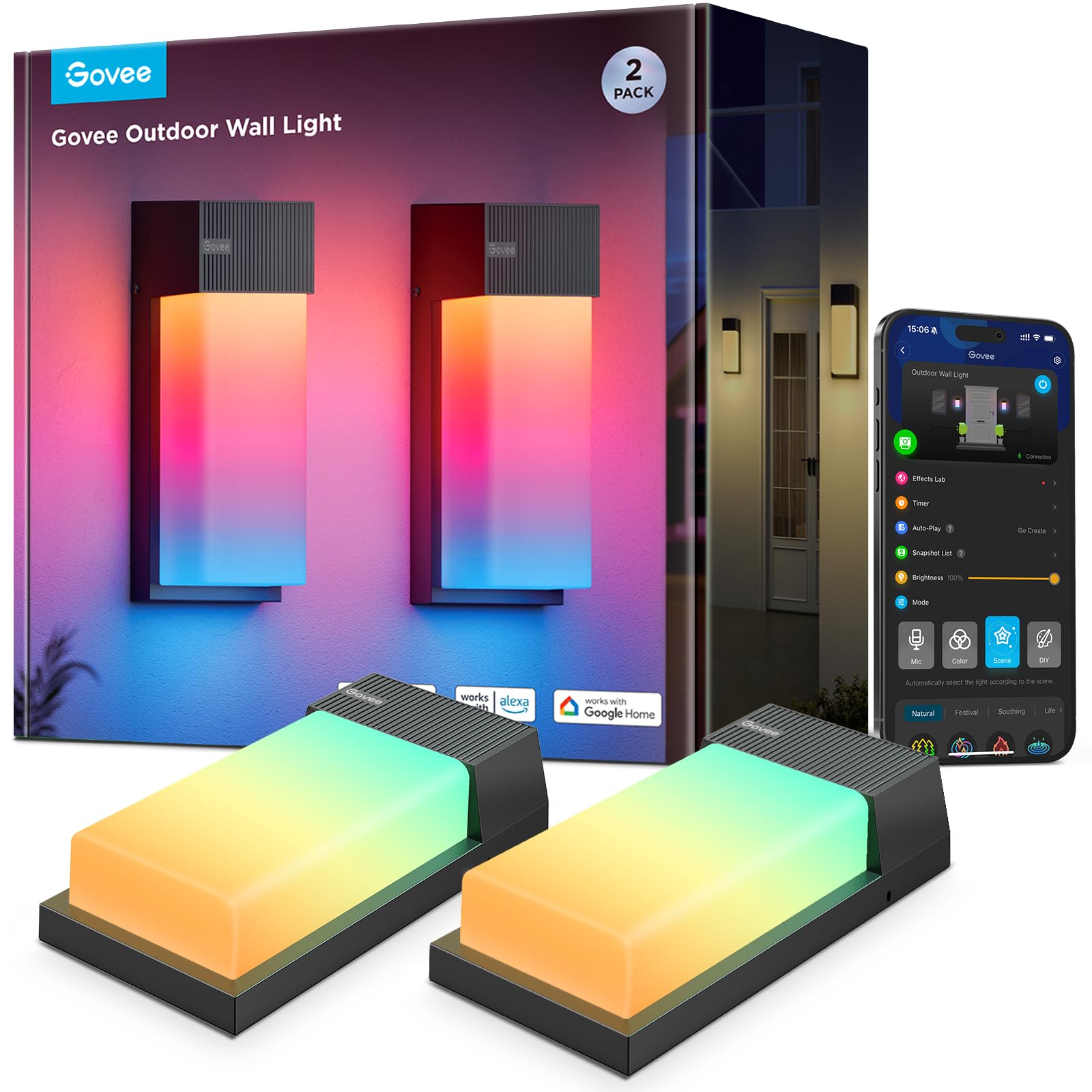 Govee Wall Light | Best Outdoor Wall Light | Standard Heavy-duty 1500 lumen fixture with aluminum construction. | 89/100 | |
 Sengled Bluetooth Bulbs | Best Alexa Bluetooth Bulbs | Budget Frustration-free Bluetooth Mesh setup optimized for Alexa. | 82/100 | |
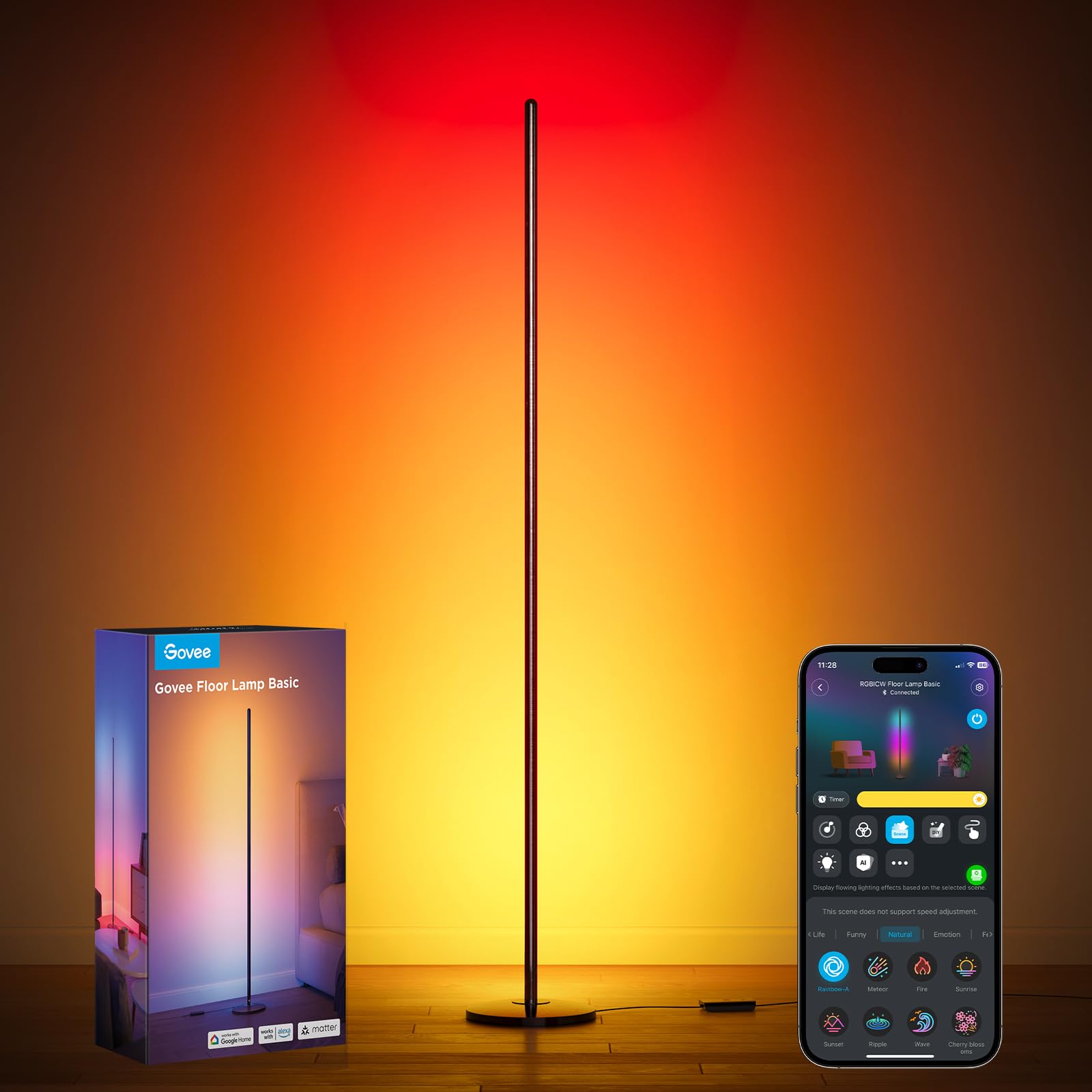 Govee Floor Lamp | Best Modern Floor Lamp | Standard Minimalist Matter-compatible lamp with RGBIC gradients. | 87/100 | |
 Kasa LED Strip | Best Smart Light Strip | Budget Flexible, cuttable accent lighting with SmartThings support. | 86/100 |
How to Choose the Right Smart Lighting Solutions
Choosing smart lighting? Here’s what to keep in mind. First, think about how easy the setup is, whether it works with your current smart home gadgets, and what features it offers. Look for lights that let you control them remotely, set schedules, and work with voice assistants like Alexa or Google Assistant. Bonus points if they’re energy-efficient and can help cut down on your electricity bill.
Don’t forget about style! The design should match your home decor while still giving you the right kind of lighting. Dimmable options are also a great idea—they let you set the mood, whether you’re reading, hosting friends, or just kicking back. User-friendliness is key, too. Go for systems with apps that make it easy for everyone in the house to set up and use. Features like geofencing, where your lights adjust based on your location, can also make life a lot more convenient.
Lastly, check out the brand’s reviews, customer support, and warranty. A reliable, well-reviewed system can make all the difference, ensuring you’re happy with your smart lighting for years to come.
Lutron Caseta Smart Light Switch 3-Way Kit
Lutron's Caseta system is widely considered the gold standard for smart switches because it doesn't rely on your home's Wi-Fi. It uses a proprietary protocol that stays connected even if your router is struggling. This specific kit is a lifesaver for 3-way setups where two switches control one light, allowing you to bypass complex rewiring by using a wireless Pico remote in the second location.
It won this category because it's nearly impossible to find a more reliable connection in a residential setting. While many smart switches drop off the network, Lutron just keeps working. It's a professional-grade solution that fits into a standard DIY weekend project, provided you have a neutral wire in your electrical box.
Pros
- Industry leading reliability
- Does not clutter home Wi-Fi
- Includes versatile Pico remote
- Excellent ecosystem support
Cons
- Requires Caseta Smart Hub
- On-off only; no dimming here
- Pricey compared to Wi-Fi
- Requires neutral wire install
Tech Specs
| Major Features |
|
| Interface | Clear Connect (Proprietary RF) |
| Power Requirement | Neutral Wire Required |
| Workflow Benefit | No-wire 3-way configuration |
| Hardware Specificity | 5 Amp load rating |
Ideal For
- Homeowners with a neutral wire
- Users wanting 3-way control
- Fans of rock-solid reliability
Not For
- Renters unable to swap switches
- Older homes without neutral wires
- Users who refuse to use a hub
Editor's Take
If you're tired of smart devices that go offline, buy Lutron. Just remember that you'll need the Caseta Smart Hub to actually use the app and voice features. It's an investment, but it's the last switch you'll ever have to buy for that room.
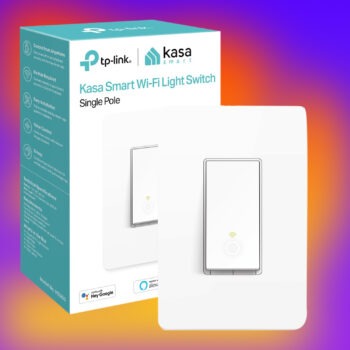
Kasa Smart Light Switch HS200P3
Kasa has carved out a massive following by making smart home tech that doesn't require a hub or a subscription. This switch connects directly to your 2.4GHz Wi-Fi and gives you instant control over your lights or ceiling fans. It's a straightforward rocker-style switch that feels like a traditional electrical component but offers all the scheduling and remote access you'd expect from a modern device.
This won the budget category because it offers high-end features like a 15 Amp load rating at a fraction of the cost of competitors. It's robust enough to handle heavier loads than most smart switches, making it versatile for more than just a single light bulb. Just keep in mind that this specific model is for single-pole use only.
Pros
- No extra hub equipment needed
- Great value for a 3-pack
- High 15 Amp power rating
- Very easy app setup process
Cons
- Single pole only; no 3-way
- Requires neutral wire
- Relies on Wi-Fi stability
- No Apple HomeKit support
Tech Specs
| Major Features |
|
| Interface | Wi-Fi 2.4GHz |
| Power Requirement | Neutral Wire Required |
| Workflow Benefit | Hub-free smart automation |
| Hardware Specificity | Single-pole only |
Ideal For
- Budget-conscious smart homes
- Users with neutral wiring
- Those who hate extra hubs
Not For
- 3-way switch installations
- HomeKit-only households
- Homes with weak Wi-Fi signal
Editor's Take
Don't try to use this on a 3-way circuit—it simply won't work. However, for a standard room switch, it's the most cost-effective way to automate your home without adding hardware to your router shelf.
Kasa Smart Light Switch HS200 Review: Is It Worth the Hype?
Philips Hue A19 LED Smart Light Bulbs
Philips Hue is the biggest name in smart bulbs for a reason: the color quality is unmatched. These A19 bulbs pump out 1100 lumens, which is noticeably brighter than the standard 800-lumen bulbs most competitors offer. Whether you're trying to replicate a warm sunset or need stark white light for a home office, Hue handles transitions with a smoothness that cheaper bulbs can't replicate.
They beat out other bulbs due to their massive ecosystem and the sheer brightness of this 75W-equivalent model. While they are expensive, the flicker-free dimming and deep integration with everything from Spotify to Apple HomeKit make them the premium choice for anyone serious about home ambiance.
Pros
- Excellent 1100 lumen output
- Superior color accuracy
- Works with all major systems
- Very stable Zigbee mesh
Cons
- High cost per bulb
- Hub needed for best features
- Requires Hub for HomeKit
- Overkill for small closets
Tech Specs
| Major Features |
|
| Interface | Zigbee / Bluetooth |
| Power Requirement | Standard E26 Socket |
| Workflow Benefit | High-output task lighting |
| Hardware Specificity | A19 shape; 75W equivalent |
Ideal For
- Large rooms needing brightness
- Apple HomeKit users
- Color accuracy enthusiasts
Not For
- Strict budget shoppers
- Users wanting hubless Wi-Fi
- Simple white-only needs
Editor's Take
It's hard to go back to regular bulbs once you've seen how Hue handles colors. If you want the full experience, including remote access away from home, you'll eventually want to pick up a Hue Bridge.
Govee Permanent Outdoor Lights
Govee's permanent outdoor lights are designed to replace your holiday strings forever. They mount under your eaves and provide architectural lighting year-round, which can shift from classy warm white to festive holiday patterns with a tap. With an IP67 waterproof rating, they're built to survive heavy rain and snow without showing signs of wear.
This product won because it offers true RGBIC technology, meaning each LED can be a different color simultaneously. This allows for flowing animations that standard outdoor lights just can't do. They are much easier to manage than traditional string lights and offer a much cleaner, hidden look during the day.
Pros
- Vibrant, multi-color effects
- Rugged IP67 weatherproofing
- Impressive 100ft length
- No monthly subscriptions
Cons
- Cannot be cut or extended
- Installation takes a few hours
- Requires strong outdoor Wi-Fi
- Adhesive may need screws
Tech Specs
| Major Features |
|
| Interface | Wi-Fi / Bluetooth |
| Power Requirement | Outdoor Outlet Required |
| Workflow Benefit | Year-round holiday automation |
| Hardware Specificity | Non-cuttable design |
Ideal For
- Homeowners wanting curb appeal
- Holiday decoration enthusiasts
- Large patio owners
Not For
- Apartment renters
- Users needing cuttable strips
- DIYers afraid of ladders
Editor's Take
This is a set it and forget it solution for holiday lighting. Just remember the critical rule: do not cut these strands. If you try to shorten them, you'll likely break the controller or the lighting segments.
Govee Smart Bulbs
If you want the color-changing fun of high-end bulbs without the hub or the triple-digit price tag, these Govee bulbs are the answer. They offer 16 million colors and a very responsive music sync mode that uses your phone's mic to pulse the lights to your favorite tracks. It's a great way to add personality to a gaming room or a dorm.
These bulbs beat out the competition on pure value. For the price of one premium bulb, you can often get a multi-pack of these. They might not be as bright as the Philips Hue 1100 lumen models, but for accent lighting and mood-setting, they're nearly impossible to beat.
Pros
- Incredible value for price
- Fun music sync features
- No extra hub equipment
- Easy and fast app pairing
Cons
- Lower 800 lumen output
- No support for HomeKit
- Colors aren't quite as deep
- Relies on 2.4GHz Wi-Fi
Tech Specs
| Major Features |
|
| Interface | Wi-Fi / Bluetooth |
| Power Requirement | Standard E26 Socket |
| Workflow Benefit | Inexpensive mood creation |
| Hardware Specificity | A19 shape; 9W usage |
Ideal For
- Gamers and creators
- Budget-first buyers
- Party hosts
Not For
- Primary task lighting
- Apple HomeKit users
- Homes without Wi-Fi
Editor's Take
Don't expect these to light up a huge kitchen on their own, but if you're looking for a fun, affordable way to change the vibe of your bedroom or office, they're a perfect choice.
Govee Outdoor Wall Light
The Govee Outdoor Wall Light is a beast when it comes to exterior lighting. It kicks out 1500 lumens, which is significantly brighter than your average porch light. It's constructed with aluminum and finished in a sleek black, making it look much more modern than the traditional lanterns found on most homes. It supports RGBIC, so you can have different colors shining up and down the wall at the same time.
It stands out because it combines raw power with decorative flexibility. It's rare to find an outdoor fixture that is bright enough for security while also offering 45 different scene modes for things like Halloween or game day. It's a heavy-duty, permanent upgrade for your home's exterior.
Pros
- Extremely bright 1500 lumens
- Durable aluminum housing
- Excellent weather protection
- Great ecosystem support
Cons
- Needs professional install
- Larger than standard lights
- Modern look won't fit all
- Relies on outdoor Wi-Fi
Tech Specs
| Major Features |
|
| Interface | Wi-Fi / Bluetooth |
| Power Requirement | Hardwired 120V |
| Workflow Benefit | Security and accent lighting |
| Hardware Specificity | Requires wall mounting |
Ideal For
- Modern home exteriors
- Security-focused users
- Porch and patio owners
Not For
- Renters (requires wiring)
- Traditional house styles
- Soft-light only areas
Editor's Take
This is a big fixture, so measure your space before you commit. If you're swapping out an old, dim porch light, the difference in both brightness and cool factor will be immediate.
Sengled Bluetooth Bulbs
Sengled is the answer for anyone who wants smart lighting but is terrified of complex setups. These bulbs use Bluetooth Mesh, which means they can talk to each other to extend their range without needing a dedicated hub. If you have an Alexa device, setup is often as simple as screwing the bulb in and saying, Alexa, discover my devices.
They won this spot because they are the ultimate no-friction smart bulb. You don't need to worry about Wi-Fi passwords or router congestion. They're surprisingly bright for their class at 75W equivalent, making them a very practical choice for kitchens or reading lamps where you need actual light, not just ambiance.
Pros
- Easiest setup on the list
- Reliable Bluetooth Mesh
- Bright 75W equivalent light
- Very affordable entry price
Cons
- Primarily for Alexa users
- Bluetooth range limitations
- Fewer color scene options
- No Google or Siri support
Tech Specs
| Major Features |
|
| Interface | Bluetooth Mesh |
| Power Requirement | Standard E26 Socket |
| Workflow Benefit | Frustration-free Alexa setup |
| Hardware Specificity | A19 shape; 2000-6500K |
Ideal For
- Alexa-heavy households
- Smart home beginners
- Reading and task areas
Not For
- Google/Apple users
- Large homes without Alexa
- Complex automation needs
Editor's Take
If you live in an Alexa ecosystem, these are a no-brainer. If you're a Google Home or Apple user, you should probably look toward Govee or Hue instead, as these are heavily optimized for Amazon's platform.
Govee Floor Lamp
Floor lamps are usually clunky, but this Govee model is a minimalist's dream. It's a slim, black pole that stands in a corner and paints the walls with light. Because it uses RGBIC technology, it can show a gradient of colors from bottom to top, creating a much more sophisticated look than a single-color bulb. It's also Matter-compatible, which is a big deal for future-proofing your home.
We chose this as the top floor lamp because it manages to be both a piece of decor and a functional light source. It puts out 1000 lumens, which is enough to bounce light off the ceiling and illuminate a medium-sized room. It's the perfect companion for a gaming setup or a modern living room where you want the lights to be felt, not seen.
Pros
- Sleek, minimalist design
- Matter support for longevity
- Vibrant RGBIC gradients
- Fits easily in tight corners
Cons
- Needs a bit of assembly
- Base is small; can tip
- Not for direct task work
- App can be a bit complex
Tech Specs
| Major Features |
|
| Interface | Wi-Fi / BT / Matter |
| Power Requirement | Standard Wall Outlet |
| Workflow Benefit | Ambient corner lighting |
| Hardware Specificity | Requires pole assembly |
Ideal For
- Modern decor lovers
- Gamers and streamers
- Small room dwellers
Not For
- Traditional lamp fans
- High-traffic child areas
- Large, wide-open spaces
Editor's Take
This lamp is all about the atmosphere. It's Matter-compatible, so it should play nice with your existing setup for years to come. Just be careful about where you place it, as the slim design is a bit easier to knock over than a traditional lamp.
Kasa LED Strip
Light strips are the ultimate tool for adding expensive-looking accent lighting to your home for very little money. This Kasa strip is 16.4 feet long, which is plenty for going around the back of a TV, under kitchen cabinets, or along a desk. It's cuttable, so you can get the exact length you need without having extra coils tucked away in a corner.
It beat other strips because of its reliability and ease of use. While many cheap strips have flaky controllers that drop Wi-Fi, the Kasa stays connected. It also integrates perfectly with SmartThings, making it a favorite for those who use Samsung's ecosystem alongside Alexa or Google.
Pros
- Flexible and cuttable size
- Great SmartThings integration
- Vibrant color saturation
- Strong adhesive backing
Cons
- Strictly for indoor use
- Only 2.4GHz Wi-Fi support
- Standard RGB; no gradients
- Extra extensions not easy
Tech Specs
| Major Features |
|
| Interface | Wi-Fi 2.4GHz |
| Power Requirement | Included Power Adapter |
| Workflow Benefit | Customized accent lighting |
| Hardware Specificity | Indoor use only |
Ideal For
- Under-cabinet lighting
- Desk and gaming setups
- Creative DIY projects
Not For
- Outdoor installations
- Main room illumination
- Non-Wi-Fi environments
Editor's Take
This is the most reliable way to get that glowing backlight look for your TV or kitchen. Just measure twice and cut once—you can't re-attach pieces easily once they've been snipped.
Kasa Smart Light Switch HS200P3, Single Pole

Tired of complicated smart switches? The Kasa Smart Light Switch makes it easy. With a guided install through the Kasa app, there’s no need to figure out tricky wiring (just make sure you have a neutral wire). Control your lights from anywhere using your phone or with voice commands via Alexa or Google Assistant—perfect when your hands are full. Set schedules or use Away Mode to keep your home secure. Trusted by over 4 million users, it’s UL certified and built to last.
Product Comparison
| Product | Features | Rating | See Price |
|---|---|---|---|
Lutron Caseta Switch |
| 94/100 | |
Kasa Smart Switch |
| 90/100 | |
Philips Hue Bulbs |
| 91/100 | |
Govee Permanent Lights |
| 89/100 | |
Govee Smart Bulbs |
| 88/100 | |
Govee Wall Light |
| 89/100 | |
Sengled Bluetooth Bulbs |
| 82/100 | |
Govee Floor Lamp |
| 87/100 | |
Kasa LED Strip |
| 86/100 |
Others to consider: