We do the homework so you can make your home work.™

Best Robot Vacuums 2026: 5 Picks for Every Budget

Nerdy Home Tech uses affiliate links. These links will help support the site. For more information, visit our Disclosure page.

Best Robot Vacuums of 2026

Here’s the thing nobody tells you when you buy your first robot vacuum: the machine isn’t the product. The quiet is the product.

It’s walking into your kitchen on a Tuesday and the crumbs under the high chair are already gone. It’s dropping your bag by the door and not immediately clocking the dog hair drifting along the baseboards. It’s the small, dumb luxury of never again dragging an upright vacuum up a flight of stairs because someone spilled cereal.

That’s what you’re actually buying. The 35,000 Pa on the box is just how one company decided to advertise it.

And the gap between those two things — the marketing number and the lived-in result — is exactly where most buyers get burned. Robot vacuums have genuinely gotten good. LiDAR navigation, the tech that lets a robot map your home instead of pinballing off your furniture, now shows up on machines well under the $400 mark, which was flagship territory three years ago.

But “good” and “good for your house” aren’t the same sentence. Buy the wrong one and you get a $1,700 appliance that needs more supervision than a toddler, or a bargain unit that smears pet hair across your hallway in a thin gray ribbon.

So we built this guide around a different question. Not which robot vacuum is best, but which robot vacuum will you stop thinking about fastest?

Top Picks for Robot Vacuums

Product Best Category Key Buying Info
Dreame X60
Dreame X60
Best Suction Power
Massive 35,000Pa pull
Roborock Saros
Roborock Saros
Best For Heavy Shedders
Zero-tangle brush tech
Eufy E25
eufy E25
Best Everyday Clean
High daily reliability
Mova P10
MOVA P10
Best Budget Combo
Hot wash on a budget
Shark Powerdetect
Shark PowerDetect
Best Stain Detection
UV stain targeting

How We Chose (And What We Didn’t Do)

Straight up: this is not first-party lab testing. We don’t run a debris-weight rig or a controlled carpet track. What we do is read the people who do, carefully, and translate it.

Our picks are synthesized from independent lab testing — primarily Vacuum Wars, which has run 200+ models through repeatable debris and navigation tests, and RTINGS, which publishes its methodology and raw scores — then cross-checked against long-term hands-on reviews from TechGearLab, Tom’s Guide, TechRadar, and Android Authority.

A few ground rules we held ourselves to:

When labs disagreed, we said so. RTINGS and Vacuum Wars don’t always land in the same place, partly because they use different debris types and different carpet piles. Where that happened, you’ll see both findings rather than the flattering one.

Test numbers come with conditions attached. A “93% pickup rate” is meaningless on its own. On hardwood with human hair? On medium-pile with rice? Those are different universes. Where we cite a figure, we tell you what kind of floor and what kind of mess it came from. Where the source didn’t specify, we say that too.

Suction ratings are the least useful number on the box. We include Pa figures because you’ll go looking for them, but they’re measured inconsistently between brands and predict real-world pickup poorly. Brush geometry, seal quality, filter design, and how efficiently the robot covers a room matter more. You’ll see that borne out below when a 2,500 Pa machine turns in perfectly respectable hard-floor results and a 35,000 Pa machine gets dinged for coverage.

We didn’t rank by price. We ranked by household. A pet owner with hardwood and a renter with wall-to-wall carpet should not buy the same machine, no matter what their budgets look like.

Pricing on these models swings hard — several have dropped 30–40% from launch within a few months — so rather than print numbers that go stale in a week, every pick links straight to current live pricing. Check the link, not our memory.

The Short Version

If you are… Buy This The Catch  
Someone who wants the most capable hardware made, and doesn’t mind tinkering Dreame X60 Max Ultra Complete Needs real setup time to behave Learn More
Living in a house with stuff on the floor Roborock Saros 10R Pet hair on carpet needs multiple passes learn more
Fighting a losing war against pet fur Eufy E25 Omni Skip it if you have shag or long-pile carpet Learn More
Cleaning a big or multi-level home on a budget MOVA P10 Pro Ultra (original, not Gen 2) Mopping is merely fine Learn More
Buying your very first robot vacuum Shark PowerDetect 2-in-1 Lowest suction here; hard floors are its lane Learn More

Five picks, five different houses. Let’s get into why.

Best OVERALL


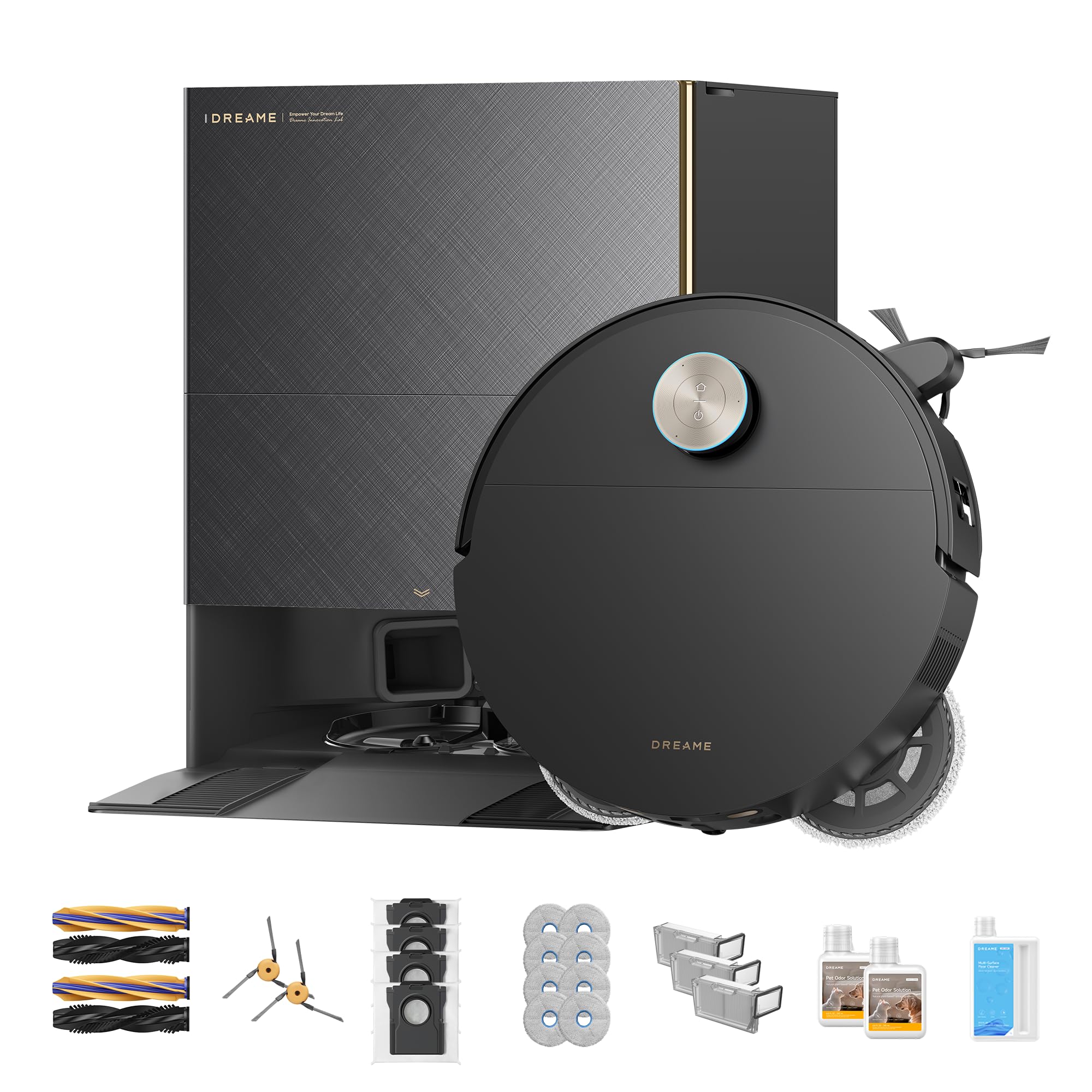
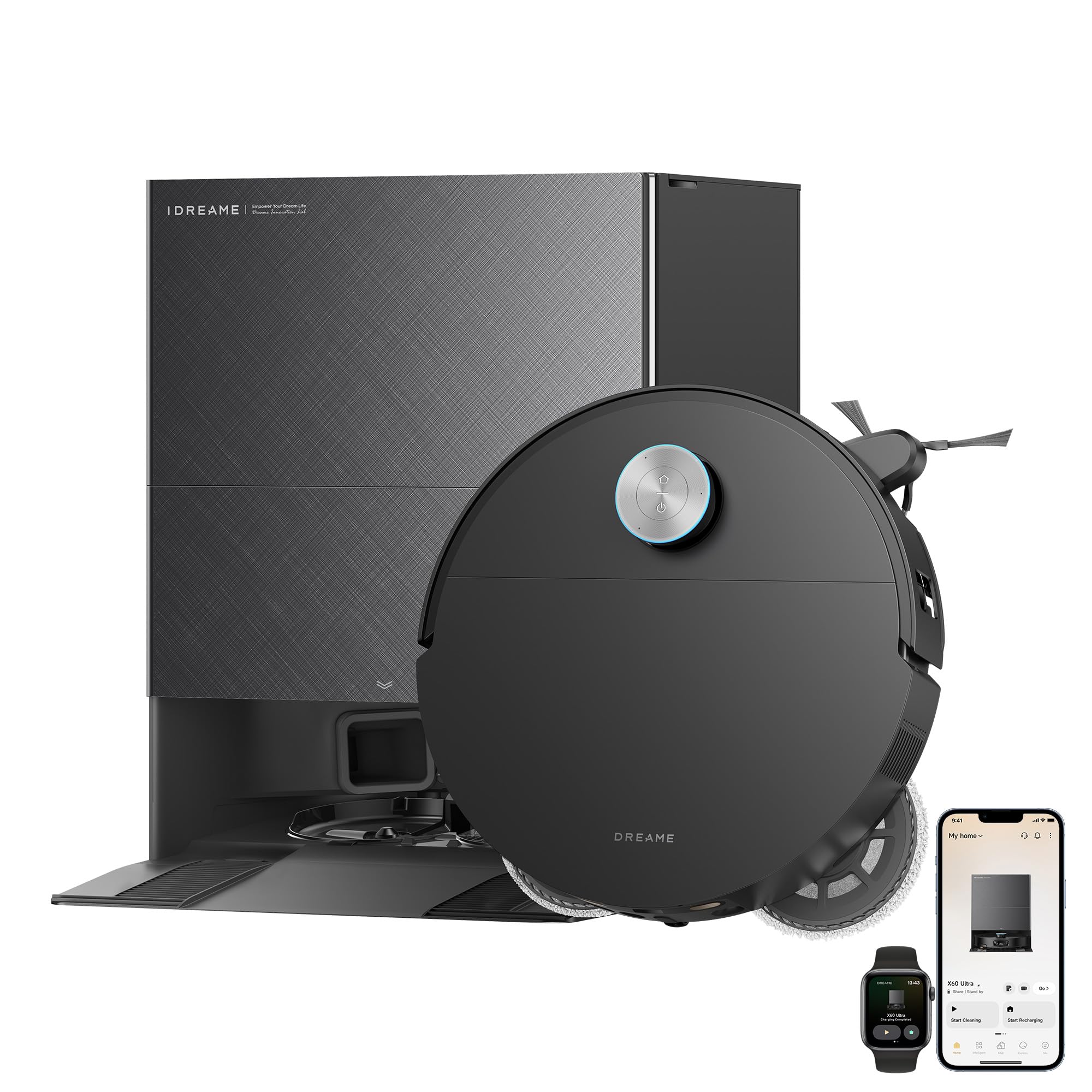
Dreame X60 Max Ultra Complete

Dreame X60 Max Ultra Complete

A robot vacuum and mop featuring exceptionally high 35,000Pa suction power and a 3.13in ultra-thin profile. It includes an automated dock that empties debris and washes the mop.

View Specs & Features

Key Benefits

  • 35,000Pa suction lifts embedded pet hair from carpet and rugs
  • 3.13in ultra-thin design reaches under low furniture where hair hides
  • Self-emptying and self-refilling dock reduces hands-on upkeep

Special Highlights

  • 280+ object obstacle avoidance means fewer stuck runs
  • Tangle-free brush helps long fur move into the dust bin
  • Auto Mop Hot Water Washing
Suction Power35,000 Pa
Dock TypeWash/Dry/Empty
Navigation280+ Object AI
Profile Height3.13 in
Battery Life180 minutes


What it actually does for you: it goes where other robots quit.

You know that four-inch gap under the sofa where dust bunnies go to raise families? Most flagship robots can’t get in there, because they’ve got a LiDAR turret sticking up off the lid like a little periscope. The X60 retracts its turret, drops to a 3.13-inch profile, and slides under. And that raised threshold between your kitchen and living room — the one that stops cheaper robots dead and splits your house into two cleaning zones? Dreame’s ProLeap system climbs obstacles up to 3.47 inches, which is taller than most interior door sills. One robot, whole house.

The dock washes its own mop pads at 212°F (100°C), which is the difference between a mop that cleans and a mop that redistributes yesterday’s floor water while smelling faintly of a gym bag. At 55 dB in standard mode, it’s roughly as loud as two people talking across a table. You can take a call while it runs.

It’s held the top spot on Vacuum Wars’ overall rankings for months, and the hardware is why.

Now the honest part. This machine is needier than its spec sheet suggests. Independent testing puts its navigation efficiency and battery efficiency slightly belowthe category average — around 950 square feet per charge against a roughly 1,170-square-foot average across tested models. That’s a strange result for a flagship, and it comes down to how it plans routes, not how hard it sucks.

More importantly, its best features can turn on you. Vacuum Wars and several hands-on reviewers found that cranking water flow or pushing the aggressive mop settings can leave carpet damp or cause it to skip vacuuming passes. The onboard dustbin is small, so the dock empties often. And multiple reviewers reported mop pads detaching mid-clean.

None of that makes it a bad robot. It makes it a pro tool. Give it an afternoon in the app — no-mop zones over the carpet, water flow dialed to medium, carpet-avoid enabled during mop cycles — and it’s the most capable machine in this guide by a clear margin. Skip that afternoon and you’ll wonder what you paid for.

9.2Expert Score
Dreame X60 Max Ultra Complete Cleans Deep

A robot vacuum that reaches where taller models cannot, the Dreame X60 Max Ultra Complete slips under low furniture with its retractable LiDAR design. It combines powerful 35,000Pa suction with hot-water mop washing, automatic dust emptying, and obstacle handling, making it especially appealing for busy homes with pets, hard floors, and lots of daily mess.

Suction Power
10
Navigation
9
Obstacle Avoidance
9
Mopping
10
Carpet Cleaning
8
Pet Hair Pickup
9
Dock Features
10
App Experience
9
Build Quality
9
PROS
  • Very strong suction
  • Slim design fits under furniture
  • Hot-water mop cleaning
  • Excellent hands-free dock
  • Good pet-hair pickup
  • Smart obstacle avoidance
CONS
  • Very expensive
  • Large charging station
  • Can drag wet pads on carpet
  • Slow during deep cleaning
  • Replacement parts cost more
  • Needs regular dock maintenance

CHECK PRICE

You might also like…

DREAME X60 Ultra Robot Vacuum and Mop (not Max)*
Detect, Adapt, and Clean Thoroughly: Equipped with dual AI cameras and proactive illumination, it sees and understands your home—detecting obstacles, adapting cleaning modes, and navigating with precision. Experience faster, smarter cleaning that leaves nothing behind

Last updated on 2026-08-04

Best For Navigation


Roborock Saros 10R

Roborock Saros 10R

A slim robot vacuum equipped with a specialized Zero-Tangling DuoDivide brush and a hot-water washing dock, designed specifically for long pet hair.

View Specs & Features

Key Benefits

  • Zero-tangle DuoDivide brush keeps long pet hair from clogging the roller
  • 22,000Pa suction pulls embedded fur and dirt from low-pile rugs
  • 3.14in slim design cleans under sofas and beds where hair accumulates

Special Highlights

  • Self-cleaning dock with hot-water mop washing reduces manual maintenance
  • 3D obstacle detection lowers the chance of stuck runs and missed zones
  • Edge Cleaning

Suction Power22,000 Pa
Dock TypeWash(Hot)/Empty
Navigation3D / AI
Profile Height3.14 in
Battery Life180 minutes


Ever tidied up before running your robot vacuum? That’s the tax on bad obstacle avoidance, and it’s the whole reason this one exists.

The Saros 10R won Vacuum Wars’ Best Obstacle Avoidance award in their mid-2025 awards, and TechGearLab reported it dodged every object they put in its path in real time — socks, cords, the classics. It manages this with a system Roborock calls StarSight: a time-of-flight sensor, which measures distance by timing how long a light pulse takes to bounce back, paired with a regular RGB camera that identifies what the object is. Between them it recognizes up to 108 object types. Cord versus charging brick versus dog toy — different problems, different reactions.

It also ditches the LiDAR turret entirely for a flat, solid-state sensor array, meaning there’s no moving mast to snag on a couch skirt and no tall bump to block low clearances.

The result reviewers keep describing is the boring one, and boring is the point: weeks of scheduled cleans without getting stuck, without a “robot needs help” notification, without pre-tidying. If you’ve been burned by a robot that eats a phone charger once a week, this is the fix.

Where it falls short: pet hair. RTINGS flagged inadequate pet hair pickup and noted it needs multiple passes to clear it — a real mark against it in a shedding household. And a small structural quirk: because it uses a flush sensor array instead of a spinning turret, its mapping is marginally less efficient than Roborock’s own turret-equipped Saros 10, which sits at a similar price. You’re trading a bit of mapping speed for a lower body and better object recognition. For a cluttered house, that’s the right trade. For an empty one, less so.
9.4Expert Score
Roborock Saros 10R Cleans Smarter

The Roborock Saros 10R is designed for homes that want serious cleaning without constant supervision. Its ultra-slim body reaches beneath low furniture, while advanced navigation helps it move around clutter and household obstacles. Strong suction, dual spinning mops, and a multifunction dock make it a capable choice for busy homes with pets and mixed flooring.

Suction Power
10
Navigation
10
Obstacle Avoidance
10
Mopping Performance
9
Carpet Cleaning
9
Pet Hair Pickup
9
Dock Functions
10
App Experience
9
Build Quality
9
PROS
  • Slim enough for low furniture
  • Excellent obstacle avoidance
  • Strong vacuum performance
  • Effective dual spinning mops
  • Advanced multifunction dock
  • Great app controls
CONS
  • Very expensive
  • Large dock footprint
  • Mop cleaning takes time
  • Can miss tight corners
  • Replacement parts cost more
  • Requires regular dock care

CHECK PRICE

Nerd's Choice 1 Eufy Robot Vacuum Omni S1 Pro With All-In-One Station, Hydrojet Robot Vacuum And Mop Combo, Eco-Clean Ozone, 8000 Pa Suction, Obstacle Avoidance, Auto Mop Washing &Amp; Drying, Self-Emptying

Eufy Omni S1 Pro Review: Is It Worth It?

Explore the Eufy Omni S1 Pro's innovative features and performance in this in-depth review, and find out if it truly lives up to its promises in home cleaning.

Best Everyday Clean


Eufy E25 Omni

eufy E25 Omni

A reliable robot vacuum and mop that uses a HydroJet roller mop and an all-in-one station for consistent daily maintenance.

View Specs & Features

Key Benefits

  • Zero-tangle brush reduces hair wrap and brush cleanups
  • HydroJet roller mop lifts light stains and maintains hard floors
  • All-in-one station automates emptying and mop care

Special Highlights

  • AI obstacle avoidance cuts down on stuck runs
  • Designed for daily upkeep across mixed floors
  • Auto Mop Washing

Suction Power20,000 Pa
Dock TypeWash/Empty
NavigationAI Avoidance
Profile Height4.4 in
Battery Life216 minutes


If you live with a shedding animal, you already know the specific indignity of pulling a dense gray felt donut of hair off a brush roll with scissors. Every week. Forever.

The E25 Omni is built to end that. Its DuoSpiral brush uses opposed spiral bristles that channel hair toward the suction inlet instead of letting it wind around the axle. In pet-hair testing it posted a 93% pickup rate — the strongest number in this guide — while avoiding the tangling that clogs cheaper machines. Worth noting: that figure comes from a mixed hard-floor and low-pile test, and pet hair pickup on deeper carpet is always harder for any robot, this one included. Use it as a strong signal, not a promise.

The mopping approach is the other reason it’s here. Instead of flat pads that get dirty and stay dirty until the dock washes them, the HydroJet roller mop rinses itself continuously while it works. The robot never pauses mid-clean to go wash up, and you’re never mopping with a used pad. The all-in-one dock handles emptying, washing, hot-air drying, and detergent dosing.

For a machine that isn’t priced anywhere near the Dreame, that’s a lot of flagship behavior.

Three things to know before you buy.

First:

The early-unit leak. Units shipped before roughly mid-2025 had a reported water tank defect that could leak. Eufy redesigned the tank and current stock has the fix. If you’re buying new from a major retailer, you’re almost certainly fine. If you’re buying open-box, refurbished, marketplace, or clearance stock, check the manufacture date on the box label and inspect the tank seal before you fill it. Ask the seller for the date code if it isn’t visible.

Second:

Long-pile carpet is a no. The roller mop works well on hard floors and short-pile, but longer fibers wick up water and oversoak. Set no-mop zones over any shag or plush rugs, or pick something else.

Third:

Navigation is the weak link. In tight spaces it tested less polished than the Roborock — wedging under low chairs, taking awkward routes around furniture legs. It gets the job done; it’s just not as elegant about it.

8.9Expert Score
Eufy E25 Omni Makes Mopping Easier

The Eufy E25 Omni is built for homes where mopping matters as much as vacuuming. Its self-cleaning roller mop continuously refreshes itself while cleaning, helping reduce the streaks and dirty-water trails common with basic robot mops. Add strong suction, smart navigation, and an all-in-one station, and daily floor care feels far less hands-on.

Suction Power
9
Mopping Performance
10
Navigation
9
Obstacle Avoidance
8
Pet Hair Pickup
9
Carpet Cleaning
8
Dock Functions
9
App Experience
9
Build Quality
9
PROS
  • Excellent roller-mop cleaning
  • Self-cleans while mopping
  • Strong everyday suction
  • Effective pet-hair pickup
  • Helpful all-in-one dock
  • Easy app controls
CONS
  • Premium price
  • Large dock footprint
  • Roller needs occasional cleaning
  • May struggle with clutter
  • Limited deep-carpet cleaning
  • Replacement parts can be costly

CHECK PRICE

Best Budget Combo


Mova P10 Pro Ultra

MOVA P10 Pro Ultra

Offers premium features like hot-water mop washing and a self-emptying dock at a more accessible price point.

View Specs & Features

Key Benefits

  • 13,000Pa suction clears pet hair and tracked-in dirt from hard floors and low-pile rugs
  • Dual spinning mops with hot-air self-dry reduce damp mop maintenance
  • 10.5mm lift helps it cross thresholds and handle low carpets

Special Highlights

  • Self-emptying and self-refilling behaviors cut down on hands-on chores
  • 360° obstacle avoidance lowers the chance of getting stuck during runs
  • Voice Assistant Integration

Suction Power13,000 Pa
Dock TypeWash(Hot)/Dry/Empty
Navigation360° Avoidance
Profile Height3.8 in
Battery Life198 minutes


Most budget robots run out of battery halfway through a two-bedroom apartment and slink back to the dock for a two-hour nap. Then they resume, maybe, if you’re lucky.

The P10 Pro Ultra doesn’t. Its 5,200 mAh cell covered roughly 2,157 square feet on a single charge in Vacuum Wars testing — more than double the category average — and that single number is why it’s on this list. If you’ve got a large single floor, or you’re carrying one robot between levels, coverage per charge matters more than almost anything else. A machine that finishes in one pass is a machine you forget about. A machine that needs a mid-cycle recharge is a machine you manage.

It backs that up with 13,000 Pa, among the strongest under-$600 suction figures, a fully automated dock at a price where most competitors give you a plain dustbin, 53.3 dB operation, and a three-year warranty — unusual in a category where one year is standard.

The trap: MOVA released a Gen 2 version with better mopping, and Vacuum Wars found it gave up obstacle avoidance and hair-tangle performance to get there. So the newer model isn’t the better model unless mopping is your single priority. Check the model number on the listing and the box before you click buy — the retail listings distinguish them by generation in the product title, and the packaging carries the model designation. If a listing is vague about which one it is, ask, or buy elsewhere.

Beyond that: mopping is functional but unremarkable, pet hair on carpet is a known weak spot, and MOVA is a newer brand with a less polished app than Roborock or Dreame. The three-year warranty offsets some of the newer-brand nerves, but service means shipping the unit, not walking into a store.

8.8Expert Score
MOVA P10 Pro Ultra Gen 1 Cleans Hard

The MOVA P10 Pro Ultra Gen 1 packs powerful cleaning into a hands-off robot vacuum and mop system. Its strong suction helps tackle dust and pet hair, while the multifunction dock washes and dries the mop pads and empties the dustbin automatically. It is a practical fit for busy homes that want less daily floor maintenance.

Suction Power
10
Mopping Performance
9
Navigation
9
Obstacle Avoidance
8
Pet Hair Pickup
9
Carpet Cleaning
9
Dock Functions
9
App Experience
8
Build Quality
8
PROS
  • Very strong suction
  • Good pet-hair pickup
  • Automatic mop washing
  • Hands-free dust emptying
  • Effective carpet cleaning
  • Strong value for features
CONS
  • Bulky charging dock
  • App can feel limited
  • May miss tight corners
  • Needs regular dock care
  • Loud during self-cleaning
  • Gen 1 lacks newer updates

CHECK PRICE

Wyze Wi-Fi Connected Robotic Vacuum with LiDAR Room Mapping, Ideal for Pet Hair, Hard Floors and Carpets

4.0
$216.00 $299.99
in stock
Walmart.com

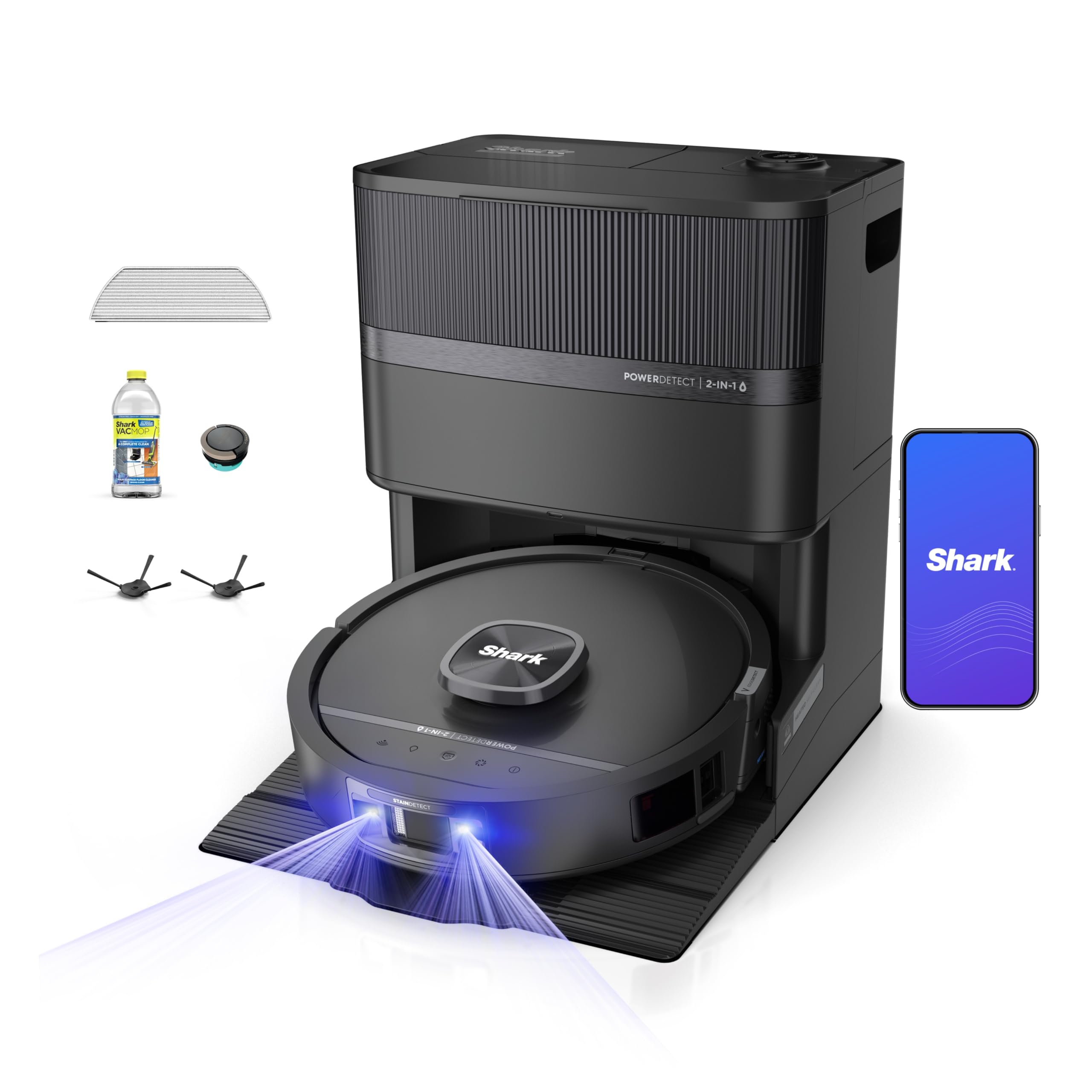
Best Stain Detection


Shark Powerdetect Uv Reveal

Shark PowerDetect UV Reveal

Utilizes specialized sensors and UV light to identify and target hidden stains and dirt for a more focused clean.

View Specs & Features

Key Benefits

  • UV Stain Detect highlights and targets hidden stains for focused cleaning
  • NeuroNav AI delivers reliable mapping and fewer repeated passes
  • Heated NeverTouch base washes, dries and self-empties to reduce chores

Special Highlights

  • PowerDetect sensing adjusts cleaning based on dirt levels for smarter runs
  • Edge-focused cleaning pulls debris from baseboards and corners
  • HyperSonic Mopping

Suction PowerNot Stated
Dock TypeWash(Heated)/Dry/Empty
NavigationNeuroNav AI
Profile Height17.5 in (Note: Out of box height)
Battery Life180 minutes


Let’s talk about the thing that actually kills first robot vacuums: not performance. Abandonment.

You buy one, it’s great for six weeks, then something goes wrong — a wheel sticks, the app won’t reconnect, a part needs replacing — and suddenly you’re on a support form with a 14-hour time difference, trying to explain a problem in a chat window. The robot goes in the closet. That’s the failure mode, and it has nothing to do with suction.

The PowerDetect is the pick that eliminates it. The NeverTouch Pro dock empties debris for up to 60 days and washes and refills the mop for up to 30, so a month or two can pass with zero involvement from you. DirtDetect and StainDetect boost power automatically where there’s more mess, which means you don’t have to learn modes to get good results. NeverStuck leg lift gets it over high thresholds. The app is basic in the best sense — you’ll understand it in five minutes.

And here’s the real argument: three-year US warranty, plus Shark sits on shelves at Target, Best Buy, Walmart, and Amazon. If something breaks in week three, you drive it back. That’s not a spec, but for a nervous first-time buyer it’s worth more than any number on this page.

The honest limits.

Its 2,500 Pa ceiling is the lowest here, and unlike the Chinese brands on this list, Shark doesn’t chase the suction-number arms race — so don’t read 2,500 against 35,000 as a 14x difference in real cleaning. Do read it as a machine tuned for hard floors and light carpet. On medium or deep pile, you’ll notice. Pet hair pickup tested middling, not strong. And it navigates with structured light — a projected pattern the robot reads to judge depth and shape — plus LiDAR, rather than a camera, so it can’t identify what an object is the way the Roborock can. It’ll go around a sock. It won’t know it’s a sock.

9.1Expert Score
Shark PowerDetect UV Reveal Finds Hidden Dirt

The Shark PowerDetect UV Reveal is made for deeper carpet cleaning when everyday vacuuming is not enough. Its UV light highlights dust and debris, while strong suction and PowerDetect technology adjust cleaning performance as you move. It is a compelling choice for homes with carpets, pets, and anyone who wants a clearer view of what the vacuum removes.

Suction Power
10
Carpet Cleaning
10
Dirt Detection
9
Pet Hair Pickup
9
UV Visibility
9
Edge Cleaning
8
Maneuverability
9
Filtration
9
Build Quality
9
PROS
  • Reveals hidden carpet debris
  • Strong deep-cleaning suction
  • Excellent pet-hair pickup
  • Detects dirtier floor areas
  • Good carpet maneuverability
  • Helpful cleaning feedback
CONS
  • UV light needs dim rooms
  • Corded design limits reach
  • Heavier than basic vacuums
  • Can be loud at full power
  • Not designed for hard floors
  • Replacement filters add cost

CHECK PRICE

What These Things Actually Cost to Own

Nobody puts this on the box, so here it is.

A robot vacuum isn’t a one-time purchase — it’s a purchase plus a small, permanent subscription to consumable parts. Budget roughly $60–$150 per year across these models, depending on how hard you run it and whether you use the mopping features. Here’s where it goes:

Dust bags.

Any self-emptying dock uses them, and they’re proprietary — you can’t substitute. Figure a bag every 30–60 days for a normal home, faster with pets or a small onboard bin (the Dreame’s is small, so it cycles bags quicker). Bags run a few dollars each in multipacks. This is the single most consistent recurring cost.

Mop pads or rollers.

Flat pads wear out and start smearing; expect to replace them every few months. Roller-mop systems like the Eufy’s last longer but cost more per unit when they do go.

Filters.

Two to four per year for good airflow and no dusty exhaust smell. Cheap. Easy to forget, and forgetting quietly kills suction.

Side brushes and main brush rolls.

Side brushes bend and fray — once or twice a year. Main brush rolls last considerably longer, often 12–18 months in a normal home, shorter in a pet home.

Detergent.

Only if your dock doses it (the Eufy and Dreame do). Optional, and most brands’ floor cleaner is pricier than it needs to be. Check your manual before substituting anything, because the wrong formula foams and gums up the dock plumbing.

None of these require a subscription. Let’s be clear about that, because it’s the question new buyers ask most. There’s no monthly fee, no paywalled features, no cloud storage plan. You buy parts when parts wear out, from the manufacturer or third-party sellers. That’s it.

One planning note: parts availability is a real risk factor for newer or smaller brands, and it’s the reason we’re cautious about MOVA and the reason for the iRobot section below. A robot you can’t get a brush roll for in three years is a robot with a three-year lifespan.

Privacy, Wi-Fi, and What Happens When the Internet Dies

Four of the five picks here are cloud-connected. Two carry cameras. You should know what that means before you put one in your bedroom.

What these devices actually collect. All of them build a floor plan of your home — room shapes, furniture footprints, doorway locations. That map is more revealing than people assume: it describes your home’s layout, size, and roughly how you live in it. Camera-equipped models like the Roborock Saros 10R also capture images to identify obstacles. Most processing happens on the robot itself for speed reasons, but maps, logs, and in some cases images sync to the manufacturer’s cloud so the app can show them to you from anywhere.

About Eufy specifically. Eufy’s parent company, Anker, was caught in a well-documented 2022–2023 controversy over its security camera line, in which footage described as local-only was found to be reachable through cloud links. That was cameras, not vacuums, and Anker has since changed its practices and disclosures.

We still think you deserve to know it happened before you put an Anker-family device on your network. The E25 Omni is a strong pet-hair machine; it’s also made by a company that has burned trust before and earned some of it back. Decide with the full picture.

Practical steps that take ten minutes:

  • Use a real password and turn on two-factor authentication in the app. Not the password you use everywhere.
  • Dig into privacy settings and switch off optional data sharing, product-improvement telemetry, and image upload where the app allows it. Most of these apps default to sharing.
  • Set no-go zones around anything you don’t want mapped or photographed. Bathroom, home office desk, wherever.
  • If you’re security-minded, put the robot on a guest network or IoT VLAN. Keeps it isolated from your laptops and NAS.
  • Prefer no camera at all? The Shark PowerDetect doesn’t have one.

Wi-Fi requirements.

Every model here needs 2.4 GHz Wi-Fi for setup, not 5 GHz. This is the number one cause of failed installs. If your router broadcasts both bands under one name, that’s usually fine — but if setup stalls, log into your router and temporarily split the bands or disable 5 GHz for five minutes. All of them require creating a manufacturer account, and some brands ask you to pick a data region during setup, which you generally can’t change later without a factory reset. Pick carefully.

When the internet goes out.

Your robot still works. Press the button on the unit and it vacuums using its stored map — navigation and cleaning are onboard, not cloud-dependent. The dock still empties, washes, and dries; that’s mechanical. What you lose is app control, scheduled cleans, remote start, live map view, and voice commands. Once your connection returns, everything reconnects and the cleaning history syncs. Good to know during a storm.

Voice and ecosystem support.

All five work with Amazon Alexa and Google Assistant for basic commands — start, stop, return to dock, and often room-specific cleaning. Siri support is patchy and usually runs through Shortcuts rather than native HomeKit. Matter support in this category is still thin across the board, so if you’re building a Matter-only smart home, verify current compatibility on the product page rather than assuming.

Where the Dock Goes (Read This Before You Buy)

The robot is small. The dock is not, and this trips up more buyers than any performance issue.

Full-service docks — the ones that wash and dry mop pads — are roughly the size of a kitchen trash can, and the Dreame’s is notably tall.

Before you order, go find the spot:


  • Hard floor only. Docks can’t sit on carpet. Water drips, and the robot needs firm contact to align its charging pins.
  • Clearance matters. Leave a couple of feet of open space in front and several inches on each side so the robot can dock cleanly. Cramming a dock into a corner is the fastest way to get “docking failed” alerts.
  • Near an outlet, not on an extension cord. These pull real power during hot-air drying.
  • Plumbing hookup is optional on the models here — they all run on refillable tanks. If a version supports water line connection, that’s a nice-to-have, not a requirement.
  • Ventilation and noise. Mop washing and drying is the loudest thing these machines do, and it runs after the clean finishes. A laundry room, mudroom, or utility closet is ideal. Directly outside a bedroom door is not.


Setup, Day One to Week One

Unboxing to first clean: about 20 minutes.

Peel the shipping tape and foam blocks off the sensors — people miss these and then wonder why navigation is bad. Snap on the side brush, fill the clean water tank, plug in the dock, download the app, create an account, connect over 2.4 GHz.

The first mapping run takes 20–60 minutes depending on your floor plan, and the robot may not clean much during it. Let it finish. Open every interior door first, pick up cords and loose rugs for this one pass, and get out of its way. A clean first map pays off for years.

Then spend fifteen minutes doing this, because it’s the difference between loving your robot and fighting it:

  • Name and split rooms so you can say “clean the kitchen”
  • Set no-go zones: pet bowls, cable nests, that one rug that always gets eaten
  • Mark carpet areas as no-mop zones
  • Set carpet boost on, mop water flow to medium
  • Schedule a daily run for when you’re out of the house

For the Dreame specifically, add another 20–30 minutes. That’s where its reputation for fussiness comes from and where it gets solved: no-mop zones over all carpet, water flow at medium rather than high, carpet-avoidance enabled during mop cycles, and a check that your mop pads are seated firmly before each mop run. Do this once and it behaves like the flagship you paid for.

What You Still Do By Hand

“Hands-free” means less work, not no work. Here’s the real schedule for every model here:

Weekly (2 minutes):

Glance at the brush roll for wrapped hair. The Eufy’s DuoSpiral and the Dreame’s design resist tangling well, but “resists” isn’t “immune” — especially with long human hair. Check that the dock’s docking contacts are clean.

Monthly (10 minutes):

Replace or empty the dust bag when the app says so. Rinse or replace the filter. Empty the dock’s dirty water tank and rinse it out — this is the one people skip, and it’s why some robot vacuums develop a smell. Wipe the drop sensors on the robot’s underside with a dry cloth; dusty sensors cause weird avoidance behavior.

Quarterly (15 minutes):

Deep clean the mop pad or roller. Check side brushes for bending. Clear the dock’s suction channel of any hair clog.

Yearly:

Replace the main brush roll if it’s visibly worn. Replace side brushes. Consider a full filter set.

Total:

call it 15–20 minutes a month. Against the hour a week you’d spend pushing a vacuum, that’s the trade.

Lifespan, Batteries, and the Long Game

Plan on three to five years of solid service from any of these, longer with maintenance.

The battery is usually what goes first. Lithium cells in robot vacuums typically hold up for 2–4 years of daily cycling before you notice shorter runtimes. All five models here use replaceable battery packs, though “replaceable” ranges from a few screws to a genuine teardown depending on the model — check your manual, and check whether your brand actually stocks the part before you need it.

That last point deserves emphasis, because it’s the whole thesis of the next section. A robot vacuum is only as durable as its parts pipeline. Established brands with deep retail presence — Shark here, Roborock to a lesser extent — are the safer long-term bet. Newer brands offer better specs per dollar and more uncertainty in year four. Neither answer is wrong. Just know which trade you’re making.

Warranty at a glance:

Model US warranty Support route
Dreame X60 Max Ultra 1 year (standard) Direct / online RMA
Roborock Saros 10R 1 year (standard) Direct / retail partners
Eufy E25 Omni 1 year (standard) Direct / Amazon
MOVA P10 Pro Ultra 3 years Direct, ship-back
Shark PowerDetect 2-in-1 3 years Direct + in-store returns at major retailers

Warranty terms change by region and retailer, so confirm on the listing before you buy.

Is Roomba Still Worth Buying in 2026?

You’ll notice no Roomba on this list, and that deserves an explanation rather than a shrug.

iRobot announced a strategic transaction in December 2025 and filed a pre-packaged Chapter 11. That process has now closed — iRobot has emerged from bankruptcy as a subsidiary of Shenzhen-based Picea Robotics, which took 100% of the company’s equity. iRobot says it comes out with a stronger financial footing and more capacity to invest.

So this isn’t a company in freefall, and current Roombas aren’t suddenly bad machines — plenty of them clean well and always have.

But the questions that matter for a purchase you’ll live with for four years are still open. Will the app and cloud services be maintained on the same roadmap? Will warranty claims filed today be honored the same way in year three, under new ownership? Will brush rolls, filters, and battery packs for today’s models stay in stock through a corporate integration? Post-acquisition transitions routinely reshuffle product lines and discontinue support for older hardware, and nobody outside the company can tell you yet which models make the cut.

Our take: if you already own a Roomba you like, keep it and enjoy it. If you’re buying new right now, the five machines above carry less long-term uncertainty for the same money. Revisit in a year, once the integration has actually shipped something and the parts situation is visible. We’ll update this guide when it is.

So Which One Is Yours?

Pick by your floor, not your budget:

Pets and hard floors? Eufy E25 Omni — check current pricing. Best hair numbers here, and no more scissors.

Toys, cords, and chaos on the floor? Roborock Saros 10R — the one you can run without tidying first.

Big house, tight budget? MOVA P10 Pro Ultra — twice the coverage per charge of almost anything else. Confirm it’s the original, not Gen 2.

Your first robot ever? Shark PowerDetect 2-in-1 — three-year warranty, in-store returns, an app you’ll understand immediately.

You want the most capable machine made and you’ll tune it? Dreame X60 Max Ultra Complete — nothing else here climbs, fits, or mops like it.

Every one of these does the same fundamental thing: it takes a recurring chore off your calendar and doesn’t give it back. The only question is which version of that fits the house you actually live in.

Comparison Table

ModelSpecs & FeaturesIdeal For / Considerations
Dreame X60 Max Ultra Complete
Dreame X60 Max Ultra Complete Robot Vacuum And Mop, Upgraded From X50 Series, 3.13In (7.95Cm) Ultra-Thin Design, 35,000Pa Suction, Self Emptying&Refilling, Mop Self-Cleaning, 280+ Obstacle Avoidance | 3.47In(8.8Cm) Obstacle Crossing For Carpet, Tangle-Free Brush For Hair, Ultra-Thin Design For Low Spaces Cleaning X60Maxuc-Black 
Suction:
35,000 Pa
Dock:
Full-service, hot wash + dry
Warranty:
1 year
✓ Best for:
Complex homes, thresholds, low furniture
⚠ Watch out:
Needs setup time; below-average coverage per charge
Roborock Saros 10R
Roborock Saros 10R Robot Vacuum And Mop, 22000Pa, Edge Cleaning | 3.14' Slim Design Reaches Under Furniture, Zero-Tangle System, Self-Cleaning Dock With Hot-Water Mop Washing For Hands-Free
Suction:
18,000–22,000 Pa
Dock:
Full-service
Warranty:
1 year
✓ Best for:
Cluttered homes; unsupervised running
⚠ Watch out:
Pet hair needs multiple passes; has a camera
Eufy E25 Omni
Eufy E25 Robot Vacuum And Mop Combo, 20,000 Pa, Hydrojet Roller Mop | Extendable Side Brush, Zero-Tangle Design, All-In-One Station, Ai Obstacle Avoidance, Edge-To-Corner Cleaning E25 Black
Suction:
20,000 Pa
Dock:
Full-service, self-rinsing roller
Warranty:
1 year
✓ Best for:
Pet owners, hard floors and low pile
⚠ Watch out:
Oversoaks long pile; navigation less polished
MOVA P10 Pro Ultra (orig.)
Mova P10 Pro Ultra Robot Vacuum And Mop, 140°F Water Washing & Drying | 13,000Pa Suction, Dual Spinning Extenable Mop, 10.5Mm Lifting For Carpet, 360°Obstacle Avoidance, Voice & App Control P10Pu
Suction:
13,000 Pa
Dock:
Full-service
Warranty:
3 years
✓ Best for:
Large or multi-level homes on a budget
⚠ Watch out:
Buy the original, not Gen 2; weak on carpet pet hair
Shark PowerDetect 2-in-1
Shark Powerdetect Uv Reveal 2-In-1 Robot Vacuum & Mop, Black, Rv3020Xe | Uv Stain Detect, Hypersonic Mopping, Powerdetect Tech, Neuronav Ai, Heated Nevertouch Pro Base (Wash/Dry, Self-Empty)
Suction:
2,500 Pa
Dock:
NeverTouch Pro, 60-day empty
Warranty:
3 years
✓ Best for:
First-timers, hard floors
⚠ Watch out:
Lowest suction; medium/deep carpet suffers


Frequently Asked Questions

Do I really need LiDAR navigation?

For anything bigger than a studio, yes. LiDAR is how the robot builds and follows a map instead of bouncing around semi-randomly. It’s the single biggest predictor of whether your whole home gets cleaned or whether the guest room gets skipped for three weeks. Good news: it’s standard now, even on inexpensive models, so this is barely a decision anymore.

Is higher Pa always better?

No, and it’s not close. Pa is measured inconsistently between brands and tells you nothing about brush geometry, airflow sealing, or filtration — which is where real pickup comes from. The Shark’s 2,500 Pa is the lowest figure here and it still handles hard floors fine, because its sensors detect concentrated dirt and increase power there instead of running flat out everywhere.

That said, suction doesmatter on carpet, where you need to pull debris up out of fibers. Low suction plus deep pile is the one combination that genuinely disappoints.

What’s the difference between a self-emptying dock and a full-service dock?

A self-emptying dock only sucks debris from the robot into a bigger bin — usually a month or two before you touch it. A full-service dock does that plus washes the mop pads, dries them with hot air, and refills clean water. That’s the real upgrade, because a dirty mop pad is worse than no mop at all. The Dreame, Roborock, Eufy, and Shark picks here all have full-service docks.

Which one is best for pet hair?

The Eufy E25 Omni. 93% pickup on hard floor and low pile, and a brush built so hair feeds into the suction path instead of winding around the roller. If your pet-hair problem lives on deep carpet, no robot fully solves that — but the Eufy gets closest here.

What do these cost to keep running?

Roughly $60–$150 a year in bags, filters, pads, and brushes, depending on how hard you run it. No subscriptions, no monthly fees, no paywalled features. See the ownership costs section above for the breakdown.

Do they work without internet? What data do they collect?

They vacuum fine offline — press the button and the stored map does the work. You lose app control, schedules, and voice commands until you reconnect. All of them map your floor plan; the Roborock also uses a camera for object recognition. Turn off optional data sharing in the app, use two-factor authentication, and set no-go zones for private areas. Full detail in the privacy section above.

How much room does the dock need?

Hard floor, a couple of feet of clear space in front, several inches on the sides, and a nearby outlet. Full-service docks are trash-can-sized and the Dreame’s is tall. They’re loudest during mop drying, so a laundry room or mudroom beats a hallway outside a bedroom.

Will these replace my regular vacuum?

Mostly, not entirely. Robots handle maintenance cleaning brilliantly — the daily dust, crumbs, and hair that used to eat your weekends. You’ll still want a stick or upright for stairs, upholstery, car interiors, and the occasional deep carpet pass. Think of it as the difference between wiping the counters and scrubbing the kitchen.

Should I buy now or wait for a sale?

Prices in this category move fast and often — 30–40% drops within months of launch are normal, and the big holiday events are real. If you can wait, watch the listing. If your floors are driving you up the wall right now, buy the one that fits your house; the machine you own today beats the deal you might get in November.

Oscar Rabeiro
Oscar Rabeiro

Bringing 25+ years of expertise in graphic design, marketing, and advertising to Nerdy Home Tech. Specializing in demystifying home automation and AI, I craft engaging content that simplifies complex tech for newbies and seasoned pros alike. Join me on a journey through the world of smart home tech!

Nerdy Home Tech
Logo