
The Best Network Attached Storage (NAS) Drives for 2026
If you're still relying on a stack of external USB drives or paying monthly for cloud storage that you don't actually control, it's time for an upgrade. A Network Attached Storage (NAS) device isn't just a hard drive with a plug; it's a private server that lives in your home or office. It's the only way to ensure your data stays yours, accessible from anywhere, without the recurring "subscription tax" that eats into your long-term budget.
But picking one can feel like a deep dive into alphabet soup—GbE, RAID, NVMe, and DDR5 are enough to make anyone's head spin. In 2026, we aren't just looking for a digital filing cabinet. We're looking for machines that can handle high-speed 2.5GbE networking as a standard, run Docker containers for smart home automation, and protect your files from ransomware. Whether you're a creative professional moving terabytes of video or a small business owner who just needs a reliable backup, we've found the units that deliver the best hardware for your dollar.
Top Pics for Business NAS
| Product | Best Category | Key Buying Info | Read More |
|---|---|---|---|
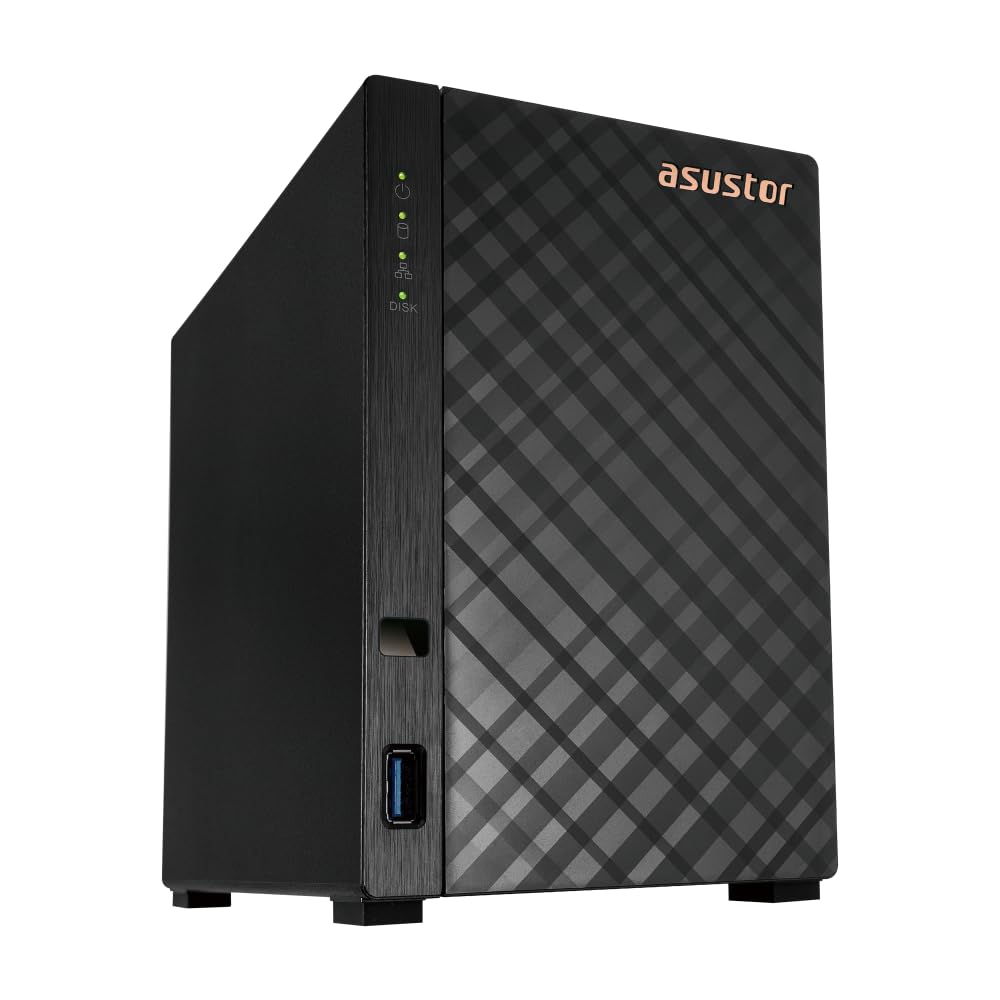 Asustor Drivestor 2 Gen 2 | Best Starter NAS | Score: 84/100 Cost Tier: $ Affordable 2.5GbE entry. | MORE |
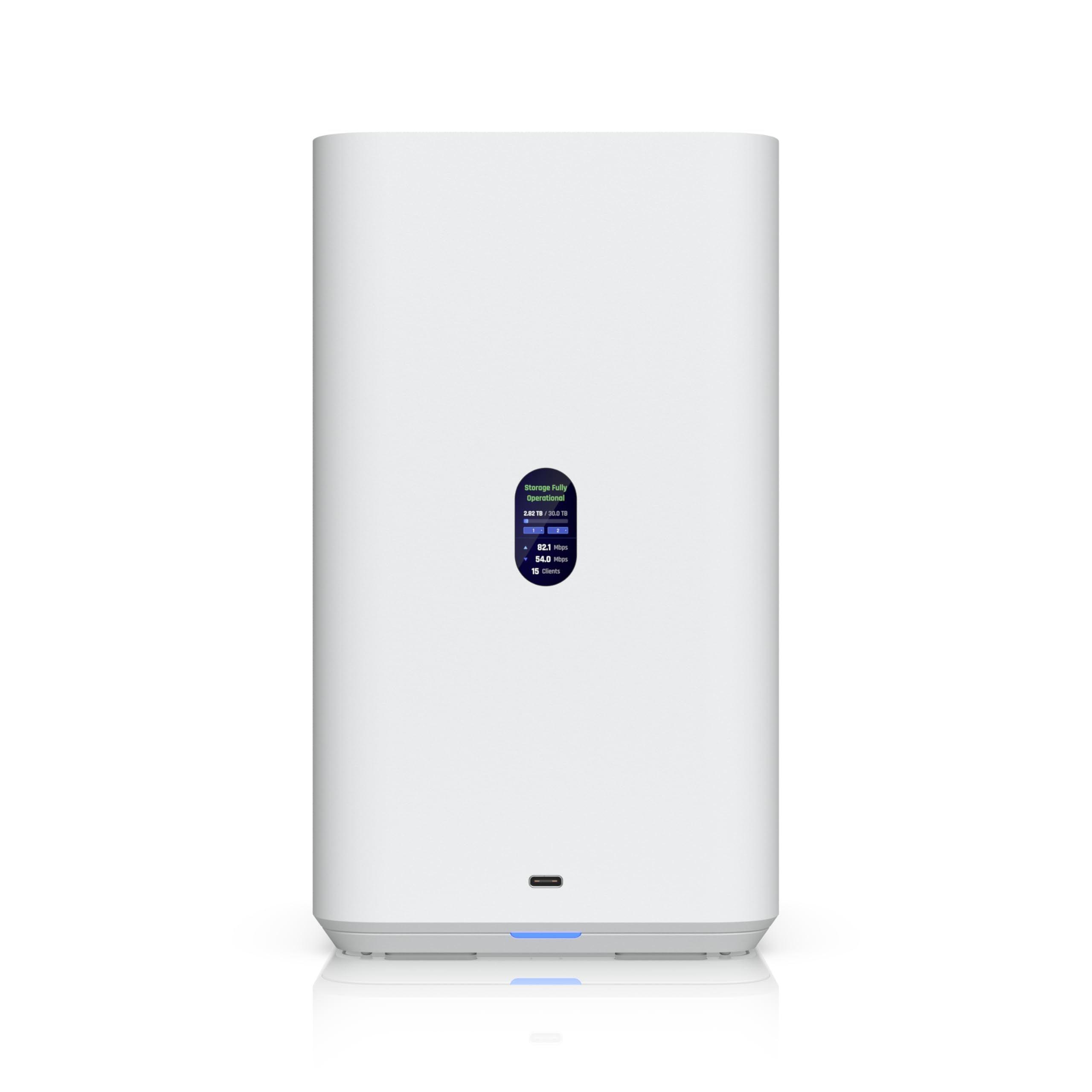 Ubiquiti UNAS 2 | Best UniFi Integration | Score: 82/100 Cost Tier: $$ Silent PoE++ operation. | MORE |
 UGREEN DXP8800 Plus | Performance Powerhouse | Score: 91/100 Cost Tier: $$$$ Massive 10GbE throughput. | MORE |
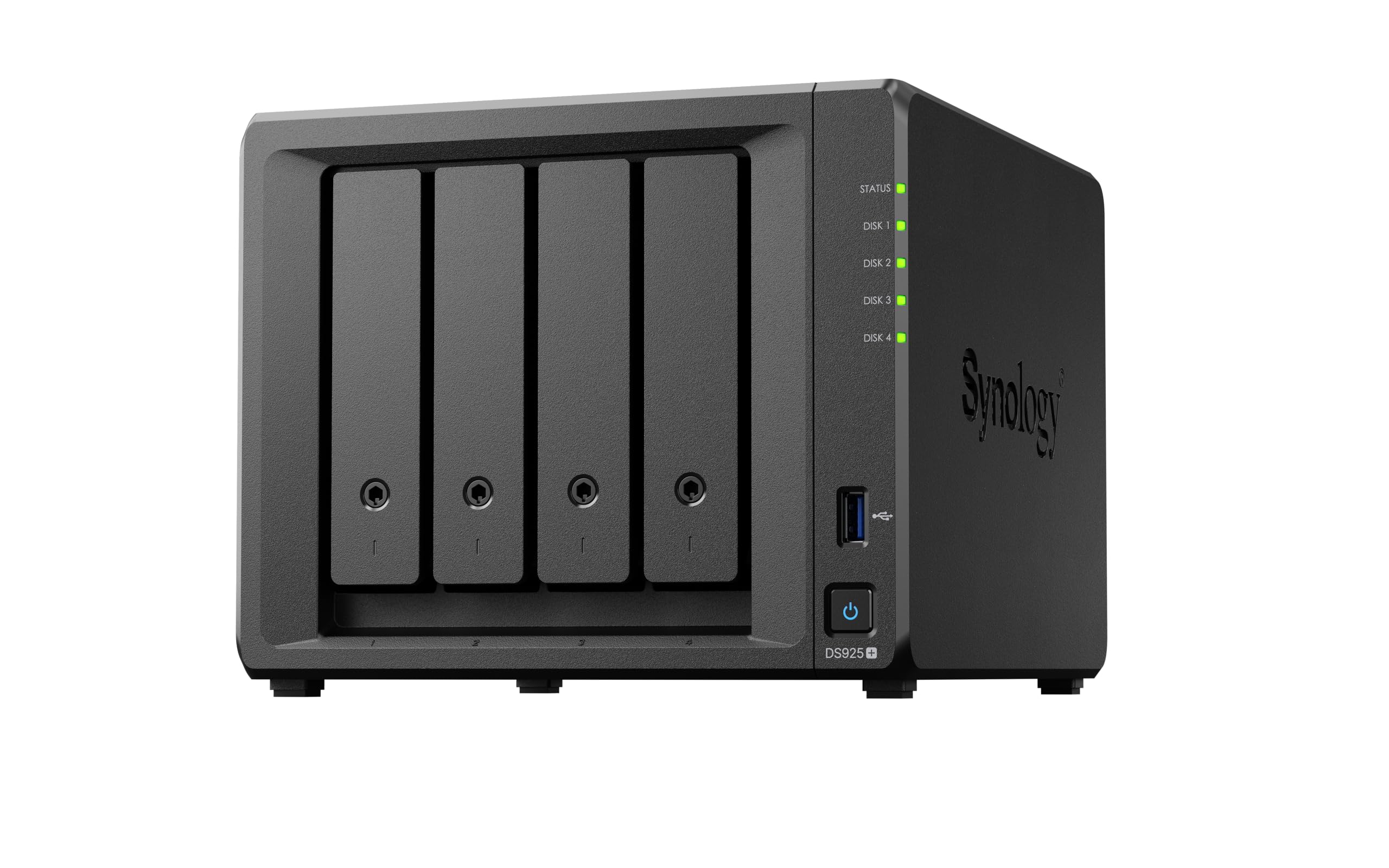 Synology DS925+ | Best Software Ecosystem | Score: 88/100 Cost Tier: $$$ Industry standard software. | MORE |
How We Chose These Options
You want storage that balances reliability, speed, ease of use, and total cost of ownership. We prioritized devices that offer clear advantages for business use. Instead of judging these purely on arbitrary scores, we looked at the technical backbone that dictates everyday performance: the number of drive bays, local network connectivity speeds, the processor and RAM handling the workloads, and whether the system forces you to buy your own hard drives.
Network speed is a critical dividing line here. The standard gigabit ethernet (1GbE) found on older devices transfers data at roughly 125 megabytes per second. Upgrading to a 2.5GbE or 10GbE port dramatically reduces the time your team spends waiting for files to open, provided your office router and switches support those speeds. We also heavily weighed the processing power, as a weak CPU will choke if multiple people try to access databases or stream video simultaneously.
Asustor Drivestor 2 Gen 2 AS1202T
This is the kind of box you pick when you want reliable local storage without a steep learning curve. You get a compact two-bay chassis, decent CPU power for everyday tasks, and a 2.5GbE port that makes local file transfers noticeably quicker than older gigabit connections.
It works well as network attached storage for small office setups where you need shared folders, quick onsite backups, and remote personal cloud access. It beats out other entry-level options by including that faster 2.5GbE networking port at a budget-friendly position.
Pros
- Compact tabletop footprint
- Faster 2.5GbE connection
- Simple initial setup
Cons
- 1GB RAM restricts heavy use
- Fixed memory limits expansion
- Only two drive bays
Tech Specs
| Major Features | Metal construction chassis, Supports personal cloud backup, Equipped with three USB 3.0 ports, Toolless drive installation, Compact tabletop footprint |
| Drive Bays | 2 Bays |
| Network Connectivity | 1x 2.5GbE |
| Storage Included | Diskless |
| Base CPU / RAM | Quad-Core 1.7GHz / 1GB DDR4 |
Ideal For
- Small offices needing basic shared folders without complexity.
- Users upgrading from standard external USB drives.
- Buyers prioritizing networking speed on a strict budget.
Not For
- Users needing to run multiple virtual machines.
- Teams that anticipate rapid storage expansion beyond two drives.
Editor's Take
If you want an entry point to owning your data rather than renting cloud space, this is a highly practical option. The 1GB of memory means you should not expect to run heavy background applications, but for pure file serving, it absolutely delivers. It is a smart buy for a tight budget.
Ubiquiti UniFi Network Attached Storage
This UNAS 2 is designed to slip directly into an existing UniFi environment and just work. It is compact, entirely silent in operation, and built for dependable local storage, allowing you to manage your network and storage from a single unified dashboard.
In daily use, it handles shared folders and centralized backups without a fuss, but it comes with a strict hardware catch. It beats out traditional NAS units in management simplicity for IT admins, but only if you are already heavily invested in the Ubiquiti ecosystem.
Pros
- Clean UniFi integration
- Silent operation design
- Single cable installation
Cons
- Requires PoE++ power hardware
- Strict vendor ecosystem lock
- Unlisted CPU specifications
Tech Specs
| Major Features | UniFi dashboard integration, Powered via PoE++ network cabling, Silent operation design, USB-C expansion, Compact desktop footprint |
| Drive Bays | 2 Bays |
| Network Connectivity | 1x 2.5GbE |
| Storage Included | Diskless |
| Power Delivery | PoE++ Required |
Ideal For
- Offices already utilizing Ubiquiti and UniFi networking gear.
- Admins who want single-pane-of-glass network management.
- Workspaces requiring entirely silent data storage.
Not For
- Buyers outside the UniFi ecosystem.
- Users lacking high-power network switches or dedicated injectors.
Editor's Take
You must approach this unit with a clear understanding of its power needs: a standard PoE or PoE+ network switch will not turn this on. You must use a PoE++ switch or a heavy-duty injector. If your infrastructure supports it, the UNAS 2 is an incredibly sleek, quiet addition to a UniFi rack. If you use a standard consumer router, skip this entirely.
UGREEN NAS DXP8800 Plus
If you need raw local performance, this massive eight-bay unit is built to keep up with intense demands. You get genuine desktop-class computing power, built-in M.2 NVMe slots for ultra-fast caching, and an array of high-speed inputs that most entry-level units simply cannot match.
It is exceptionally useful for video editing teams or offices hosting local development environments. It beats practically everything else on this list regarding raw specifications by offering dual 10GbE network ports and Thunderbolt 4 support right out of the box.
Pros
- Incredible 10GbE network speed
- Desktop class i5 processor
- Room for eight hard drives
Cons
- Large physical desk footprint
- Potential noise from 8 drives
- Overkill for simple storage
Tech Specs
| Major Features | Intel i5 1235u 10-core processor, Dual 10GbE network interfaces, Thunderbolt 4 direct connection, Eight drive bays for massive scale, Built-in 128GB system SSD |
| Drive Bays | 8 Bays |
| Network Connectivity | 2x 10GbE, Thunderbolt 4 |
| Storage Included | Diskless |
| Base CPU / RAM | Intel i5 1235u 10-Core / 8GB DDR5 |
Ideal For
- Video editing farms moving terabytes of footage daily.
- IT teams hosting local virtual machines and Docker containers.
- Offices that anticipate massive data growth over several years.
Not For
- Small operations just needing simple document backups.
- Buyers looking for a subtle, quiet unit to sit on a small desk.
Editor's Take
This is heavy machinery. The sheer bandwidth provided by dual 10GbE ports prevents the network bottlenecks that usually plague teams working on massive files. If you can stomach the investment and have the network infrastructure to support 10-gigabit speeds, this will drastically cut down your loading bars. Just be prepared for the physical size and heat of eight spinning disks.
Synology 4-Bay DiskStation DS925+
If you want a NAS that feels like it was designed around the software experience as much as the hardware, Synology is the standard-bearer. Their DiskStation Manager (DSM) operating system provides incredibly polished, reliable tools for file sharing, automated backups, and synchronization without wrestling with unstable third-party patches.
It is aimed squarely at businesses prioritizing a mature, frustration-free management experience. It beats the competition by offering an app ecosystem that practically runs itself once configured, though it comes with some notable hardware caveats.
Pros
- Industry leading software OS
- Automated backup tools
- Highly reliable ecosystem
Cons
- Linked model limited to 1GbE
- Hardware lags behind the cost
- Expansion modules are costly
Tech Specs
| Major Features | Synology DSM operating system, M.2 NVMe SSD caching, Integrated surveillance management, Expandable to 9 drives, Automated data sync apps |
| Drive Bays | 4 Bays (Expandable to 9) |
| Network Connectivity | 1GbE Base (Upgrade required for 10GbE) |
| Storage Included | Diskless |
| Base CPU / RAM | Varies by specific unit |
Ideal For
- Businesses wanting an enterprise-grade software experience.
- Admins who prefer point-and-click setup over command lines.
- Offices needing reliable, automated offsite syncing.
Not For
- Buyers strictly chasing the highest processor specs per dollar.
- Users expecting multi-gigabit speeds straight out of the box.
Editor's Take
We need to be clear about a hardware reality here: while you are paying a premium for world-class software, the specific Amazon listing linked for this tier often points to hardware (like the DS923+) that is limited to standard 1GbE networking out of the box. To get the faster speeds heavily advertised in this space, you will likely need to purchase an additional, proprietary network upgrade module. If you value software stability over raw hardware specs, it is worth the tradeoff.
TERRAMASTER F4-424 Pro

If you want serious capability without paying the premium associated with enterprise logos, the Terramaster F4-424 Pro balances raw power and practicality. You get a roomy four-bay chassis and an exceptionally capable eight-core processor that ensures the system stays responsive even under heavy concurrent loads.
It is an excellent fit for tech-savvy teams that want powerful hardware for media serving or local development environments. It beats competitors in this class by offering an Intel Core i3 processor and dual 2.5GbE network ports at a highly aggressive value point.
Pros
- Exceptional CPU process power
- Dual 2.5GbE network ports
- Supports alternative OS choice
Cons
- Native OS is less refined
- Hardware outpaces the software
- Setup requires more patience
Tech Specs
| Major Features | Intel Core i3-N305 8-Core, Dual 2.5GbE networking, Dual M.2 NVMe slots, Supports 32GB DDR5 memory, Compatible with alternative OS |
| Drive Bays | 4 Bays |
| Network Connectivity | 2x 2.5GbE |
| Storage Included | Diskless |
| Base CPU / RAM | Intel Core i3 8-Core / Supports up to 32GB |
Ideal For
- Tech-savvy users comfortable with slightly less polished software.
- Teams needing high compute power for virtual machines.
- Buyers who prioritize hardware specifications over brand name.
Not For
- Novice users expecting a completely frictionless setup.
- Offices that strictly require Synology's specific software apps.
Editor's Take
This is the tinkerer's dream. The native operating system (TOS) does not have the pristine polish of its biggest rivals, but the hardware underneath is phenomenal for the category. The saving grace is that you aren't strictly locked in; many users successfully install alternative operating systems like Unraid on these units to unlock their full potential. If you don't mind a minor learning curve, the performance ceiling here is incredibly high.
QNAP TS-264-8G-US
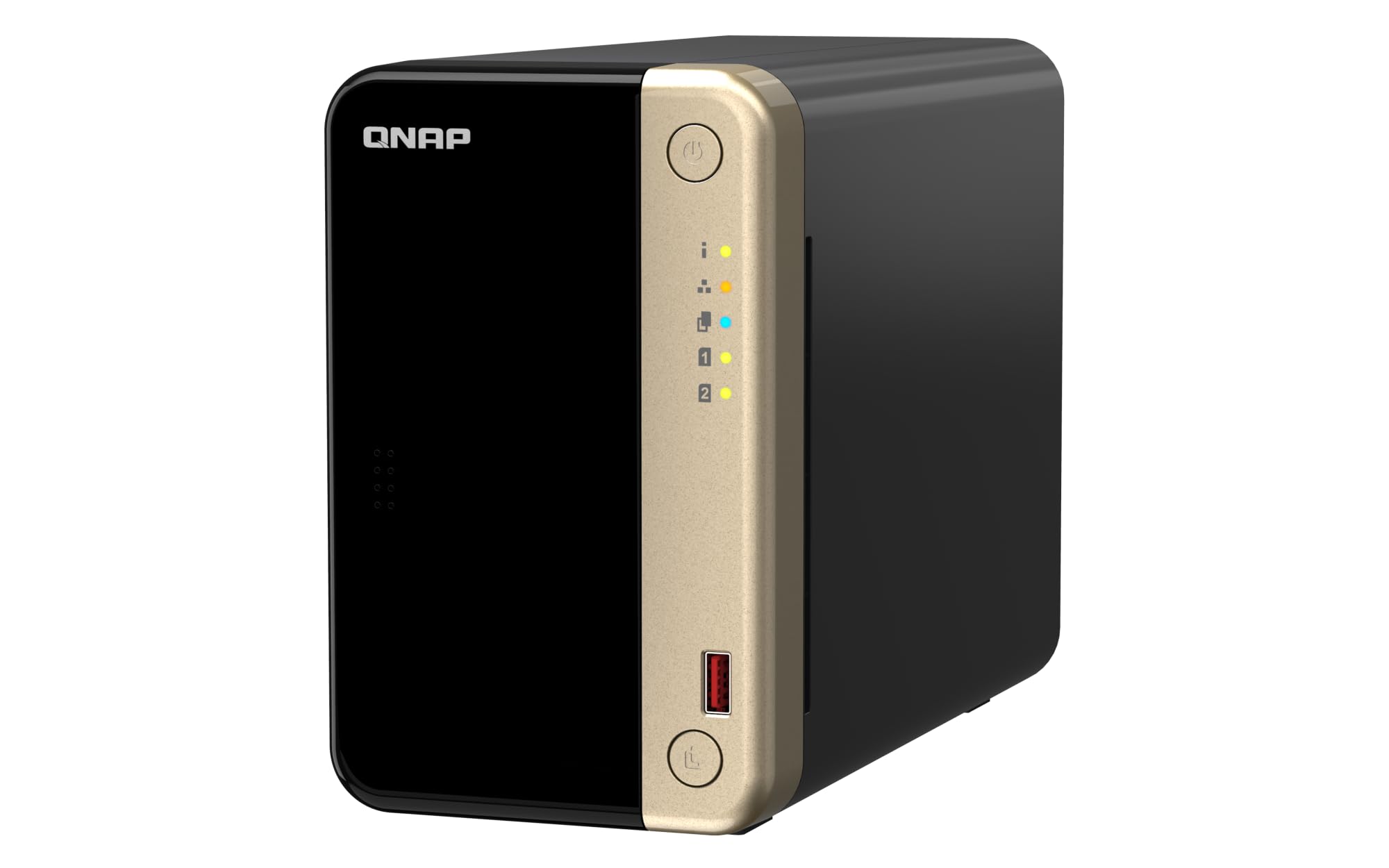
You will like this QNAP if localized security and steady performance matter more to your workflow than flashy extras. It is a compact two-bay unit that tackles the often-ignored problem of encryption overhead, ensuring that securing your data doesn't bring your network speeds to a crawl.
It is a sensible pick for deployments where basic compliance and encrypted transfers are mandatory priorities. It beats alternative two-bay options by integrating Intel AES-NI hardware encryption and outfitting the board with a substantial 8GB of RAM.
Pros
- Hardware encryption engine
- Substantial 8GB system RAM
- Dual 2.5GbE network ports
Cons
- Two bays limit storage growth
- Operating system learning curve
- RAID configurations are limited
Tech Specs
| Major Features | Intel AES-NI hardware encryption, 8GB system memory, Dual 2.5GbE network ports, M.2 PCIe slots, Snapshot-based file recovery |
| Drive Bays | 2 Bays |
| Network Connectivity | 2x 2.5GbE |
| Storage Included | Diskless |
| Base CPU / RAM | Intel Celeron Quad-Core / 8GB RAM |
Ideal For
- Offices managing sensitive client documents or financial data.
- Users who want fast transfers while keeping encryption active.
- Buyers wanting robust hardware in a small, two-drive footprint.
Not For
- Users planning to use complex RAID 5 or RAID 6 arrays.
- Buyers on a strict entry-level budget.
Editor's Take
Normally, turning on heavy data encryption slows down the processor, making file transfers feel sluggish. QNAP solves this by throwing a dedicated hardware encryption engine and plenty of RAM at the problem. The limitation here is physical scale: with only two bays, you are restricted to RAID 1 mirroring. If two drives are enough capacity for you, this provides excellent, secure performance.
BUFFALO LinkStation 720 4TB

The LinkStation offers a completely different approach by giving you a simple, ready-to-run system that removes the friction of researching and installing your own hard drives. Because the drives are included and mirrored out of the box, it is an easy way to establish a central file hub without calling IT support.
It is aimed squarely at non-technical teams that want the benefits of a private cloud without the homework. It beats other options in pure convenience, offering true plug-and-play network backup right out of the packaging.
Pros
- Includes hard drives in box
- Zero hardware assembly needed
- Native Time Machine support
Cons
- Slow 1GbE network bottleneck
- Cannot run virtual machines
- Very basic system processor
Tech Specs
| Major Features | Includes 4TB pre-installed storage, RAID 1 mirroring redundancy, Apple Time Machine compatibility, Private cloud remote access, Simplified admin interface |
| Drive Bays | 2 Bays |
| Network Connectivity | 1x 1GbE |
| Storage Included | 4TB Included (2x 2TB) |
| Base CPU / RAM | Basic Proprietary Board |
Ideal For
- Small offices wanting a one-click centralized backup solution.
- Users uncomfortable handling bare hard drives or building arrays.
- Teams working primarily with basic spreadsheets and documents.
Not For
- Video editors requiring fast, multi-gigabit transfer speeds.
- Power users wanting to select specific enterprise-grade disks.
Editor's Take
This unit requires a very realistic understanding of tradeoffs. You are gaining ultimate convenience, but you are sacrificing modern speed. The 1GbE network port is a severe bottleneck by today's standards, meaning large video files will take significantly longer to transfer than they would on the 2.5GbE alternatives above. If your office only moves word documents, PDFs, and occasional photos, the convenience here easily outweighs the speed limits.
Product Comparison
| Product | Features | Star Rating | See Price |
|---|---|---|---|
| Asustor Drivestor 2 Gen 2 |
| 84/100 | See Price |
| Ubiquiti UNAS 2 |
| 82/100 | See Price |
| UGREEN DXP8800 Plus |
| 91/100 | See Price |
| Synology DS925+ |
| 88/100 | See Price |
| Terramaster F4-424 Pro |
| 87/100 | See Price |
| QNAP TS-264-8G-US |
| 86/100 | See Price |
| Buffalo LinkStation 720 |
| 83/100 | See Price |
Buyer’s Checklist
| Feature to Consider | Why It Matters |
|---|---|
| Network Speed Match | Ensure your office router and switches support 2.5GbE or 10GbE to avoid immediate bottlenecks. |
| Drive Inclusion | Diskless units require separate drive purchases, increasing upfront hardware costs. |
| Compute Power | Prioritize a strong CPU and expandable RAM if you plan to run Docker or stream media. |
| Power Requirements | Verify if the unit requires specialized equipment like PoE++ before assuming it uses a wall outlet. |
| Physical Placement | Consider noise and heat; larger arrays belong in closets, while quiet dual-bay units can sit on desks. |
Frequently Asked Questions
Is local network storage completely safe from ransomware?
No, a NAS is not immune to ransomware. If a computer on your network is infected and has access to the NAS shared folders, the ransomware can encrypt the files on the server as well. To mitigate this risk, you should utilize snapshot features, set strict user access permissions, and always maintain an offline or immutable cloud backup for disaster recovery.
What does it mean when a NAS is listed as diskless?
Diskless means the manufacturer sells you the enclosure, the processor, the memory, and the operating system, but no actual hard drives. You are responsible for purchasing compatible NAS-rated hard drives separately, physically installing them into the unit, and formatting the storage volume yourself during initial setup.
Do I actually need 10GbE networking for my small office?
Most small offices do not need 10GbE. If you are primarily working with text documents, spreadsheets, PDFs, and occasional light photos, a 1GbE or 2.5GbE connection is plenty fast. You only need the massive bandwidth of 10GbE if multiple people are concurrently editing high-resolution video directly off the server or working with massive 3D rendering projects.
Can I access my local NAS files when I am away from the office?
Yes, almost all modern units offer a secure remote access feature, often referred to as a "private cloud." Brands like Synology and Asustor provide apps and secure portals that let you fetch or upload files over the internet without exposing your server directly to the public web, though your remote speed will be limited by your office's upload bandwidth.
Why does the amount of RAM matter on a storage drive?
If you only use the unit as a basic digital filing cabinet, RAM does not matter much. However, a NAS is essentially a small computer. If you plan to run automated backup software, host a Plex media server, run security cameras, or operate virtual machines, those background applications require significant memory to run simultaneously without crashing or lagging the system.

